


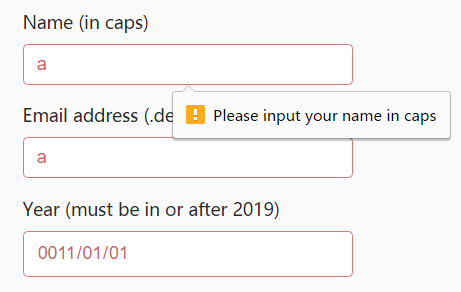
Ok.js is a lightweight JavaScript form validation library that makes it easy to create custom validation rules and error messages to form fields.
Basic usage:
Include the ‘Ok.js’ library on the webpage and you’re ready to go.
<script src="ok.js"></script>
Add custom validator names to your form fields using ‘data-ok’ attribute as follows:
<form class="form">
  <div>
    <label for="inputNameFirst">First Name (only "Dave" allowed)</label>
    <input type="text" id="inputNameFirst" placeholder="Enter First Name" required data-ok="nameFirst">
  </div>
  <div>
    <label for="inputNameLast">Last Name</label>
    <input type="text" id="inputNameLast" placeholder="Enter Last Name" required>
  </div>
  <div>
    <label for="inputMail">Email address (only ".de" allowed)</label>
    <input type="email" id="inputMail" placeholder="Enter email" required data-ok="emailDe">
  </div>
  <input type="submit">
</form>
Create a new OK object and define your own validation rules & error messages:
Ok({
  el: ".form",
  validators: {
    nameFirst: {
      msg: "only 'Dave' allowed",
      fn: val => {
          return val.toLowerCase() === "dave";
      }
    },
    emailDe: {
      msg: "Please input your .de email",
      fn: val => {
          return val.endsWith(".de");
      }
    }
  }
});
Changelog:
v3.4.0 (07/06/2018)
- feat: Added support for legacy browsers not supporting the validation API
v3.3.2 (06/24/2018)
- Updated
See Also:
 Lightweight Form Validation and Input Masking/Formatting – Masker.js
 Client-Side Declarative Form Validation using Strictly.js
 Fast Clientside Form Validation with Zephyr Form Validator
 Enhance Password Fields with Custom Web Components
 Validating and Formatting Credit Card Inputs with Payment.js
 Precise Checkbox Validation With Required Checkboxes Web Component
 Beginner-Friendly JavaScript Form Validation Library – Trivule
 Custom HTML5 Form Validator In Vanilla JavaScript – Just-validate