


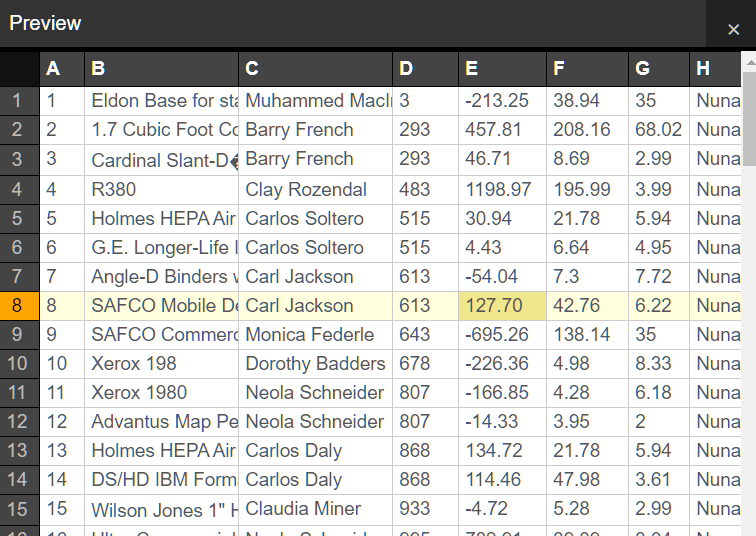
Heiho is a Vanilla JavaScript based CSV Viewer used to present your CSV data in a spreadsheet-like data grid.
How to use it:
1. Add the Heiho’s JavaScript and CSS files to the page.
<link rel="stylesheet" href="heiho.css" />
<script src="heiho.js"></script>
2. Populate the online spreadsheet with CSV data you provide.
var data = [ CSV Data Here ];
Heiho(data);
3. Or directly load an external CSV file into the CSV viewer. Requires the PapaParse library.
<script src="https://cdn.jsdelivr.net/gh/mholt/PapaParse@latest/papaparse.min.js"></script>
Papa.parse('sample.csv', {
  download: true,
  complete: function(results){
    Heiho(results.data)
  }}
);
4. Determine whether to style the first row. Default: null.
Heiho(data, {
  header: null
});
5. Customize the title of the CSV viewer.
Heiho(data, {
  title: 'sample.csv'
});
// or
var file = {filename: 'sample.csv', size: '10KB', created: '2020-09-28 13:06:36'}
Heiho(data, { title: function(el, o)
{
el.innerHTML = '<b>'
+ file.filename + '<\/b> <code>'
+ file.size + '<\/code> '
+ file.created;
}
});6. Determine the maximum number of rows to preview. Default: 100.
Heiho(data, {
  max: 50
});
7. Determine how to truncate the content if the rows reach the max.
Heiho(data, {
  truncate: function(el, max, data, o){
    el.innerHTML = 'Showing only first ' + max + ' rows';
    el.style.display = '';
  }
});
Changelog:
10/31/2020
- preserve scrolling with overflow:hidden
See Also:
 High Performance Table Data Presentation Library – regular-table
 Interactive And Customizable Data Table/Grid Web Component – Active Table
 Generate CSV, PDF, DOC And XLS Files From JS Objects – JsObjExporter
 Export HTML Tables as CSV with JavaScript – Table2CSV
 Build Editable, Spreadsheet-like Data Grids with Nano Sheets
 High-Performance Data Grids with Nano Sheets
 Export JavaScript Data to CSV Format – Convert to CSV
 Download JSON Data As CSV File Using JavaScript