


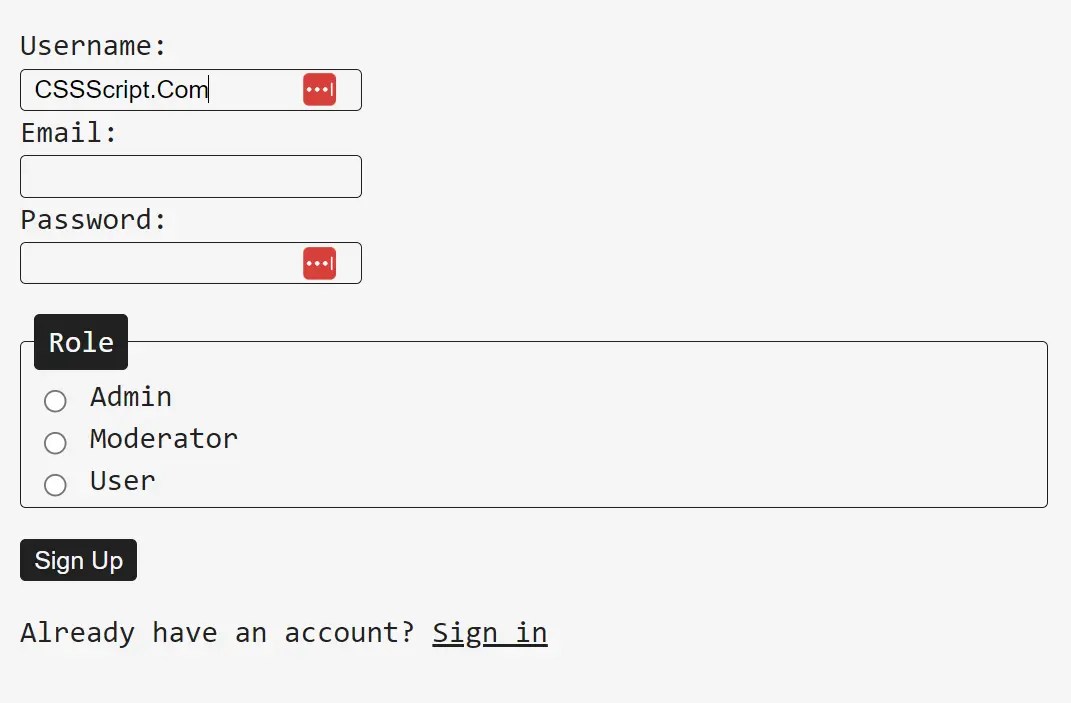
mi.css is a tiny CSS file (~ 1kb) that acts as either a CSS reset or a “CSSless” framework. It applies basic, clean styling directly to semantic HTML elements. You don’t need to add any classes.
Unlike other frameworks that require you to learn specific class naming conventions or component structures, mi.css simply enhances the native appearance of standard HTML elements.
Main Features:
- Classless styling – works directly on semantic HTML
- Clean, monospace-based default design
- Clean default styles for common HTML elements
- Consistent spacing and layout
- Automatic styling for form elements, tables, and other common components
Use Cases:
- Rapid prototyping where a consistent baseline is needed without extensive styling.
- Projects requiring a lightweight CSS reset to remove browser inconsistencies.
- Static websites that prefer semantic HTML without additional classes.
- Educational projects where simplicity helps in focusing on HTML structure.
How to use it:
1. Include the stylesheet in your HTML document by adding the following line in the <head> section:
<link rel="stylesheet" href="mi.css">
2. Write your HTML using semantic tags without adding extra classes. The library automatically applies basic styling to elements like <nav>, <header>, <article>, and <footer>.
FAQS:
Q: Can I customize mi.css?
A: Absolutely. The easiest way is to add your own CSS after the mi.css link. Your styles will override the defaults. You can also modify the mi.css file directly, but be aware that this will make updates more difficult.
Q: What if I need a specific style that mi.css doesn’t provide?
A: Just write the CSS. mi.css is designed to be a starting point, not a complete solution for every possible design. Add your specific styles as needed. That’s the beauty of it.
Q: Does mi.css work with JavaScript frameworks like React, Vue, or Angular?
A: Yes, it does. Because mi.css styles elements directly, it doesn’t interfere with how these frameworks manage the DOM. I’ve used it in a React project without any issues. Just include the <link> tag in your main HTML file (or import the CSS into your main component file).
Q: Will using a classless framework limit my design options?
A: Potentially, yes. If you have a very complex, highly customized design, you’ll likely end up writing a significant amount of custom CSS anyway. But for many projects, the limitations are actually a benefit – they encourage simplicity and semantic correctness.
Does mi.css support dark mode?
A: The default mi.css doesn’t include dark mode support. However, you could easily extend it with a media query that targets prefers-color-scheme: dark to create a dark mode version.
See Also:
 A Better CSS Reset for Modern Devs – UAplus.css
 Modern CSS Reset Under 1KB for Clean Code – defaults.css
 UX-First CSS Foundation for Modern Web – Browserux.css
 CSS Reset For Modern Web Development – normal.css
 Modern Accessible CSS Reset – reset.css
 Modern CSS Reset For Consistent Web Dev – Reboot.css
 Tiny Clean CSS Framework – matcha.css
 Consistent Cross-Browser Styling with Eddy CSS Reset Library