


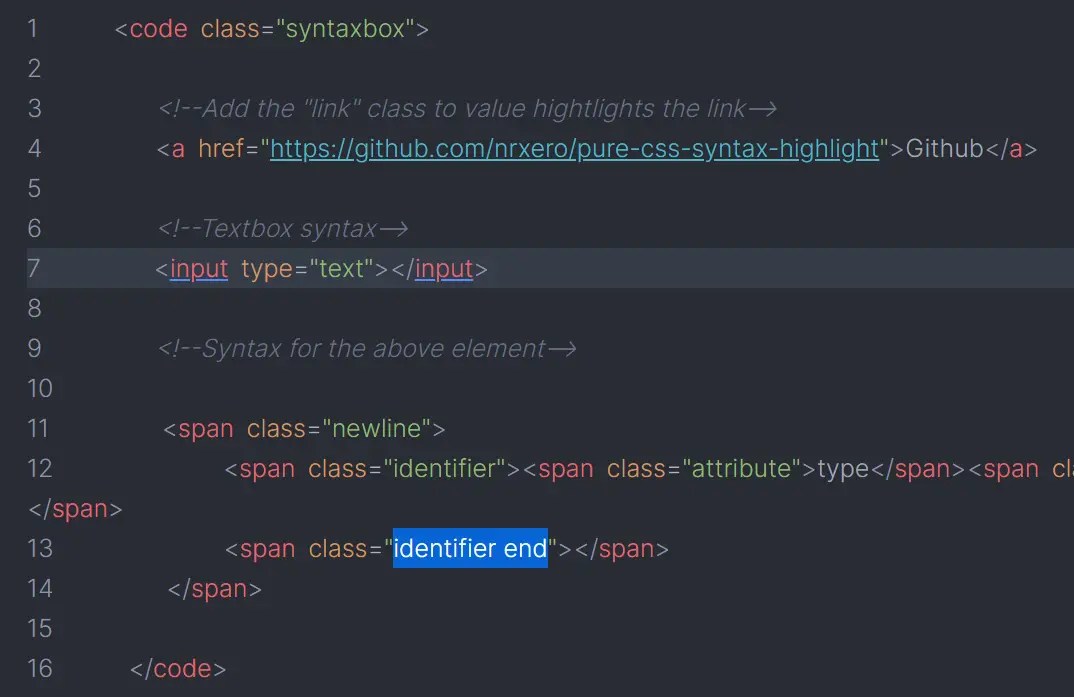
The pure CSS syntax highlighter is a simple JavaScript-free tool that lets you highlight source code using only CSS classes.
How to use it:
1. Download and insert the syntax.css into the document.
<link rel="stylesheet" href="./syntax.css" />
2. Add the CSS class ‘syntaxbox’ to the ‘code’ tag.
<code class="syntaxbox">
  ...
</code>
3. Highlight your source code using the following CSS classes:
- identifier: HTML element identifier.
- identifier end: HTML element identifier (end).
- value: Value
- value link: Link
- attribute: HTML attributes
- newline: New line
- comment: HTML comment
<code class="syntaxbox">
  <span class="newline">
    <span class="identifier">code
      <span class="attribute">class</span>
      <span class="value">syntaxbox</span></span>
    </span>
    <span class="newline"></span>
    <span class="newline" data-level='1'>
      <span class="comment">HTML Comment</span>
    </span>
    <span class="newline" data-level='1'>
      <span class="identifier">a
        <span class="attribute">href</span>
        <span class="value link">https://www.cssscript.com</span>
      </span>CSSScript.com
      <span class="identifier end">a</span>
    </span>
    <span class="newline"></span>
    ....
</code>
See Also:
 Modern Syntax Highlighter with CSS Custom Highlight API
 Highlight Java Stack Traces With javaStack.js
 Add Beautiful Code Highlighting with Syntax.js
 Easy Syntax Highlighting Library – CSPSH.js
 Elegant Syntax Highlighter In JavaScript – EnlighterJS
 Simlpe Syntax Highlighter Using Unicode – Unilight
 Syntax Highlighter For JSX – Sugar High
 VS Code Style Syntax Highlighter – shiki.js