


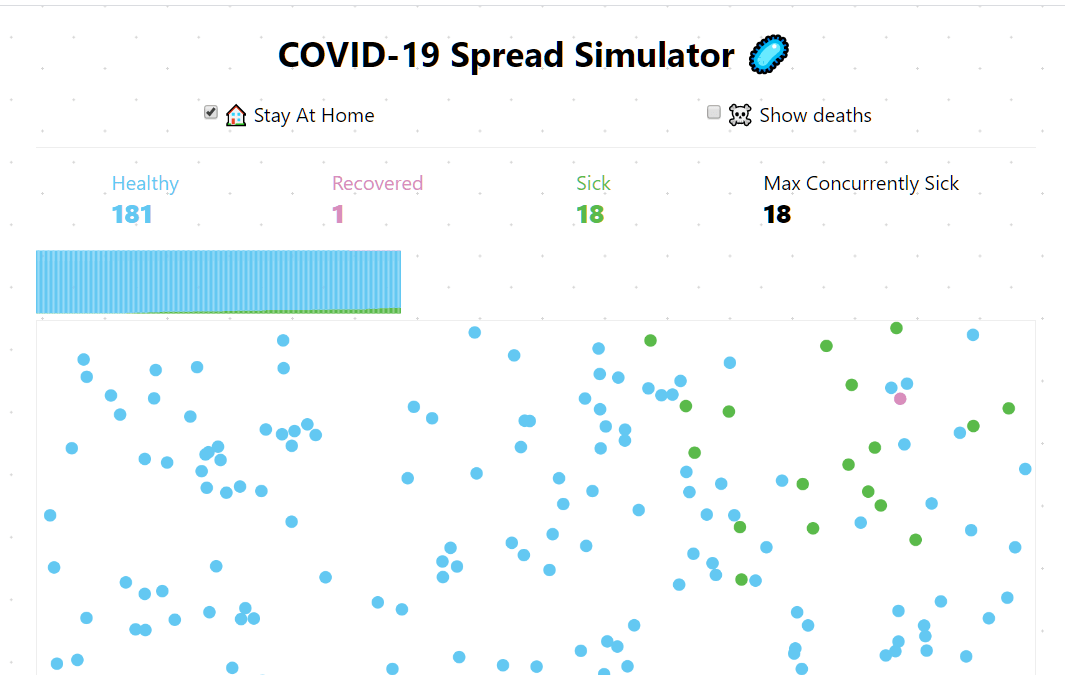
Just another open-source Coronavirus spreading simulator with different strategies that can be used to show how stay-at-home can help prevent the spread of COVID-19.
Requires p5.js library and inspired by Why outbreaks like coronavirus spread exponentially, and how to ‘flatten the curve’.
How to use it:
1. Download the package and insert the following scripts into your document.
<link as="script" rel="preload" href="./p5.min.js" />
<link as="script" rel="modulepreload" href="./app.js" />
<link as="script" rel="modulepreload" href="./options.js" />
<link as="script" rel="modulepreload" href="./dom.js" />
<link as="script" rel="modulepreload" href="./Ball.js" />
<link as="script" rel="modulepreload" href="./results.js" />
<link as="script" rel="modulepreload" href="./collisions.js" />
<script defer src="./p5.min.js"></script>
<script type="module" src="./app.js"></script>
2. Build the HTML for the Coronavirus Spreading Simulator.
<header>
 <form><label aria-label="Activate People Stay At Home filter" title="People stay at home"><input id=stay-home type=checkbox>? Stay At Home</label> <label aria-label="Activate Deaths provoked by virus" title="Deaths provoked by virus"><input id=deaths type=checkbox>☠️ Show deaths</label></form>
 <div id=count>
    <div>Healthy<br><span id=well>0</span></div>
    <div>Recovered<br><span id=recovered>0</span></div>
    <div>Sick<br><span id=infected>0</span></div>
    <div id=death-count>Deaths<br><span id=death>0</span></div>
    <div>Max Concurrently Sick<br><span id=max-concurrent-infected>0</span></div>
 </div>
 <svg id=graph version=1.1 xmlns=http://www.w3.org/2000/svg xmlns:xlink=http://www.w3.org/1999/xlink height=50 width=100% aria-labelledby="Graph of virus spread" role=img>
    <title>Graph of virus spread</title>
 </svg>
</header>
<section>
 <div id=canvas>
    <div id=replay style=display:none>? Run a new simulation</div>
 </div>
</section>
3. Customize the simulator by overriding the default parameters in the options.js.
const DEFAULT_FILTERS = {
  death: false,
  stayHome: false
}
export const CANVAS_SIZE = {
  height: 880,
  width: 360
}
export const DESKTOP_CANVAS_SIZE = {
  height: 400,
  width: 800
}
export const BALL_RADIUS = 5
export const COLORS = {
  death: '#c50000',
  recovered: '#D88DBC',
  infected: '#5ABA4A',
  well: '#63C8F2'
}
export const STATES = {
  infected: 'infected',
  well: 'well',
  recovered: 'recovered',
  death: 'death'
}
export const COUNTERS = {
  ...STATES,
  'max-concurrent-infected': 'max-concurrent-infected'
}
export const STARTING_BALLS = {
  [STATES.infected]: 1,
  [STATES.well]: 199,
  [STATES.recovered]: 0,
  [STATES.death]: 0,
  'max-concurrent-infected': 0
}
export const RUN = {
  filters: { ...DEFAULT_FILTERS },
  results: { ...STARTING_BALLS },
  tick: 0
}
export const MORTALITY_PERCENTATGE = 5
export const SPEED = 1
export const TOTAL_TICKS = 1600
export const TICKS_TO_RECOVER = 500
export const STATIC_PEOPLE_PERCENTATGE = 25
export const resetRun = () => {
  RUN.results = { ...STARTING_BALLS }
  RUN.tick = 0
}
See Also:
 COVID-19 (Coronavirus Disease) Spreading Simulation Tool In JavaScript
 SVG Based COVID-19 Data Badges
 Show The Latest COVID-19 Stats Using JavaScript
 Pure CSS Tabs Component with Transitions Between Variable Heights
 Fast Fuzzy Autocomplete Library – tiny-complete
 Minimal Dark Mode Toggler With CSS Variables – darken.js
 Tab Bar Style Navigation Menu
 Modern Toast Popup JavaScript Library – EggyJS