


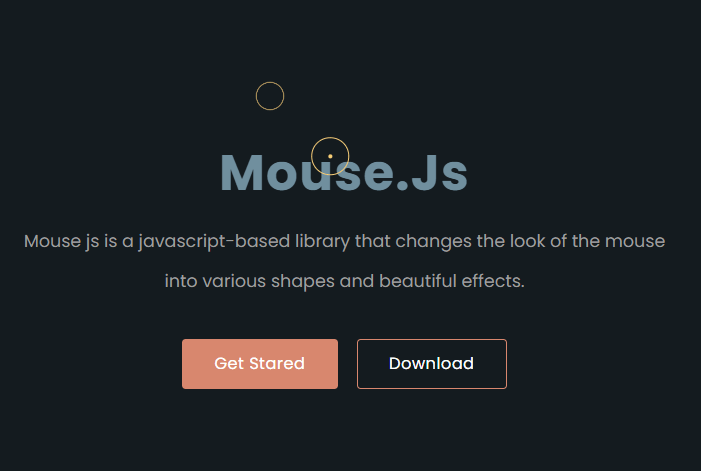
Mouse.Js is a JavaScript library for creating pretty cool cursor and click effects using JavaScript and CSS.
See Also:
How to use it:
1. Include the stylesheet mouse.css and JavaScript mouse.js on the page.
<link rel="stylesheet" href="dist/css/mouse.min.css" />
<script src="dist/js/mouse.min.js"></script>
2. Initialize the mouse.js to replace the default cursor with a circle.
let mouse = new Mouse()
mouse.mouse()
3. Change the cursor shape. Available shapes:
- defult
- cirle (Default)
- point
let mouse = new Mouse({
    mouse : 'point',
})
4. Change the cursor color.
let mouse = new Mouse({
    color: '#ffda79',
})
5. Determine whether to add a hover effect to the element: ‘false’, ‘border’, or ‘background’.
let mouse = new Mouse({
    mouseHover: 'border',
})
6. Or apply the hover effect to specific elements.
let mouse = new Mouse({
    el: 'a',
    el_hover: true,
})
7. Determine whether to show the default cursor. Default: false.
let mouse = new Mouse({
    mousePointer: true,
})
8. Determine whether to enable the click effect. Default: true.
let mouse = new Mouse({
    mouse_clicked: false,
})
9. Determine whether to change the color of the cursor automatically. Default: false.
let mouse = new Mouse({
    clrChanged : true,
})
Changelog:
v1.0.4 (11/28/2021)
- Update
See Also:
 90’s Cursor Move Effects In Pure JavaScript
 Custom Mouse Effects for Modern Web Apps – Aura Cursor
 Interactive WebGL Fluid Motion with Smokey Fluid Cursor
 Custom Cursor Library with Animated Particle Effects – Cursorly.js
 Interactive Smoke/Fluid Motion Effects with Canvas and WebGL
 Add Custom Spotlight Effects to Mouse Movements – gradient-cursor
 Create Custom Interactive Mouse Cursors with Cursix and GSAP
 Create Smooth Custom Cursor Effects Using Cursor Magic