


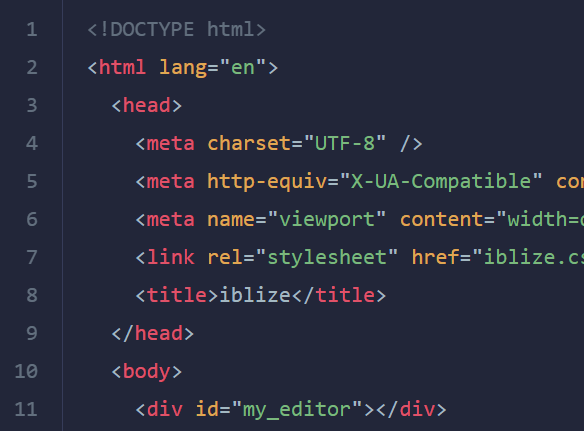
iblize is a minimal clean Code Editor that supports over 250 languages.
Features:
- Syntax highlighting.
- Mobile friendly.
- 6 beautiful themes.
- Supports 250+ languages.
- Line Number.
- Read Only mode.
- Custom tab size.
- Auto closing bracket and quote.
- Auto add new line indent.
- Undo and Redo functions.
How to use it:
1. Load the iblize.css and iblize.js files in the document.
<link rel="stylesheet" href="dist/iblize.css" />
<script src="dist/iblize.js"></script>
2. Or install & import the iblize with NPM.
# NPM
$ npm i iblize --save
import Iblize from "iblize";
import "iblize/dist/iblize.css";
3. Initialize the iblize to create a default JavaScript code editor.
<div id="editor"></div>
const iblize = new Iblize("#editor");4. Specify the language. You can find all supported languages under the ./dist/languages folder.
const iblize = new Iblize("#editor",{
      language: 'css'
});
5. Determine whether to show line numbers. Default: true.
const iblize = new Iblize("#editor",{
      lineNumber: false
});
6. Enable the Readonly mode. Default: false.
const iblize = new Iblize("#editor",{
      readOnly: true
});
7. Customize the tab size. Default: 2.
const iblize = new Iblize("#editor",{
      tabSize: 4
});
8. Change the default theme. All available themes:
- iblize-light
- iblize-dark
- okaidia
- solarized-light
- tomorrow-night
- twilight
const iblize = new Iblize("#editor",{
      theme: "iblize-light"
});
9. API methods.
// get editor content
blize.getValue();
// set editor content and determine whether to record the value to history.
blize.setValue( value: String, record: Boolean);
// get/set options
iblize.getOptions();
iblize.setOptions({
  // options here
});
// get selection
// returns { start, end, dir }
iblize.getSelection();
// set selection
iblize.setSelection(start: Number, end: Number[, dir: String]);
// get the current cursor position
iblize.getCursor();
// set the cursor position
iblize.setCursor(pos: Number);
// get the current active line
iblize.getActiveLine();
// get total amount of lines
iblize.getTotalLine();
// get values from a specific line
iblize.getLineValue(line: Number);
// insert a tab
iblize.insertTab();
// insert text
iblize.insertText(from: Number, text: String [, options: Object]);
// remove text
iblize.removeText(from: Number, to: Number [, options: Object]);
// undo/redo
iblize.undo();
iblize.redo();
10. Execute a function when the editor updates.
iblize.onUpdate((value) => {
  // do something
});
Changelog:
v2.0.3 (11/12/2021)
- inject base style again instead of making it separate
v2.0.2 (10/31/2021)
- update themes
v2.0.1 (07/30/2021)
- fix recount linenumber when option lineNumber change from false to true
See Also:
 Online HTML Editor With Instant Preview
 Mobile-friendly Online Code Editor/Playground – WebDen
 Simple Extensible Code Editor – Copenhagen
 Cross-browser Code Editor For Browser – codejar
 Tiny HTML/CSS/JavaScript Code Editor – OnCode
 Simple Markdown Editor with Real-Time Preview and Customizable Toolbar
 Build a Serverless Text Editor with URL Storage – textarea.my
 Minimal WYSIWYG Editor In Pure JavaScript – Suneditor