


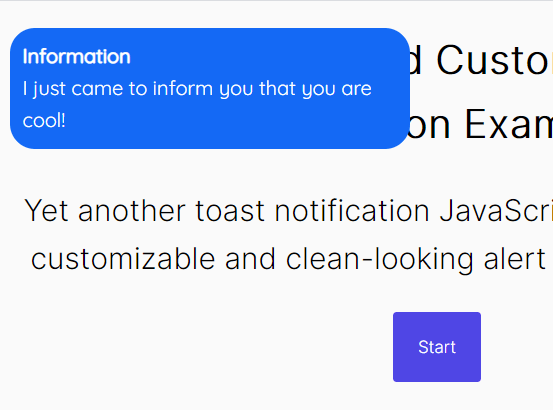
Yet another toast notification JavaScript library for creating customizable and clean-looking alert popups on the page.
Features:
- 4 notification types: info, warning, error, success.
- 6 position & placement combinations.
- Execute a callback after the toast has dismissed.
How to use it:
1. Load the Toaster’s JavaScript and CSS files in the document.
<link rel="stylesheet" href="toaster/toaster.css" />
<script src="toaster/toaster.js"></script>
2. Show a default toast message on the page.
new Toaster({
    msg: "Toast Message Here"
})
3. Add a header to the toast message.
new Toaster({
    msg: "Toast Message Here",
    header: "Toast Header",
})
4. Set the notification type: info (default), warning, error, success.
new Toaster({
    msg: "Toast Message Here",
    type: "error",
})
5. Determine how long the toast message lasts. Default: 3 (seconds).
new Toaster({
    msg: "Toast Message Here",
    duration: 3
})
6. Specify the time to wait before showing the toast message. Default: 0.
new Toaster({
    msg: "Toast Message Here",
    delay: 1
})
7. Set the position of the toast message.
new Toaster({
    msg: "Toast Message Here",
    alignment: "left", // left|right|center
    position: "top", // top|bottom
})
8. Apply rounded borders to the toast message.
new Toaster({
    msg: "Toast Message Here",
    borders: "round",
})
9. Override the default styles.
new Toaster({
    msg: "Toast Message Here",
    colors: {
      warning: "#E78D0D",
      error: "#E43423",
      info: "#1469F5",
      success: "#3BE515",
    },
})
10. Perform a function when the toast message dismisses.
new Toaster({
    msg: "Toast Message Here",
    whenEnded: (()=>{}),
})
See Also:
 Modern JavaScript Toast Notification & Modal Popup Library – JSPT
 Lightweight Toast & Growl Notifications Inspired by macOS – Toastify
 Framework-Agnostic Toast Notifications with TypeScript – NotifyX
 Material Design Toast & Snackbar Library with Action Buttons – MiniSnackbar
 shadcn/ui Sonner-style Toast Notification Library – toast-queue
 Advanced Alert Notification System For Bootstrap 5 – AvalynxAlert.js
 Customizable Toast Notifications with Burning Fuse Countdown Animations – FuseNotify
 Modern Notification Library for Web Apps – FlashyJS