


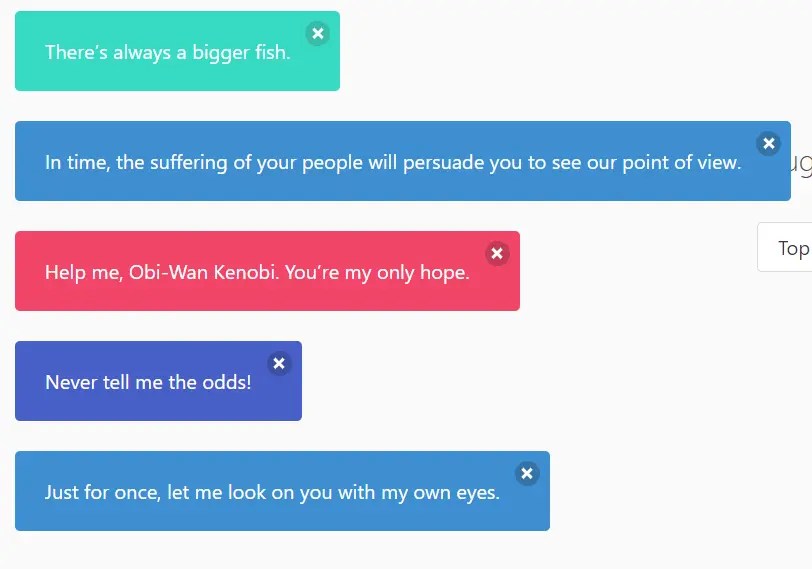
A JavaScript plugin for creating customizable toast notifications based on Bulma’s Notification component.
How to use it:
1. Install and import the bulma-toast.
# Yarn
$ yarn add bulma-toast
# NPM
$ npm i bulma-toast
// ES Module
import * as bulmaToast from 'bulma-toast';
// Browser
<script src="https://unpkg.com/bulma-toast"></script>
2. Display a toast on the screen.
// ES Module
toast({
  message: 'Toast Message',
});
// Browser
bulmaToast.toast({
  message: 'Toast Message',
})
3. Set the notification type:
- is-primary
- is-link
- is-info
- is-success
- is-warning
- is-danger
- or custom CSS class
toast({
  message: 'Toast Message',
  type: 'is-warning',
})
4. Set the position of the toast notification.
- top-left
- top-center
- top-right (default)
- center
- bottom-left
- bottom-center
- bottom-right
toast({
  message: 'Toast Message',
  position: 'top-center',
})
5. Set the duration of the toast notification. Default: 2000ms.
toast({
  message: 'Toast Message',
  duration: 5000,
})
6. Add in/out animations to the notification. Requires Animate.css.
toast({
  message: 'Toast Message',
  animate: {
    in: 'fadeIn',
    out: 'fadeOut'
  },
})
7. More options.
toast({
  closeOnClick: true,
  opacity: 1,
  single: false,
  offsetTop: 0,
  offsetBottom: 0,
  offsetLeft: 0,
  offsetRight: 0,
  extraClasses: '',
})
Changelog:
v2.4.4 (03/02/2024)
- Bugfixes
See Also:
 Modern JavaScript Toast Notification & Modal Popup Library – JSPT
 Lightweight Toast & Growl Notifications Inspired by macOS – Toastify
 Implement Sticky Table Headers/Footers/Columns In Bulma Framework
 Framework-Agnostic Toast Notifications with TypeScript – NotifyX
 Material Design Toast & Snackbar Library with Action Buttons – MiniSnackbar
 Versatile Datetime Picker For Bulma – bulma-calendar
 shadcn/ui Sonner-style Toast Notification Library – toast-queue
 Advanced Alert Notification System For Bootstrap 5 – AvalynxAlert.js