


To create attractive headlines, titles and import messages on your web app, you shouldn’t miss this list of 10 best text animation libraries that make it easy to apply fancy animations and typing effects to your text using native vanilla JavaScript.
Originally Published Jan 06 2018, updated Jan 21, 2026
1. ChatGPT-style Text Typing Effect – ChatGPT Typewriter

The ChatGPT Typewriter script simulates the text typing effect you see on ChatGPT (https://chat.openai.com/).
2. JavaScript Plugin For Customizable Terminal Text Effect – TypeIt

A typewriter-style text animation plugin that simulates someone typing and deleting over an array of words.
Note that the plugin is rewritten in pure JavaScript since TypeIt v5 so it now works with no dependencies such as jQuery.
3. Terminal-style Text Typing Animation – TypeWriting.js

A standalone JavaScript library for creating terminal-style animated text typing effect with a blinking cursor.
4. Classic Terminal Typing Effect In JavaScript – Console Typer

A JavaScript library to create a configurable typing animation for paragraphs, simulating the experience of typing in a command line interface.
5. Create Smooth Looping Typewriter Effects with Typewriter.js

A lightweight JavaScript library that creates smooth typewriter typing and deleting effects on any text content.
It introduces a <Typewriter /> component that animates text content sequentially within the component to mimic a text rotator effect. Each text segment types out character by character, pauses, then deletes before moving to the next segment.
For instance, you could use it to display “CSSScript.Com” then “A JavaScript & CSS website.” and finally “Update Daily.” This visual cue can engage users more effectively than static text.
6. Text Typing Animations with Real-time Markdown/HTML Rendering – TypeMorph
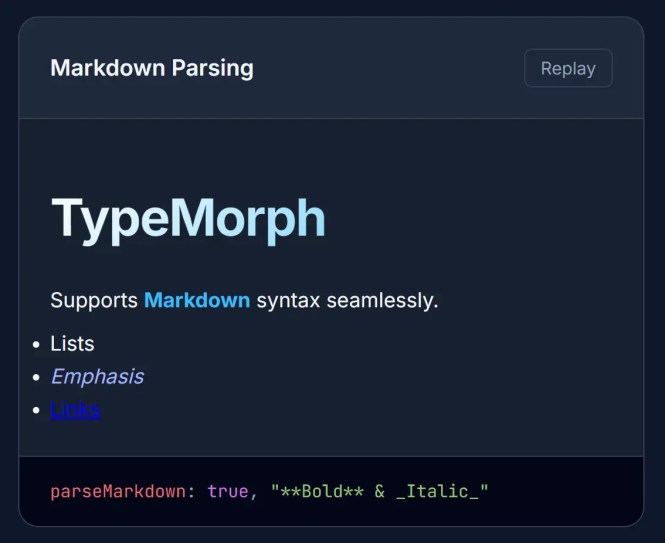
A JavaScript text animation library that creates smooth, realistic typing animations with advanced features like streaming Markdown output, HTML rendering, and intelligent auto-scrolling.
Features:
- Flexible Typing Engine: Character-by-character rendering with configurable speed and chunk size.
- Multiple Looping Modes: Supports both clear and backspace loop styles with customizable iteration counts and delays between cycles.
- Markdown Rendering: Parses markdown syntax using Marked library with inline and block-level support for rich text formatting.
- HTML Sanitization: Automatically sanitizes HTML content using DOMPurify to prevent XSS attacks while preserving safe markup.
- Smart Auto-Scrolling: Detects user scroll interactions and automatically scrolls to show new content during typing animations.
- Cursor Customization: Built-in blinking cursor with configurable character, color, and animation timing via CSS classes.
- Promise-Based API: Async methods for type, loop, stop, and destroy operations enable sequential animation chains.
- Event Callbacks: Lifecycle hooks for stop, finish, and destroy events.
7. Add Typing Animations to Your Site with Typing.js
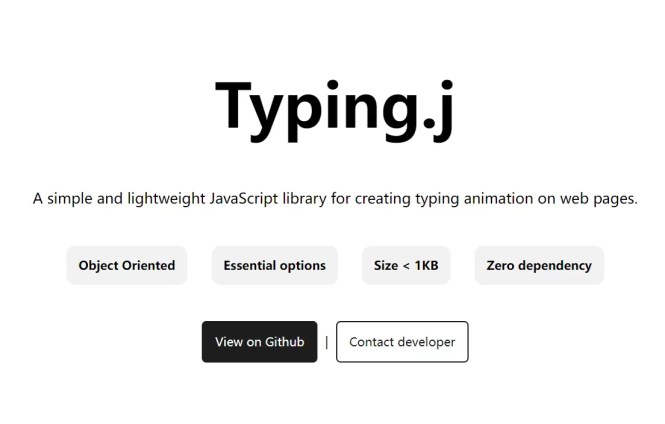
A 1kb JavaScript plugin that lets you create typewriter-style animations where text appears on your page character by character, or even gets deleted for a dramatic effect.
8. Advanced Typewriter Animation Library – TypeFX.js

A modern typewriter effect library written in TypeScript that helps you create animations to type, delete, and select text.
It provides a clean, chainable API to build complex text-based animations sequentially without messy callbacks or complex state management.
Features:
- Chainable API: Sequential execution of typing, moving, selecting, and deleting operations through method chaining.
- Advanced cursor control: Precise character-by-character movement with both animated and instant positioning options.
- Text selection simulation: Visual highlighting and manipulation of selected text ranges, complete with background styling.
- Speed randomization: Configurable typing speed variation to simulate human-like typing patterns.
- Framework integration: Built-in support for Vue 3 with template refs and lifecycle integration.
- Zero dependencies: Pure JavaScript implementation without external library requirements.
9. Highly Configurable Text Typing Library – typed.js

Just another JavaScript text typing animation library that animates your text to make it look like it is being typing.
10. Create Realistic Typing Animations With Human Replay

An open-source, JavaScript-powered web app that allows you to record and playback text input on a webpage.
More Resources:
To find more about JavaScript & CSS libraries to create typewriter-like text animations on modern web applications, here are a few more resources available on our networks: