


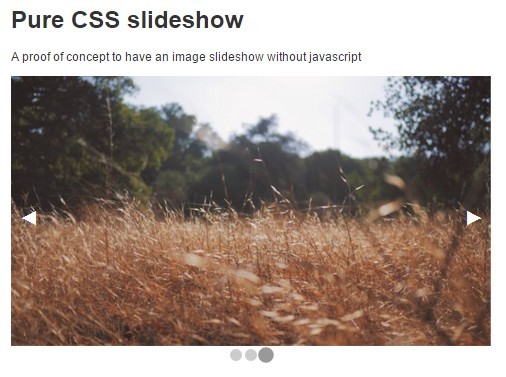
A proof of concept to have a pure HTML/CSS image slideshow without javascript. It uses the checkbox for active slide and the label element for next/prev arrows navigation. The slideshow also comes with a crossfade transition effect based on CSS3.
How to use it:
Load the core stylesheet in your html page.
<link rel="stylesheet" href="css/slideshow.css">
Add images together with bullets pagination and arrows navigation into the slideshow.
<div class="slideshow">
  <input type="radio" name="slide" id="item-1" checked="checked" />
  <div class="slideshow-item">
    <img src="1.jpg" />
    <label for="item-3" class="previous">Go to slide 3</label>
    <label for="item-2" class="next">Go to slide 2</label>
  </div>
  <input type="radio" name="slide" id="item-2" />
  <div class="slideshow-item">
    <img src="2.jpg" />
    <label for="item-1" class="previous">Go to slide 1</label>
    <label for="item-3" class="next">Go to slide 3</label>
  </div>
  <input type="radio" name="slide" id="item-3" />
  <div class="slideshow-item">
    <img src="3.jpg" />
    <label for="item-2" class="previous">Go to slide 2</label>
    <label for="item-1" class="next">Go to slide 1</label>
  </div>
</div>
See Also:
 Parse, Stringify And Compress JSON Strings With JavaScript – zipson
 Stylish Off-canvas Side Menu with JS and CSS
 Magnify Elements On Mouse Hover – Mac Animation
 CSS Only Bar & Scatter Plot Graphs With Mobile Fallback
 Smooth Toggle Button with Html 5 and CSS3
 Protect Images From Theft Using The ProtectImage.js Library
 Scroll Position Restoration for Any Scrollable Container – srestore-scroll
 Mininal Android Toast Message In JavaScript – js-toastr
HI there, this seems to be good. I have a better version to this that also autoplays – please check this one – http://blog.puneets.in/2016/02/pure-responsive-css3-slider-with.html