


DOM Flowt is a lightweight JavaScript AOS (animate on scroll) library that transforms static elements into smoothly animated components as they enter the viewport.
It’s worth a look if you need simple “reveal” effects without pulling in a heavy animation engine or writing Intersection Observer boilerplate.
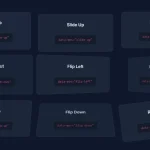
See it in action:
How to use it:
1. Download the package and link the dom-flowt.js and dom-flowt.css files in your HTML.
<link rel="stylesheet" href="/css/dom-flowt.css" media="screen"/>
<script src="/lib/stable/dom-flowt.js"></script>
2. Attach the DomFlowt.watch() method to a scroll event listener. Typically, you’ll attach this to the window object.
window.addEventListener("scroll", function() {
  DomFlowt.watch();
});
// Initial check in case elements are already in view on load
document.addEventListener('DOMContentLoaded', function() {
  DomFlowt.watch();
});
3. Attach scroll-triggered animations to elements using the following HTML data attributes:
dom-flowt-is-visible="false": Required. This attribute flags the element for processing and sets its initial state as “not visible”. The library changes this value (likely internally or via another attribute/class) once the animation triggers. It must be set tofalsedom-flowt-type="{animation-type}": Specifies the animation effect: “pop-up”, “float-left”, “flip-vertical”. Default: “fade”.dom-flowt-duration="{time-in-ms}": Sets the animation duration in milliseconds. Default: “500”.dom-flowt-delay="{time-in-ms}": Sets a delay before the animation starts, in milliseconds. Default: “0”dom-flowt-repeat="{repeat|no-repeat}": Controls if the animation runs again if the element scrolls out of view and then back in. Default: “repeat”
<nav
  class="nav"
  dom-flowt-is-visible="false"
  dom-flowt-type="fade"
  dom-flowt-duration="1000"
  dom-flowt-delay="100"
  dom-flowt-repeat="no-repeat">
  ...
</nav>
See Also:
 Modern Vanilla JS Library for Scrollytelling – Scrolleo
 Animate Elements On Scroll With Parallax Effect – locomotive-scroll
 Lightweight & Performant JavaScript Animation Library – MotionFlow
 Lightweight Modern Animation on Scroll Library (5.7KB) – aos.js
 Animate On Scroll Using CSS @keyframes – Scrollerful.js
 High-Performance CSS Scroll Animations with MOS.js
 Lightweight Animation Library for Modern Web – CSS Motion
 Performance-First Scroll Animation Library – WavBlock