


An ultra-light JavaScript library that enables you to display an animated, fixed alert notification on the page.
How to use it:
1. Import the minified version of the Msg.js library.
<script src="msg.min.js"></script>
2. Call the message() function and define the text to be displayed in the alert notification.
message("Hello World!");3. Override the default styles of the alert notification.
div.style.animation='msg 1s linear';
div.setAttribute('id', 'div_Msg')
div.style.backgroundColor = 'lightblue';
div.style.position='fixed';
div.style.display='flex';
div.innerHTML=' <center><h3 style="cursor: default;" class="msg-text">'+text+'</h3></center><button onclick="closeMsg()" class="msg-text" style="cursor: pointer; background-color: transparent; border: 0px; outline: none; color: grey;"> X </button></center>';
div.style.left='10px';
div.style.top='10px';
div.style.fontFamily="monospace";See Also:
 Create Dynamic Draggable Alert/Confirm Popups – webcimes-modal
 Advanced Alert Notification System For Bootstrap 5 – AvalynxAlert.js
 Customizable Alert/Confirm Modal Library – modal-alert.js
 Lightweight JavaScript Notification System – Simple Display Alert
 Minimal Alert & Confirmation Modals in JavaScript – PopupJs.js
 Sleek Toast & Growl Alert Notification Library – Nostfly.js
 Create Custom Stylish Dialogs with SnapDialog JavaScript Library
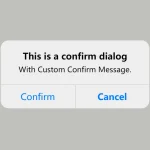 Create iOS-Style Popups & Notifications With Popup JS Library