


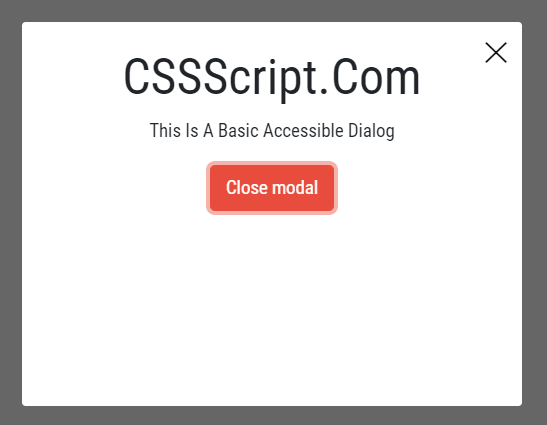
ihmodals is a lightweight, accessible, Vanilla JavaScript modal plugin based on the WAI-ARIA Dialog specification.
How to use it:
1. Install & download the ihmodals library.
# NPM
$ npm install ihmodals --save
2. Import the ihmodals as an ES module.
import IHModals from "ihmodals";
3. Or load the minified version of the ihmodals library in the document.
<link href="dist/ihmodals.css" rel="stylesheet" />
<script src="dist/ihmodals.min.js"></script>
4. Embed modal content into the document.
<div class="modal" id="modal" aria-labelledby="modal-title" aria-describedby="modal-description">
<h2 id="modal-title">Modal Title</h2>
<p id="modal-description">Modal Body</p>
<button class="button" onclick="closeModals()">Close</button>
<button class="modal__close" aria-label="Close" onclick="closeModals()">
✕
</button>
</div>5. Initialize the ihmodals library and create a new modal instance.
const modal = new IHModals(document.querySelector('#modal'), {
      // options here
});
6. Open the modal.
modal.open();
7. Close the modal.
modal.close();
8. Possible options to config the modal.
const modal = new IHModals(document.querySelector('#modal'), {
      className: 'modal--open',
      closeOnBackgroundClick: true,
      onOpenCallback: NOOP,
      disableBackgroundListening: false,
      onCloseCallback: NOOP
});
9. Check if the modal is opened.
modal.isOpen();
10. Event handlers.
modal.onOpen(() => {
  // do something
});
modal.offOpen(() => {
  // do something
});
modal.onOpenOnce(() => {
  // do something
});
modal.onClose(() => {
  // do something
});
modal.offClose(() => {
  // do something
});
modal.onCloseOnce(() => {
  // do something
});
Changelog:
v1.0.5 (05/20/2020)
- Added disableBackgroundListening option for more special cases where background clicks should not be obstructed
See Also:
 WAI-ARIA Compliant Dialog Box In JavaScript – a11y-dialog
 iOS Style Dialog Web Component – pure-dialog
 Modern Dialog Modals with Invoker Command API
 Create Custom Stylish Dialogs with SnapDialog JavaScript Library
 Easily Build Confirmation Popups with the confirmDialog.js Library
 Create Bootstrap 5 Modals Programmatically With JavaScript – bs_dialogs.js
 Moden Modal Window Using Dialog Element and CSS @starting-style
 Async, Promise-based Alert/Confirm/Prompt Dialogs – Prompts.js