

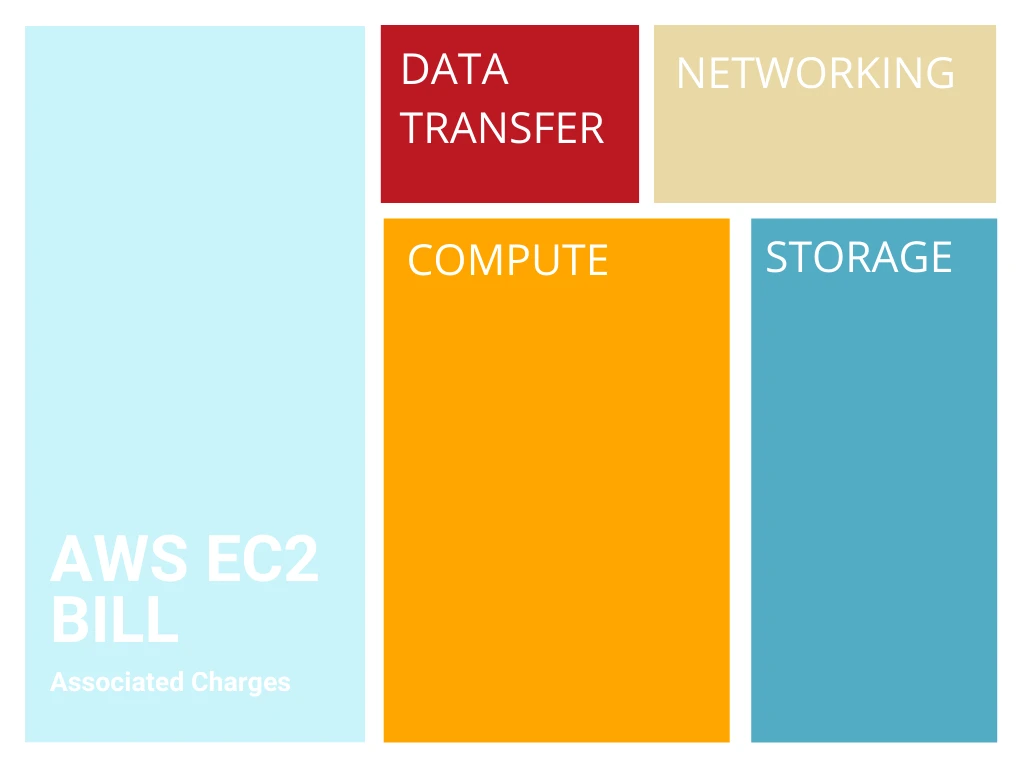
Amazon EC2 billing includes four separate cost components: compute (the instance itself), storage (EBS volumes), data transfer (internet egress and cross-AZ traffic), and networking (NAT Gateway, load balancers, Elastic IPs). Each component appears as a separate line item on your AWS bill, which makes total EC2 costs difficult to calculate.
This guide explains what drives each EC2 cost component and how to optimize spending in each category.
What Are the 4 Components of AWS EC2 Billing?
EC2 billing spans compute, storage, data transfer, and networking. Each category behaves differently, and each has unique cost drivers.
1. Compute
Compute typically represents 60-80% of total EC2 costs. You pay an hourly rate for each running instance based on three factors: instance family (e.g., t3, m5, c5), instance size (e.g., small, medium, large), and AWS region. Compute charges dominate EC2 bills because instances run continuously, even during low-usage periods.
2. Storage
EC2 instances use Amazon EBS for block storage. You are billed per gigabyte each month for the volumes attached to your instances. Costs vary by volume type, so optimized volumes like io2 often cost significantly more than general-purpose gp3 storage.
3. Data transfer
Data transfer charges appear outside the EC2 bill, but they are still part of the cost of running instances. Internet egress, cross-AZ traffic, and NAT Gateway traffic all add to your EC2-related spend. These charges can grow quickly in distributed or chatty architectures.
4. Networking
Networking covers services that help instances communicate, such as NAT Gateways, Elastic IPs, and Elastic Load Balancers. NAT Gateway and Elastic IP charges appear directly on your EC2 bill, while load balancer charges appear separately. These costs scale with traffic and uptime.
See more: AWS ALB Pricing

Ways To Optimize Your EC2 Costs
In each of the categories described, there are opportunities to optimize. Some areas are easier or harder to optimize than others.
For example, compute is usually the largest share of the charge, but it’s also one of the hardest to optimize. A best practice is to leverage Amazon’s native optimization tools whenever possible.
Optimizing Compute
There are three main ways to optimize compute: using reserved instances and savings plans, right-sizing, and switching to spot instances.
1. Using Reserved Instances
Amazon EC2 Reserved Instances and AWS Savings Plans reduce compute costs by 40-72% compared to On-Demand pricing (exact discount depends on term length and payment option). Reserved Instances work best for workloads that run continuously (at least 17-18 hours per day) with predictable instance family and region requirements. Savings Plans offer more flexibility across instance families but typically provide slightly lower discounts (up to 66%).
Why use them: Reserved Instances and Savings Plans convert unpredictable hourly charges into fixed monthly costs while reducing your compute bill by nearly half. For steady-state workloads, this combination of cost predictability and savings makes RIs and SPs the fastest path to lower EC2 spending.
See this complete guide on reserved instances for more details.
2. Right-sizing
Right-sizing reduces compute costs by 20-40% on average by matching instance size to actual workload requirements. Monitor three metrics: vCPU utilization (target 60-80%), memory utilization (target 70-90%), and I/O performance. Downgrade instances consistently running below 40% CPU or memory utilization. AWS Compute Optimizer provides free right-sizing recommendations based on your actual usage patterns.
3. Using Spot Instances
AWS EC2 Spot Instances provide 70-90% discounts compared to On-Demand pricing by using spare AWS capacity. Spot Instances can be interrupted with 2 minutes notice when AWS needs the capacity back, making them ideal for stateless, fault-tolerant workloads: batch processing, CI/CD pipelines, big data analysis, and containerized microservices.
Don’t use Spot for databases, production web servers, or workloads requiring guaranteed uptime.
Read this detailed primer on spot instances to learn more about how best to deploy them.
Overall, the easiest vehicles to save on compute are reserved instances and savings plans. If you have enterprise support or a Technical Account Manager (TAM), leverage those options for even more customized savings.
Optimizing Storage
Amazon offers different storage classes, and you can provision storage in the same way as you do compute. Optimized EBS volumes are usually more expensive than general-purpose EBS volumes.
GP3 volumes cost 20% less than GP2 volumes and deliver better baseline performance (3,000 IOPS and 125 MB/s vs. GP2’s scaled performance). Provisioned IOPS volumes (io1/io2) cost 5-10x more than GP3 but are only necessary for workloads requiring sustained IOPS above 16,000 or throughput above 1,000 MB/s. Audit your io1/io2 volumes quarterly: if actual IOPS stay below 10,000, migrate to GP3 for immediate cost savings.
Snapshot costs can also be high. If you’re still manually snapshotting, leverage Amazon’s Data Lifecycle Manager (DLM), which lets you control how many snapshots Amazon stores for each instance.
This is particularly important if you have a legacy application that manually snapshots, because you may have several aged snapshots.
Remember: Unless you manually delete snapshots, they’ll continue to count against your storage and you’ll be charged for them. Amazon considers snapshots older than 90 days to be aged, but you can define your snapshot lifecycles, and the DLM will manage your snapshots accordingly.
Optimizing Data Transfer
Data transfer is harder to optimize because it’s an architectural issue. Four ways to reduce your data transfer costs:
- Use Amazon CloudFront to cache and deliver content: Reduces internet egress by 60-85% by caching at edge locations. CloudFront egress costs $0.085/GB vs. $0.09/GB for direct EC2 egress, but the real savings come from reduced origin traffic.
- Limit outbound data transfer as much as possible: Every GB of internet egress after the first 100 GB/month costs $0.09. Compress data, optimize API responses, and review what traffic actually needs to leave your VPC.
- Add cost allocation tags to your instances and load balancers: Tags let you identify which applications, teams, or customers generate the most data transfer costs.
- Use a third-party cost intelligence platform like CloudZero to identify the most expensive data transfer areas: CloudZero shows you exactly which resources, features, and workloads drive data transfer spending.
See this article for more strategies on how to optimize data transfer costs.
Optimizing Networking Costs
While there are different categories of networking charges, not all of them fall under EC2; the major cost contributor is NAT Gateway, a service that allows two instances in a VPC to communicate with resources on the internet.
You are charged based on the number of hours the gateways run, which is usually small, and also for the bytes of data transferred during that time.
These charges can add up to thousands or tens of thousands of dollars per month. Optimizing a NAT gateway usually involves understanding what is driving the traffic through the gateway, then routing that traffic to other vehicles to avoid those charges.
It’s normal for every customer to incur some NAT gateway-related charges, typically 1–3% of total EC2 spend. But if your NAT gateway charges are greater than 5% or up to 10%, there may be a business justification to allocate engineering time to optimize those costs.
If you have an AWS TAM, brainstorm with them about better ways to utilize your service endpoints or meshes.
Stay In Control Of Your EC2 Billing With CloudZero
Understanding your EC2 bill is useful, but knowing what those costs mean for your business is what drives real decisions. COGS is the actual cost of delivering your product. Unit cost is the cost required to serve one customer, one feature, or one workload.
CloudZero connects every EC2 line item to the resources behind it. You can click any charge in your bill and instantly see the instances, volumes, networks, or data paths that generated it. This turns raw spend into a clear usage context you can act on.

This visibility also reveals cost per feature, environment, and customer segment. When engineering and finance understand these economics, they can scale EC2 usage confidently without losing margin.
To see how CloudZero helps you understand your EC2 spend at a deeper level, .
.
What drives AWS EC2 cost?
AWS EC2 cost comes from four primary sources: compute usage, EBS storage, data transfer, and networking services such as NAT Gateway and Elastic IPs. Each category bills separately, which is why EC2 pricing rarely shows the full cost of running an instance.
See more: AWS Cost Allocation Guide.
Why isn’t AWS EC2 billing easy to understand?
EC2 billing is complex because the instance itself is only one part of the total charge. Data transfer, snapshot storage, load balancers, and NAT Gateway traffic are listed in different sections of the invoice. This fragmentation makes it difficult to see the true cost of a workload.
What does a sample EC2 bill include?
A typical EC2 bill lists hourly compute usage for each instance family and size. Under storage, you’ll see EBS volumes priced per gigabyte and snapshots priced per gigabyte-month. Data transfer appears outside the EC2 section, along with NAT Gateway and load balancer charges.
Which EC2 costs grow the fastest?
Data transfer and NAT Gateway charges often scale the fastest because they depend on traffic, not instance size. Cross-AZ traffic, NAT traffic, and internet egress accumulate quietly and can exceed compute cost in high-throughput architectures.
How can I reduce EBS storage cost on EC2?
Use GP3 volumes instead of older GP2 types, right-size over-provisioned volumes, archive old snapshots, and delete unused snapshots. This avoids paying for storage you don’t use while increasing performance where needed.
Why do data transfer charges appear outside my EC2 bill?
AWS treats data transfer as a separate billing category because it can originate from multiple services. Even when EC2 generates the traffic, internet egress, cross-AZ traffic, and NAT Gateway data processing charges appear under Data Transfer, not EC2.
How does CloudZero help manage AWS EC2 cost?
CloudZero links every EC2 line item to the resources, features, and customer groups that generated it. This lets teams track COGS, unit cost, cost per customer, feature, etc. You can also drill into any charge to see its drivers instantly.
Related reads:


The Cloud Cost Playbook
The step-by-step guide to cost maturity


