




Pré-requisitos: #
For GetResponse integration to your WordPress forms, you need to have the following plugins installed on your WordPress site:
- Elemento: Baixar plug-in
- MetForm Pro: Obtenha o plug-in
👑 You need to have the MetForm Professional Plan to use this feature.
Generate an API Key for GetResponse #
Criar uma Obter resposta Conta e faça login com seuE-mail e senha

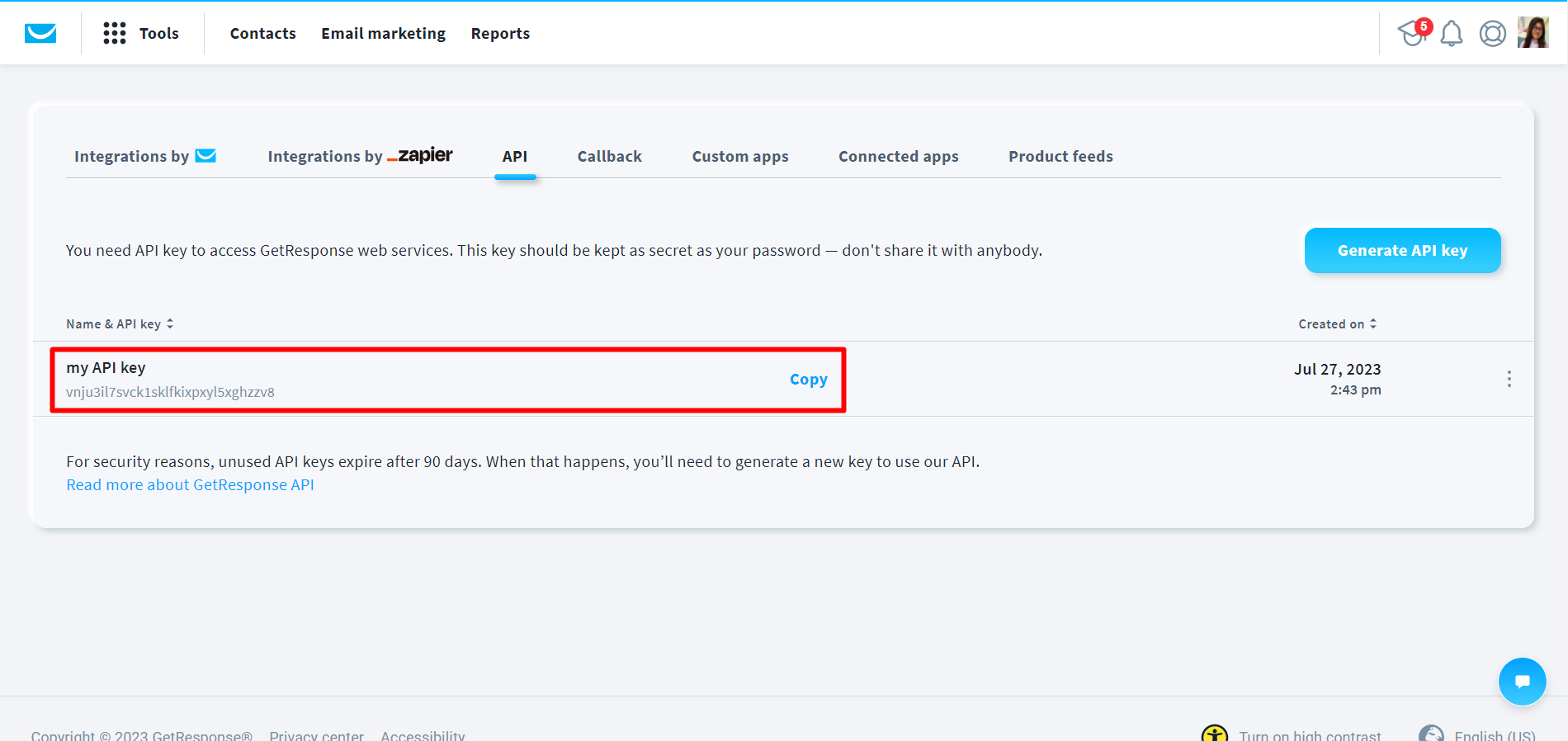
Clique em Integração e API.
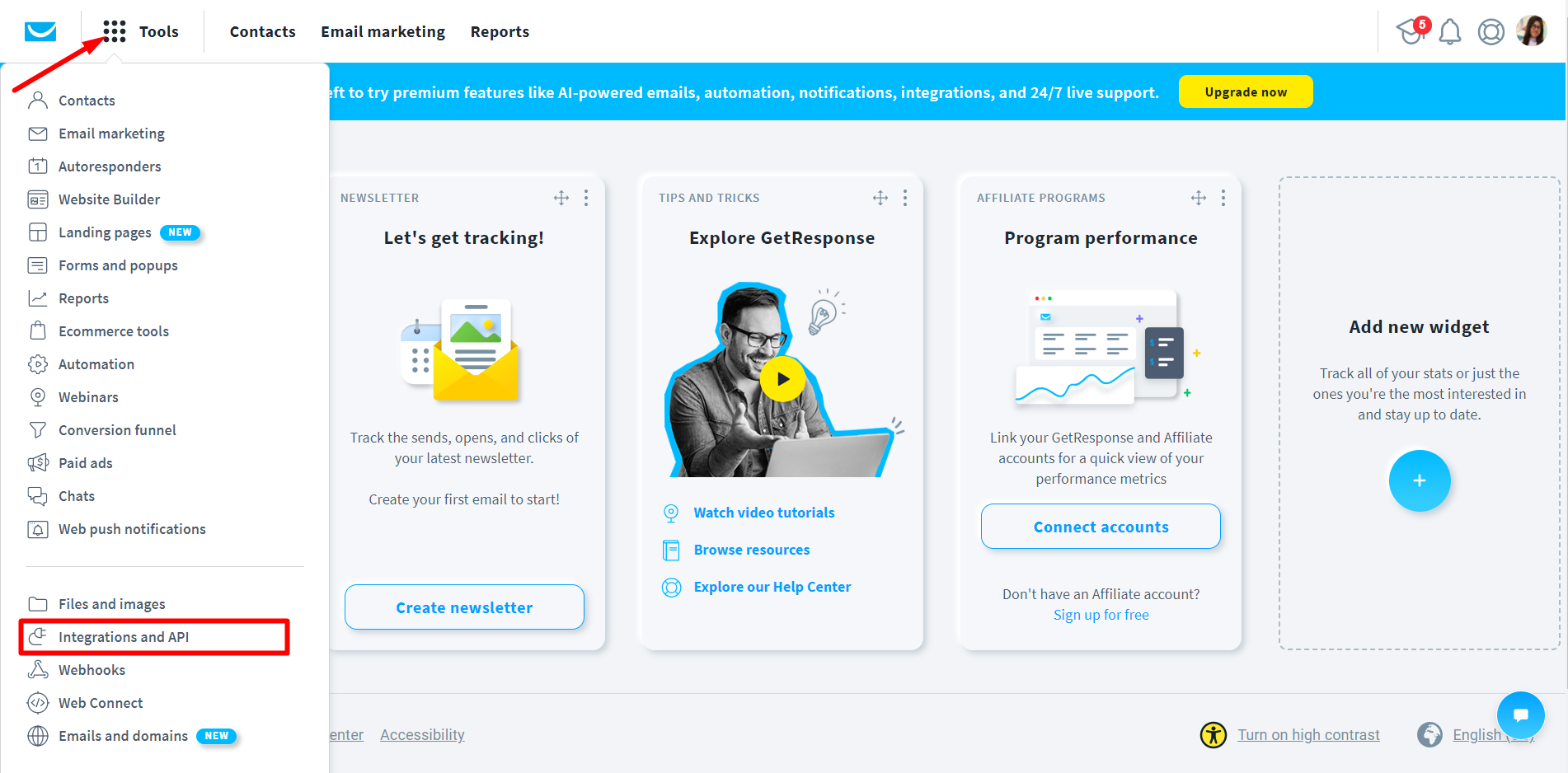
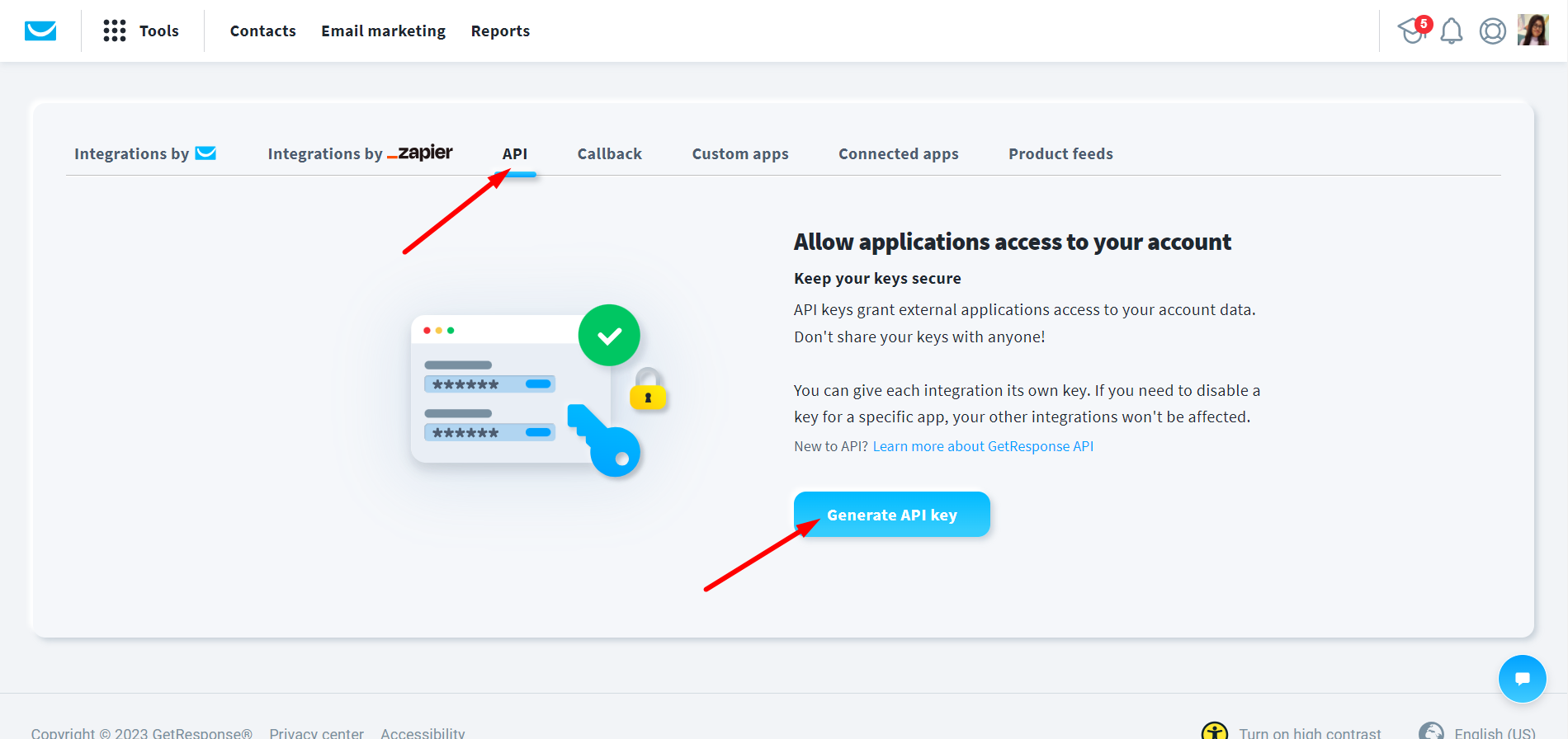
Click on API → Generate API Key
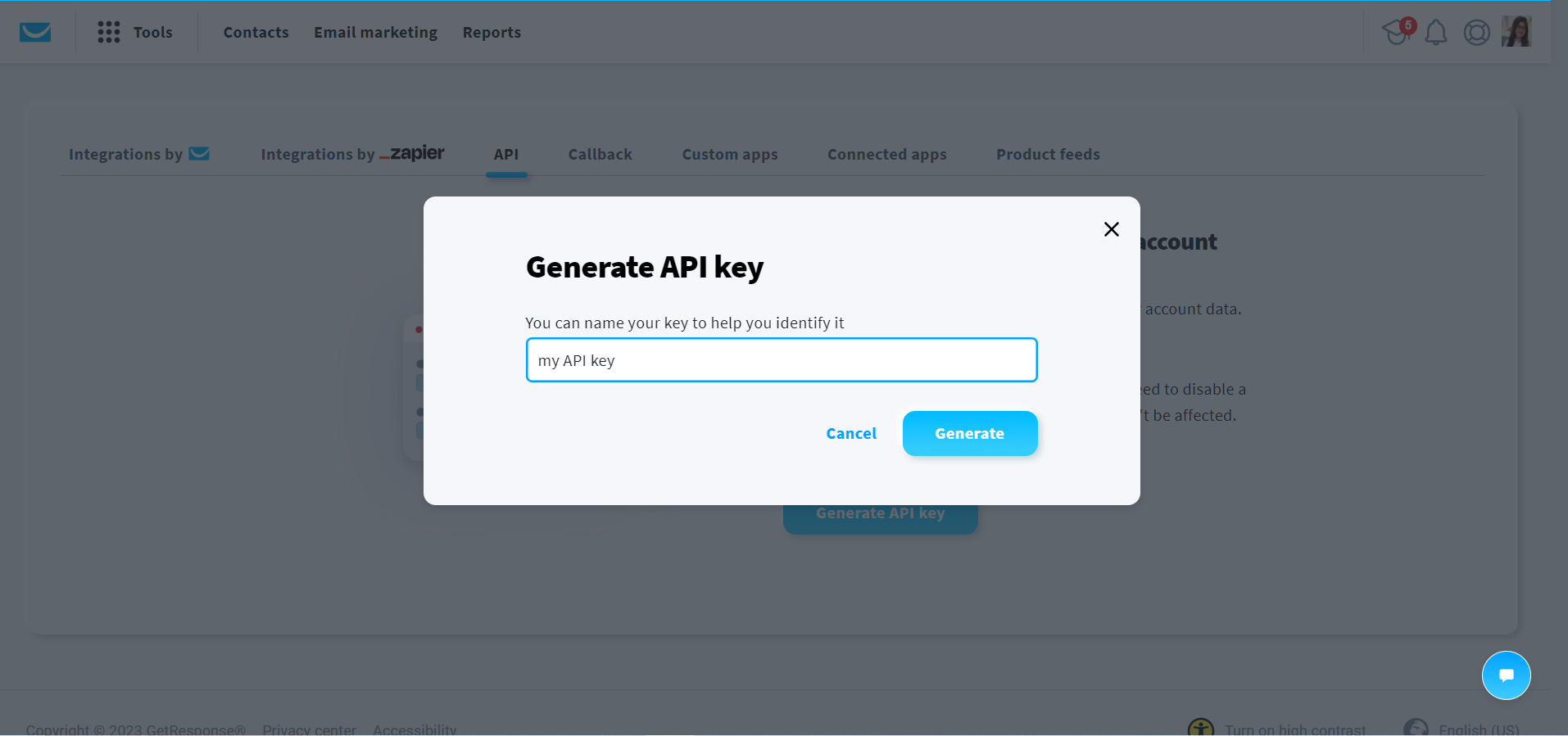
Em seguida, dê um nome à sua chave.
Sua chave API está pronta, copie a chave
Connect WordPress Form with GetResponse #
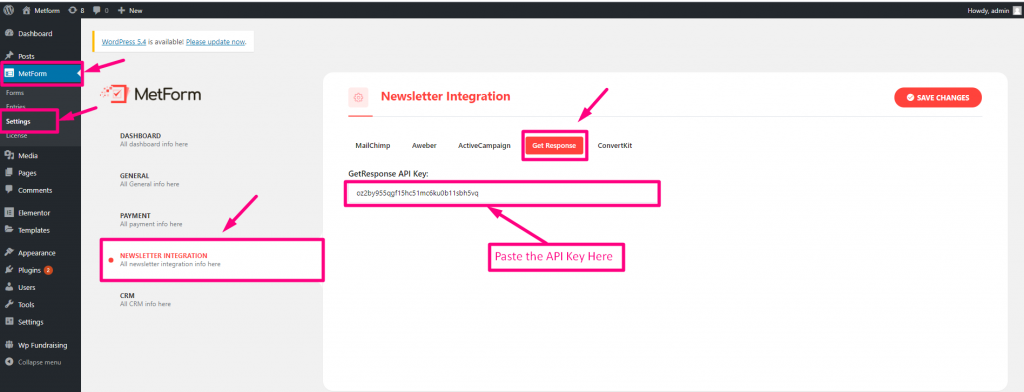
Use the API Key you just generated from your GetResponse account. Paste that GetResponse API Key into your MetForm dashboard. For that,
- Log in to your WordPress dashboard, and navigate to MetForm → Settings → Newsletter Integration.
- Now move to GetResponse aba.
- Paste the GetResponse API Key in the designated field.
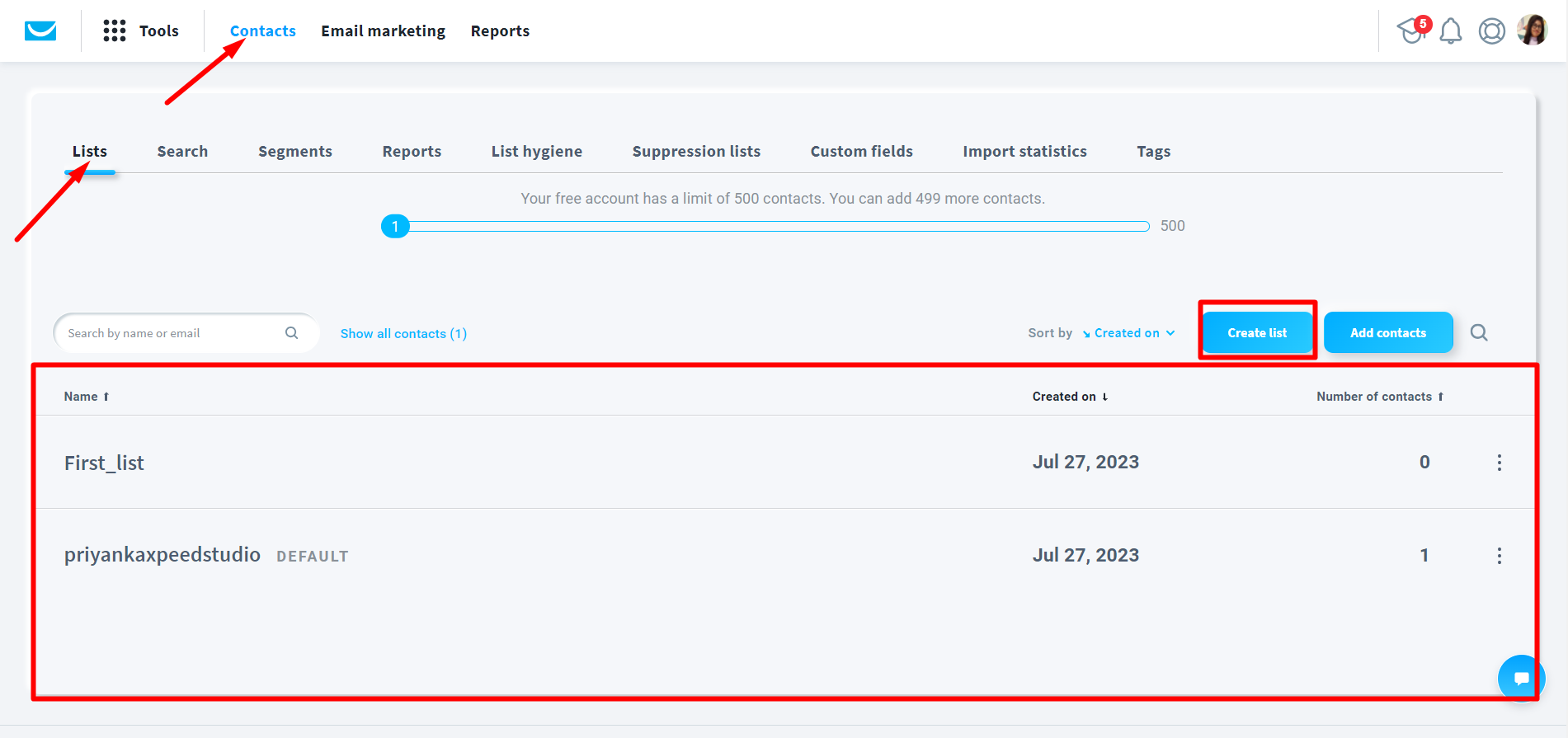
Criar lista
Go to contacts => Lists => Create list => Name your list => Your list is ready
Crie um formulário #
- Basta arrastar e soltar três campos nomeados: Nome (Listagem), Sobrenome (Listagem), E-mail
- Clique em Atualizar
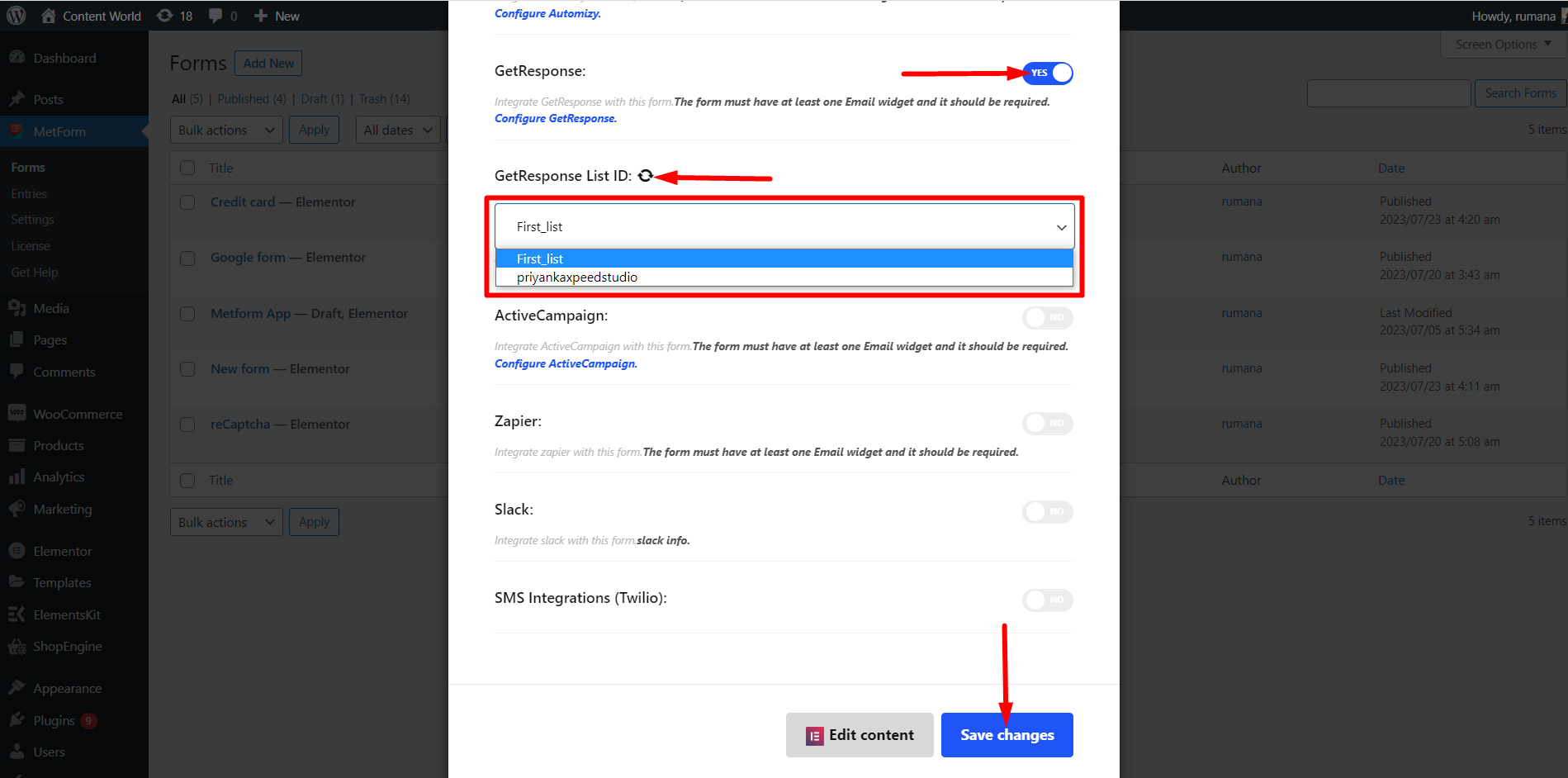
- Clique em Configurações de formulário

- Configuração de formulário=> Habilitar Obter resposta
- Atualize a lista
- Salve o formulário
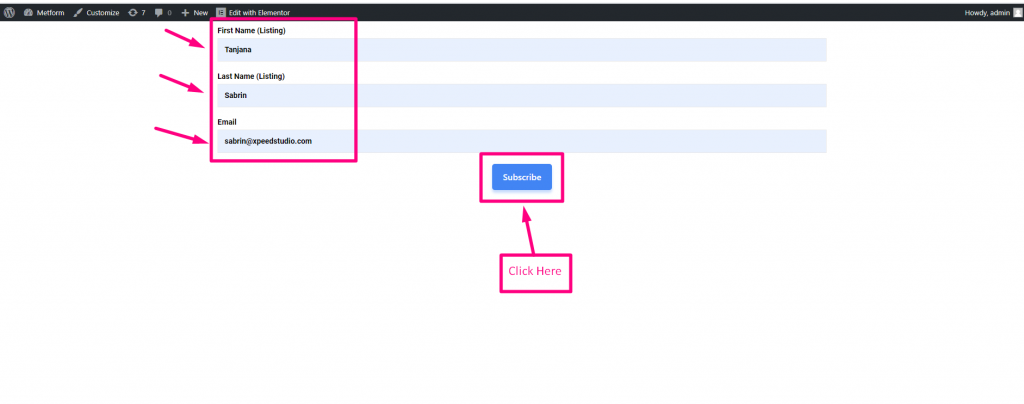
- Ir para o site=> Preencha o Formulário e Clique em Botão de envio