WP Debug Toolkit 1.1.0 is LIVE. Get $300 discount on the lifetime deal now
Use Discount Code WPDTLTD
Performance Insights
Fast, Lightweight Database Monitoring
Get deep visibility into your site's database performance. Identify slow plugins, inefficient queries, and bottlenecks with a low-impact query monitor tool
Low database impact (Filesystem Logging)
Identify slow plugins & N+1 queries instantly
Live monitoring dashboard for real-time traffic
Get Query Viewer Now
Key Features
Query Visibility
Without the Overhead
Standard monitoring tools often store their data in the WordPress database itself. This adds load to the very system you are trying to optimize. The Query Viewer takes a different approach. We log query data directly to the filesystem, giving you accurate metrics without adding extra strain to your database.
00
Performance Bottlenecks
// Find What's Slowing You Down
Spot the exact queries that are dragging down your load times. The slow query tracking automatically flag configurable slow queries with built-in component attribution and N+1 detection so you know exactly which plugin, theme, or core function generated the query.
Get Query Viewer Now
01
Live Monitoring
// Database Activity in Real-Time
Watch your database activity in real-time as you browse the site. Perfect for monitoring activity during checkout flows or complex actions. Queries are grouped by page load, allowing you to see the total "database cost" of a single visit.
Get Query Viewer Now
02
Technical Insights
// Deep Analysis for Developers
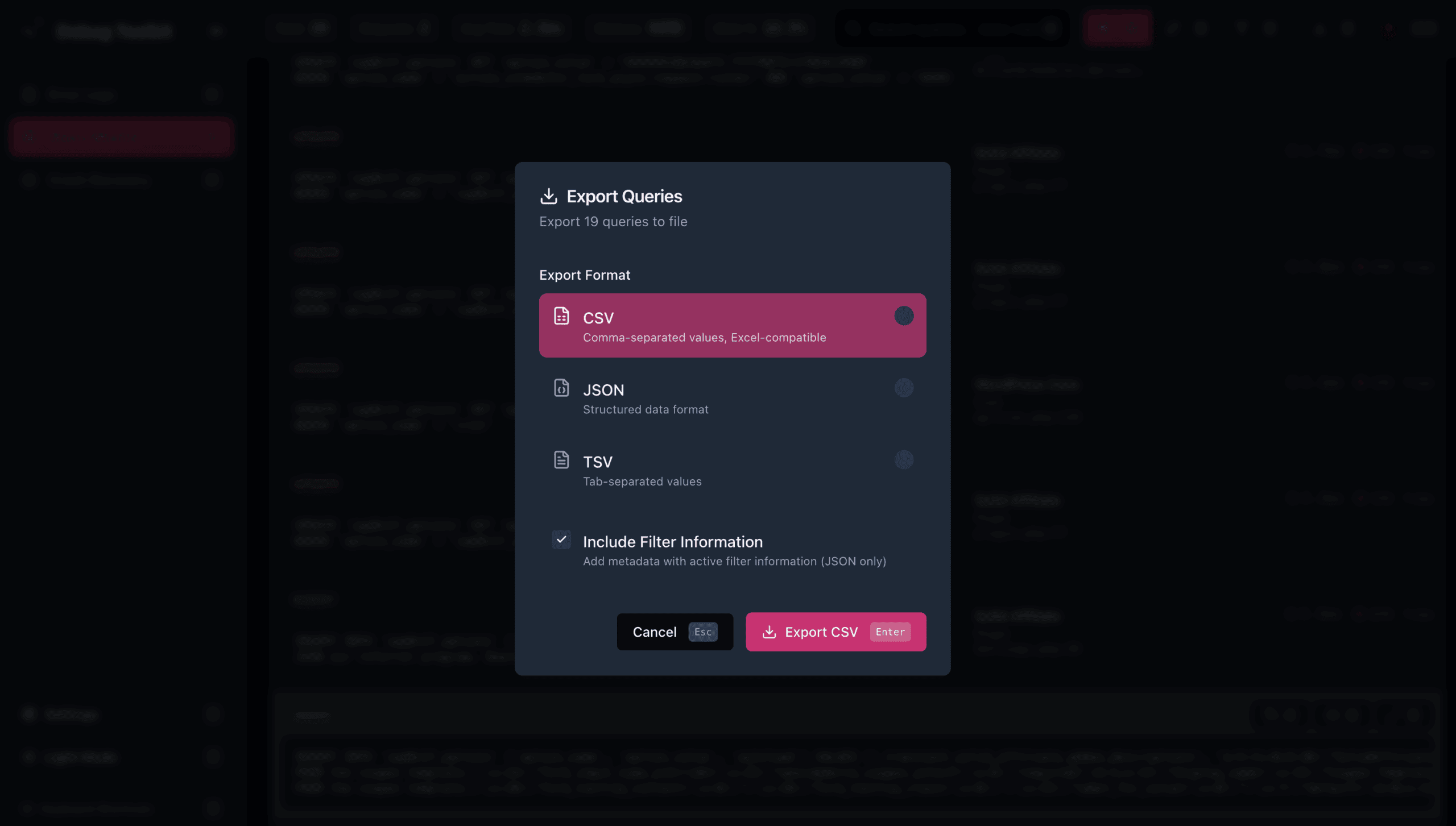
Expand any query to see the full PHP execution path. Know not just what query ran, but where it came from. The viewer analyzes SQL structure (JOINs, subqueries) to rate query complexity, and export your logs in CSV or JSON.
Get Query Viewer Now
03
Engineered for Production
// Safety Valve & Smart Storage
The system automatically rotates log files when they reach a size limit, ensuring your disk never fills up. Queries are logged to JSON files rather than the database, and we include a smart db.php drop-in that captures execution time and memory usage with precision. Complex SQL is also auto-formatted for readability.
Get Query Viewer Now
People Are Talking
Hear Feedback From Our Users
Rob Marlbrough
@Press Wizards
Bought it, looks great... I’d also love for it to enable or disable WP_DEBUG for me via a toggle. It’s awesome that it works even when there’s a fatal error.
Tom DeBello
Developer
No-brainer, picked this up right away.
Benjamin Jonhson
@Stellar Designs
This is one of those tools you never knew you needed until you saw it. It's a true game changer for me and my development team. We'll be using this a lot, and I expect many people will too
Rob Marlbrough
@Press Wizards
Bought it, looks great... I’d also love for it to enable or disable WP_DEBUG for me via a toggle. It’s awesome that it works even when there’s a fatal error.
Rob Marlbrough
@Press Wizards
Bought it, looks great... I’d also love for it to enable or disable WP_DEBUG for me via a toggle. It’s awesome that it works even when there’s a fatal error.
Shaun Smith-Roberts
Agency Owner
I'm not a dev really just, I suppose a 'Facilitator' for my customers but I understand how things work and I love learning more stuff, your plugin has helped facilitate that and more!

Its cut down my workload by probably 20% so well done
William Cromwell
Agency Owner
This plugin quietly became one of my must-haves. I use it for my dev work, and it helps me catch issues rightaway as they happen. Total time-saver.
Rob Marlbrough
@Press Wizards
Bought it, looks great... I’d also love for it to enable or disable WP_DEBUG for me via a toggle. It’s awesome that it works even when there’s a fatal error.
Peter Needham
Developer
Yep - nice one - Got it. - The log view being able to be used when the site has white screened is a MUST HAVE feature - especially for those of us doing quite a bit of PHP work..
David Dennison
@Searchriot
You can see what plugins are constantly throwing errors. Even if they aren't affecting anything, lots of errors might tell you that you need to find a replacement - before it does affect something. $60 well spent! And it's a lifetime deal! Happy building
Denis Guerrero
Developer
Just enabling WP_DEBUG without FTP is already a win for me. Getting the logs in a beautiful, clear UI with all the other bells and whistles is just a huge bonus. I'm not even a developer and this is saving my bacon on a daily basis
Rob Marlbrough
@Press Wizards
Bought it, looks great... I’d also love for it to enable or disable WP_DEBUG for me via a toggle. It’s awesome that it works even when there’s a fatal error.
Query Viewer Features
See What Your
Database Is Really Doing
Slow Query Detection
Instantly spot database bottlenecks. Queries exceeding your threshold are automatically flagged for review.
N+1 Pattern Alert
Identify inefficient loops running the same query hundreds of times. A silent performance killer, now made visible.
Low-Overhead Logging
File-based logging has a low impact on your database. Monitor production sites without slowing them down.
Component Attribution
Know exactly who to blame. See if a query came from Core, a specific Plugin, or your Theme at a glance.
Keyboard Shortcuts
Use quick keys to view stack traces, copy SQL, or focus the search bar without touching your mouse.
Instant File Viewer
Don't just see the query, see the code. Use the viewer to inspect the exact PHP lines that triggered the database call.
Live Dashboard
Watch queries appear in real-time with dashboard auto-refresh. Perfect for monitoring checkout or complex flows.
Complexity Scoring
Not all queries are equal. We analyze SQL structure (JOINs, subqueries) to rate query complexity on a 1-10 scale.
Data Export
Need to share with a team? Export your query logs to CSV, JSON, or TSV for external analysis or reporting.
Limited Time Offer
See What Your
Database Is Really Doing
Query Viewer Pro
Error Log Viewer Pro
Email Alerts Pro
$49
/ Year
Normally $99/yr
Query
Logs
Alerts
Install on 100 Sites
Query Viewer App
Enhanced Query Data
Advanced Filters & Shortcuts
Real-Time Logging
Automatic Query Log Cleanup
File Viewer & Highlight
Premium Support
Error Log Viewer App
Custom Error Levels
Automated Log Cleanup
Crash Recovery System
Error Email Alerts
WP Recovery Email
Email Customizer & White Labeling
Get Query Viewer Now
Install on 100 Sites
Error Log Viewer App
Custom Error Levels
Advanced Filters & Shortcuts
Real-Time Logging
Automatic Log Cleanup
File Viewer & Highlight
Crash Recovery System
Premium Support
Query Viewer App
Enhanced Query Data
Custom Error Levels
Error Email Alerts
WP Recovery Email
Email Customizer & White Labeling
Get Error Log Viewer Now
Install on 100 Sites
Error Email Alerts
WP Recovery Email
Memory Exhaustion Notifications
Email Customizer & White Labeling
Configurable Alert Levels
Email Log
Premium Support
Advanced Filters & Shortcuts
Real-Time Logging
Automatic Query Log Cleanup
File Viewer & Highlight
Error Log Viewer App
Custom Error Levels
Automated Log Cleanup
Query Viewer App
Crash Recovery System
Get Email Notifications Now
Unlimited Pro
$99
/ Year
Normally $199/yr
Logs
Query
Alerts
Everything Included
Install on Unlimited Sites
Query Viewer App
Enhanced Query Data
Error Log Viewer App
Custom Error Levels
Advanced Filters & Shortcuts
Real-Time Logging
Automated Log & Query Cleanup
File Viewer & Highlight
Crash Recovery System
Error Email Alerts
WP Recovery Email
Email Customizer & White Labeling
Premium Support
New Tools Included In Subscription
Get Everything Now
Lifetime Pro
$499
/ Once
Everything Included
New Tools Included
Install on Unlimited Sites
Query Viewer App
Error Log Viewer App
Error Email Alerts
Premium Support
Lifetime. No Renewals
Get All tools for Life
Want to try it first?
We can't offer you a free trial, but we do have a great demo where you can testdrive all features for free for seven days and (spoiler alert) even get a discount on your purchase
Free 7-day trial
No credit card required