• Resolved Jean R.

    (@efbi)


    Suddenly, the invoice number displayed in the column and in the order view is wrong it display 0 instead of 218.

    But when I edit the invoice number in the order view, it display the good one. When I save , it display again the wrong invoice number.

    Capture-d-e-cran-2023-10-09-a-12-07-25
    Capture-d-e-cran-2023-10-09-a-12-07-15
Viewing 4 replies - 1 through 4 (of 4 total)
  • Plugin Contributor Yordan Soares

    (@yordansoares)

    Hi @efbi,

    Please note that you only have to enter the raw invoice number in that field, without a prefix, suffix or padding, since the format is applied after saving.

    Could you please try again entering only 218?

    Thread Starter Jean R.

    (@efbi)

    HI,

    Thanks for the answer. I put “218” and it works.
    But how to regenerate the number after ?
    The invoice should be : 218-041023

    • This reply was modified 2 years, 4 months ago by Jean R..
    Thread Starter Jean R.

    (@efbi)

    Oh I get it, if a save with the empty field it regenerate the correct number

    Why this happened ?

    Plugin Contributor Yordan Soares

    (@yordansoares)

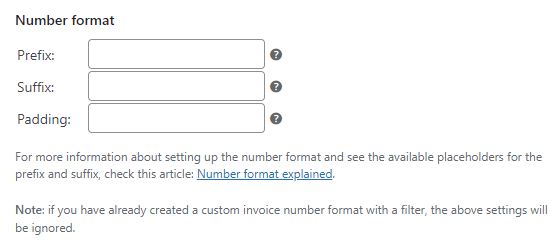
    The number format is taken from your plugin settings. You can check it under WooCommerce > PDF Invoices > Documents > Invoice > Number format.

    See: Number format explained

Viewing 4 replies - 1 through 4 (of 4 total)

The topic ‘Invoice number suddenly wrong’ is closed to new replies.