Hello @doma2korg,
Edit the plugin’s files is not a good idea, because WordPress replace the plugins’ files when install their updates.
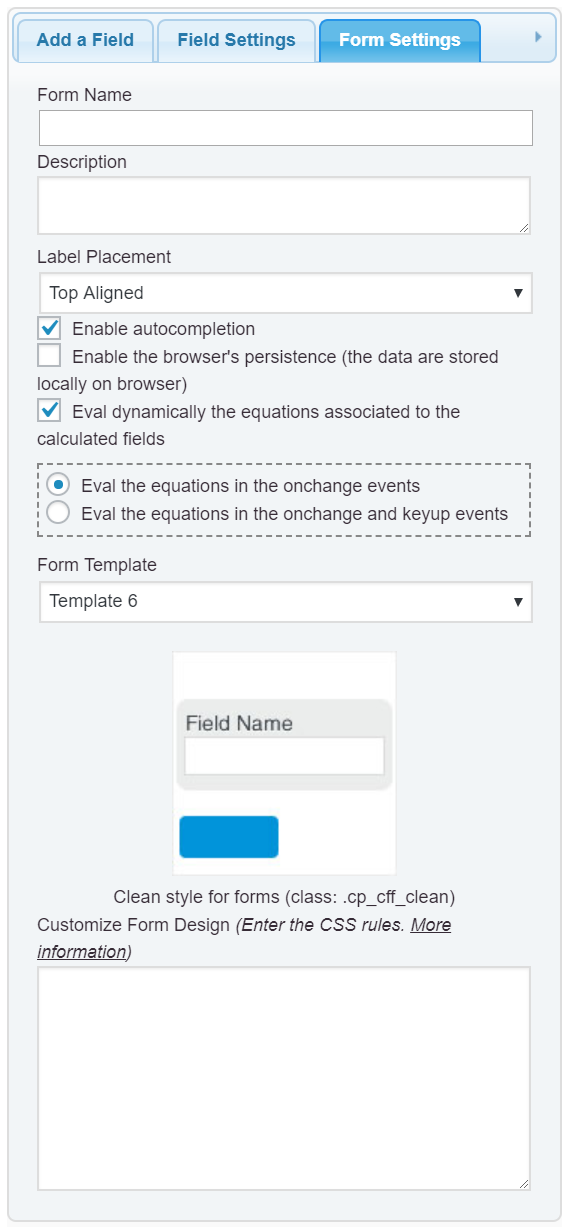
The easiest way would be enter the new style definitions into the “Customize Form Design” attribute, in the “Form Settings” tab (https://cff.dwbooster.com/images/documentation/form-settings-tab.png)
For example, assuming you want to display all label tags in italic:
#fbuilder label{font-style: italic !important;}
If you prefer edit files, my recommendation would be create a child theme, and include the new style definitions into the CSS file of the child theme:
https://codex.wordpress.org/Child_Themes
Best regards.
Thanks a lot,
I will try your first suggestion. Child theme seems to be the longer route 🙂
Great work with the plugin btw!
Thanks and best regards