
Description
There are many ways to block unwanted access to your website. This plugin checks which user agent is accessing your website. If it is outdated, unwanted, or suspicious, access is blocked.
Every time your web browser makes a request to a website, it sends a HTTP Header called the “User Agent”. The User Agent string contains information about your web browser name, operating system, device type and lots of other useful bits of information.
The plugin sends with an API the User Agent string of every browser that accesses your website for the first time to https://api.whatismybrowser.com/api/v2/user_agent_parse to obtain following information about the User Agent:
- Software Name & Version
- Operating System Name & Version
With this information, the plugin attempts to detect old and bad browsers and denies them access to your website.
HowTo
- Go to What is my browser? and sign up to the WhatIsMyBrowser.com API for a Basic (free) Application Plan.
- Take care about the WhatIsMyBrowser.com API Terms and Conditions.
- You have a limit of 5000 hits / month for Parsing User Agent. That’s why the plugin manages a database table.
- The user agent string of every browser that accesses your website for the first time is sent to this service, and the information is stored this table.
- Browsers are blocked if the browser and/or system are outdated:
- Default: Chrome, Edge and Chrome based browsers < 139, Firefox browsers < 140, Safari < 18, Samsung Browser < 28, Internet Explorer, Netscape (!)
- Old systems are all Windows versions prior to Windows 10, MacOS prior to Catalina and Android versions < 10 and Symbian.
- It will be blocked also if “Software” contains “unknown” or is empty.
- You can also set up other browsers.
- Sometimes there are false positive, for example, if the browser is from Mastodon. In this case, you can exclude it from the check.
- The plugin checks whether the crawlers really originate from Google, Bing, Yandex, Apple, Mojeek, Baidu, Seznam and others.
- The plugin blocks browsers like Chrome, Firefox and other without Sec-Fetch headers (Sec-Fetch-Site, Sec-Fetch-Mode, Sec-Fetch-Dest) and incorrect Client hints (Sec-CH-UA, Sec-CH-UA-Platform).
About robots.txt
- You can configure some rewrite rules to provide a robots.txt file that can allow or deny crawling for a browser. If crawling is denied, access to your website will be blocked for that browser.
Logging
- The logging can be very detailed. Please check the logs and the WIMB table regularly.
Screenshots

Database settings 
Exclude these browsers from checking / Always block browsers with this strings 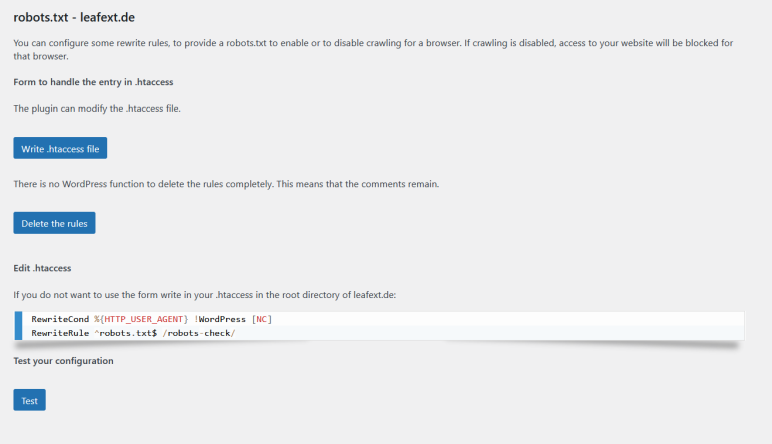
robots.txt settings 
Access attempts from the same IP address are blocked within 4 seconds (this can also happen more quickly).
Installation
- Install the plugin in the usual way.
- Go to Settings – WIMB and Block – and get documentation and settings options.
Reviews
There are no reviews for this plugin.
Contributors & Developers
“Block old browser versions and suspicious browsers” is open source software. The following people have contributed to this plugin.
Contributors
“Block old browser versions and suspicious browsers” has been translated into 1 locale. Thank you to the translators for their contributions.
Translate “Block old browser versions and suspicious browsers” into your language.
Interested in development?
Browse the code, check out the SVN repository, or subscribe to the development log by RSS.
Changelog
260321 / 2.0
- rework search engines, see settings in admin backend
- block browsers like Chrome, Firefox and other without Sec-Fetch headers and incorrect Client hints (Sec-CH-UA, Sec-CH-UA-Platform)
- PHPStan checks – a few issues have been fixed
see Github