

Description
LiveChapter Sticky LiveChapter Sticky Side CTA allows you to add eye-catching, customizable sticky buttons to the side of your website. Perfect for increasing conversions, engagement, and making it easy for visitors to contact you or follow your social media.
Key Features
- Visual Icon Picker – Choose from 70+ popular icons (no coding required)
- 3 Customizable Buttons – Add up to 3 independent side tab buttons
- Individual Dimensions – Set unique width and height for each button
- Color Customization – Background, hover, and text colors
- Smart Text Display – Vertical text, tooltip on hover, or both
- Mobile Control – Hide specific buttons on mobile devices
- Font Size Control – Separate desktop and mobile font sizes
- Page Exclusion – Hide buttons on specific pages or URL patterns
- Position Control – Place buttons on left or right side
- Responsive Design – Auto-adjusts for all screen sizes
Visual Icon Library
Browse 70+ icons in 9 categories: Communication, Social Media, Actions, Business, Location, Shopping, User Account, Media, and Interface.
Use Cases
- Contact buttons (phone, email, chat)
- Social media links
- Lead generation (“Get Quote”, “Apply Now”)
- E-commerce (cart, wishlist)
- Support and help
- Appointments booking
- Downloads
- Quick navigation
Screenshots

Admin settings with visual icon picker 
Icon library modal 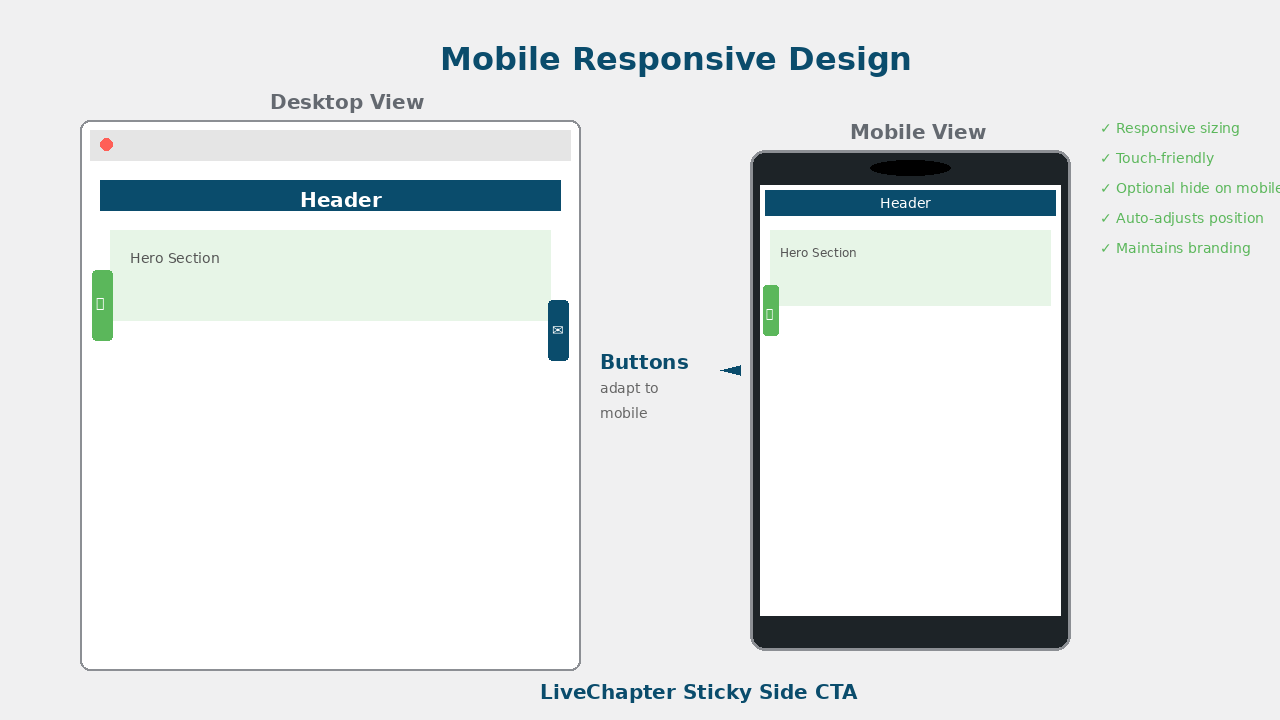
Example buttons on website
Installation
- Upload the plugin files to
/wp-content/plugins/side-cta/or install via WordPress plugin installer - Activate the plugin through the ‘Plugins’ screen
- Go to Settings LiveChapter Sticky Side CTA to configure
- Enable buttons and customize appearance
- Save changes and view on your site
FAQ
-
You can add up to 3 buttons with independent settings.
-
Do I need to know icon class names?
-
No! Use the visual icon picker to browse and select from 70+ icons.
-
Can I use custom icons?
-
Yes! Enter any Font Awesome 6.x or WordPress Dashicons class.
-
Use the exclusion settings to select pages, posts, or enter URL patterns.
-
Does it work with page builders?
-
Yes! Works with Elementor, Divi, WPBakery, Gutenberg, and others.
-
Is it GDPR compliant?
-
Yes! The plugin doesn’t collect any user data.
Reviews
There are no reviews for this plugin.
Contributors & Developers
“LiveChapter Sticky Side CTA” is open source software. The following people have contributed to this plugin.
Contributors
Translate “LiveChapter Sticky Side CTA” into your language.
Interested in development?
Browse the code, check out the SVN repository, or subscribe to the development log by RSS.
Changelog
1.0.0
- Initial release
- Visual icon picker with 70+ icons
- Up to 3 customizable buttons
- Individual button dimensions
- Color customization
- Mobile controls
- Page exclusion system