

Description
Bye Bye Passwords brings modern passwordless authentication to WordPress using WebAuthn/Passkeys technology. Say goodbye to weak passwords and hello to secure, convenient login with biometrics, security keys, or platform authenticators.
Key Features
- Passwordless Login – Sign in using Touch ID, Face ID, Windows Hello, or security keys
- Multiple Passkeys – Register multiple devices for convenient access anywhere
- Recovery Codes – Generate one-time backup codes for emergency access
- Enhanced Security – Eliminate password-based attacks completely
- User-Friendly – Simple setup with no technical knowledge required
- Privacy-Focused – Your authentication data stays on your server
- WordPress Integration – Seamlessly integrated into WordPress admin and login
How It Works
- Register a passkey from your WordPress admin profile
- Use your device’s built-in authentication (fingerprint, face, PIN)
- Sign in instantly without typing passwords
Requirements
- SSL/HTTPS enabled website (required for WebAuthn)
- Modern browser with WebAuthn support
- PHP 7.2 or higher
- WordPress 5.0 or higher
External Services
This plugin may connect to the FIDO Alliance Metadata Service (MDS) to download root certificates for authenticator validation.
FIDO Alliance Metadata Service
- URL: https://mds.fidoalliance.org/
- Purpose: Downloads attestation root certificates to verify the authenticity of security keys and passkey devices
- When: Only when attestation verification is enabled and the plugin needs to update its certificate store (not during normal authentication)
- Data sent: No personal or user data is transmitted – only a standard HTTP GET request
- Service provider: FIDO Alliance
- Terms of Use: https://fidoalliance.org/metadata/
- Privacy Policy: https://fidoalliance.org/privacy-policy/
No user data, credentials, or personal information is ever sent to external services. All authentication happens locally on your server.
Screenshots

Login page with both password and “Sign in with Passkey” options 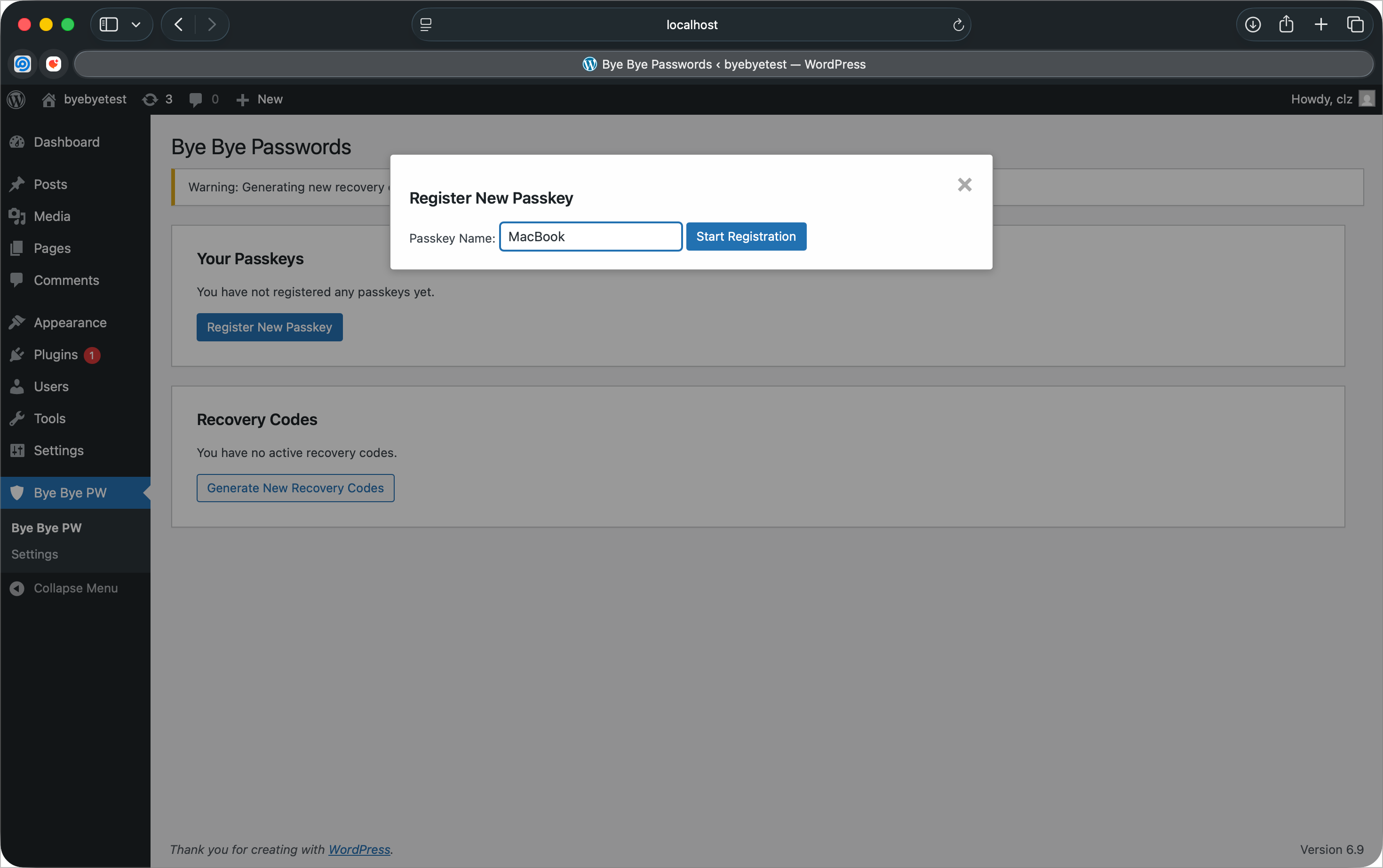
Registering a new passkey from the admin dashboard 
Recovery codes for emergency account access 
Plugin settings page with security configuration 
Passwordless-only login page with password authentication disabled
Installation
- Upload the plugin folder to the
/wp-content/plugins/directory - Activate the plugin through the ‘Plugins’ menu in WordPress
- Navigate to “Bye Bye Passwords” in the admin menu
- Register your first passkey
- Generate recovery codes as backup
FAQ
-
What browsers support WebAuthn/Passkeys?
-
Chrome/Edge 67+, Firefox 60+, Safari 14+, and Opera 54+ all support WebAuthn.
-
What happens if I lose my device?
-
Use your recovery codes to regain access, then register a new passkey. We recommend registering multiple devices.
-
Is this more secure than passwords?
-
Yes! Passkeys are phishing-resistant, can’t be stolen in data breaches, and use cryptographic authentication.
-
Do I need special hardware?
-
No, most modern devices have built-in authenticators (Touch ID, Face ID, Windows Hello). You can also use USB security keys.
Reviews
There are no reviews for this plugin.
Contributors & Developers
“Bye Bye Passwords” is open source software. The following people have contributed to this plugin.
Contributors
Translate “Bye Bye Passwords” into your language.
Interested in development?
Browse the code, check out the SVN repository, or subscribe to the development log by RSS.
Changelog
1.2.6
- Security: Gate “Disable Password Login” setting behind recovery codes for all administrators
- Enhancement: Show admin recovery code status on settings page
1.2.5
- Compliance: Removed CLAUDE.md development file from plugin distribution
1.2.4
- Compliance: Renamed main plugin file to bye-bye-passwords.php per WordPress.org naming convention
- Compliance: Plugin folder structure updated to match plugin slug
1.2.3
- Compliance: Use wp_enqueue commands for all CSS (removed inline styles)
- Compliance: Document external FIDO Alliance Metadata Service in readme
- Compliance: Replace PHP sessions with cookies + transients for cache compatibility
- Security: Mandatory nonce validation for authentication challenge endpoint
- Performance: Plugin no longer starts sessions on every page load
1.2.2
- Compliance: Text domain changed to ‘bye-bye-passwords’ to match WordPress.org slug
- Security: Added ABSPATH direct access protection to template files
- Compliance: Removed plugin assets from ZIP (uploaded via SVN separately)
1.2.1
- Fix: Text domain corrected to match plugin slug (byebyepw)
- Fix: Property name bug in user profile display
- Security: Session regeneration after successful authentication
- Security: HTTPS enforcement check with admin notice
- Security: Browser WebAuthn support detection with user feedback
- Enhancement: Complete uninstall cleanup (tables, options, transients)
- Enhancement: Deactivator cleanup for transients
- Enhancement: Dependency injection in Admin class
- Enhancement: Removed duplicate AJAX handler registrations
- Enhancement: Increased recovery code entropy to 64-bit (4 segments)
- Compliance: Fixed global variable and function name prefixes
- Compliance: Updated to WordPress 6.9 compatibility
1.2.0
- Compliance: Complete WordPress.org plugin directory compliance overhaul
- Security: Enhanced nonce verification for all AJAX endpoints to meet WordPress.org standards
- Security: Fixed output escaping throughout WebAuthn library with WordPress-specific modifications
- Security: Improved input sanitization and validation across all user-facing forms
- Security: Removed discouraged PHP functions (unlink, curl) in favor of WordPress equivalents
- Enhancement: Updated text domain to match WordPress.org requirements (bye-bye-passwords)
- Enhancement: Cleaned up plugin structure removing development files from distribution
- Documentation: Added comprehensive phpcs ignore comments for legitimate security exceptions
- Library: Forked and customized WebAuthn library for WordPress.org compliance requirements
1.1.2
- Security: Fix username enumeration vulnerability by standardizing authentication error messages
- Security: Implement constant-time comparison for recovery code verification to prevent timing attacks
- Security: Add comprehensive CSRF protection for all public authentication endpoints
- Enhancement: Strengthen session security with secure CSRF token management
- Enhancement: Improve error message consistency across all authentication flows
1.1.1
- Fix: Resolve authentication failure with platform authenticators (Touch ID, Face ID, Windows Hello)
- Fix: Improve sign count validation to be more lenient with authenticators that don’t increment counters
- Security: Maintain protection against cloned authenticators while allowing normal platform authenticator operation
- Improved: Enhanced logging for sign count validation debugging
1.1.0
- Security: Critical security updates – Fix session hijacking and race conditions
- Security: Strengthen challenge management to prevent authentication bypass
- Security: Re-enable sign count validation to detect cloned authenticators
- Security: Add rate limiting to authentication endpoints (10 challenges/5min, 5 auth attempts/5min, 3 recovery codes/10min)
- Enhancement: Implement secure session handling with proper timeout and regeneration
- Enhancement: Replace predictable transient keys with secure UUIDs
- Enhancement: Add comprehensive challenge validation and immediate invalidation
- Update: Domain references changed from labountylabs.com to claytonlz.com
1.0.0
- Initial release
- Core WebAuthn/Passkeys authentication functionality
- Multiple passkey registration per user
- Recovery codes system with one-time use codes
- Admin interface for managing passkeys and recovery codes
- Login page integration with passkey authentication
- Option to disable password login for enhanced security
- Debug tools for troubleshooting
- WordPress coding standards compliance
- GPL v2 licensing for WordPress.org compatibility