
Update order status


Provide the spreadsheet URL and the tab name where you want to store your orders.

Copy the provided ID and add that as an editor from the spreadsheet.

Copy the script code and go to the extension menu of Google Sheets. Click on Apps script and paste the code there.


Once you connect your WooCommerce store with a spreadsheet, the order status will change bidirectionally and automatically between WooCommerce and Google Sheets. WooCommerce order sync is now easier than ever.

Your WooCommerce order details (order date, order ID, shipping details, product name, order status, order quantity, total price, payment method, order URL, discount, and customer notes) gets exported automatically to the connected spreadsheet once you activate the plugin.

With FlexOrder, you can now create WooCommerce orders right inside Google Sheets. Just fill out the dynamic sidebar form including products, quantities, billing & shipping info, and payment method. Your order is created instantly in WooCommerce. No tab switching. No manual entry. Just seamless order creation, exactly where you work.
Easily separate billing and shipping addresses into individual columns, allowing for more precise data handling, streamlined order processing, and improved reporting accuracy

Update order status
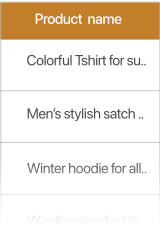
Sync product name
Sync total price
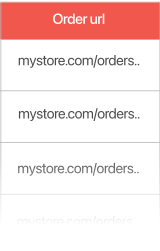
Sync order url
Sync payment & shipment
Sync customer note

 Total price
 Product name
 Order URL
 Customer note
 Order status
Easily edit order status right from the Google Sheet. No need to visit back and forth through your WooCommerce dashboard to update the order status. It’s all easy and simple now.

Easily edit full billing and shipping address fields, including name, phone, street, city, and more, directly from your Google Sheet.

Sync the Total price of your ordered items on Google Sheet

Sync the product names from your orders on Google Sheet
Sync the Order URL of your product on Google Sheet. Go to your order on WooCommerce with just a click
Sync the customer notes on Google Sheet so that you are updated about specific customer requests


With the “Fetch from WooCommerce” option on Google Sheets, you can manually import WooCommerce order details with a single click.

With the “Sync on WooCommerce” option from Google Sheets to manually sync order status with WooCommerce. WooCommerce store order management is now easier than ever.

Export your WooCommerce orders on Google Sheets automatically.

Enjoy bidirectional auto order data sync between WordPress dashboard and Google Sheets.

Import WooCommerce order details manually with a button from Google Sheets.

Manually sync order status update from Google Sheets.

Setup once and forget. Our easy setup wizard will help you get started in no time.

Synced store data will be automatically formatted in Google Sheets.

Filter orders with Google Sheets by status and days old, or a specific date range.

Customize Your Google Sheets Layout with Simple Drag & Drop.

Sort WooCommerce Orders Instantly by Key Metrics in Google Sheets

Show multiple products from one order in separate rows for a clearer view.
