ESXi 8 – USB Network Driver vusb0 – Link Speed 100 Mbps

ESXi
  • Goal – Kick the tires with ESXi 8.0 using a new USB drive and then rollback to 7.0 from the current USB drive.
  • Shutdown the ESXi 7.0 host and removed the 32GB USB drive where ESXi was installed.
  • Used rufus-3.20.exe + VMware-VMvisor-Installer-8.0-20513097.x86_64.iso
    on a 128 GB – SAMSUNG FIT Plus 3.1 USB Flash Drive – MUF-128AB/AM
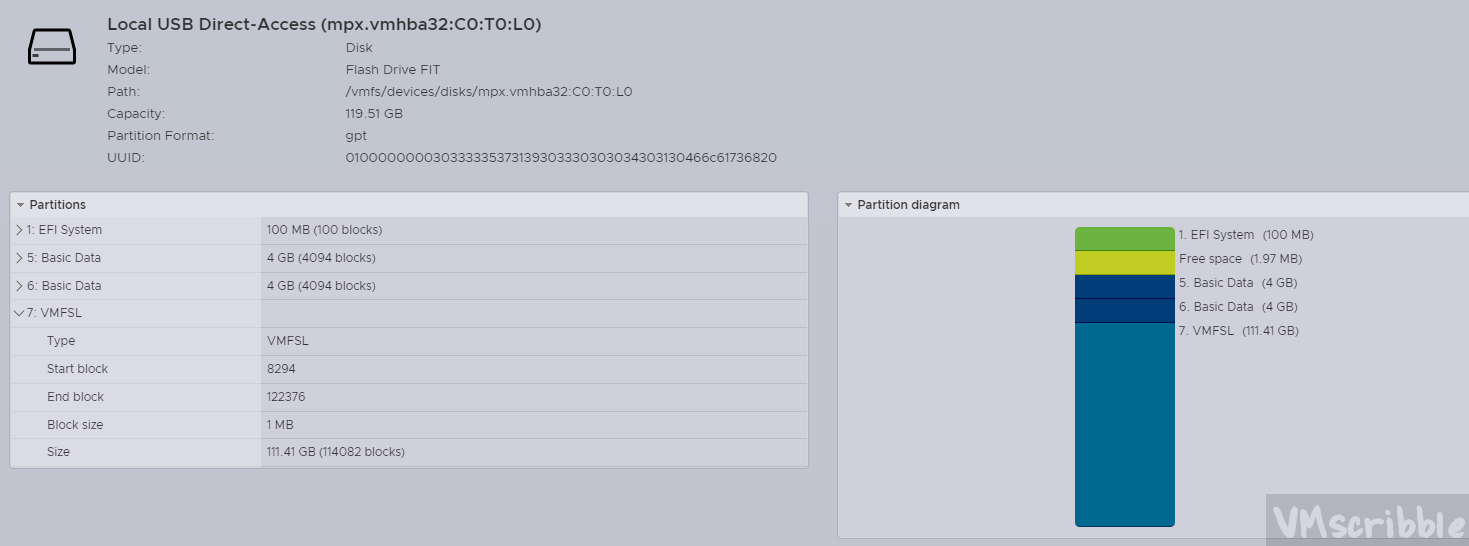
  • Installed ESXi 8.0 to the 128GB USB drive (accepted the warnings during the install about using a USB drive and did not pick an existing NVMe/SATA drive).
    No VMFS datastore since the default systemMediaSize setting is 128GB
  • Dell OptiPlex 5070 Micro
    BIOS – 1.18.0
    64 GB – 2x Samsung 32GB DDR4 2666MHz RAM (260 Pin SODIMM)
    Intel(R) Core(TM) i7-9700T CPU @ 2.00GHz – 8 Cores , no hyper-threading.
    1 TB – SAMSUNG MZVLW1T0 – PM961 PCIe 3.0 x4 NVMe M.2 2280 SSD –(OEM 960 EVO)
    2 TB – SanDisk SDSSDH3 Ultra 3D SATA SSD
  • NIC – Intel Ethernet Connection (7) I219-V
    USB NIC – Anker USB 3.0 to RJ45 Gigabit Ethernet Adapter – RTL8153

Issue – The USB NIC vusb0 was hard coded to 100 Mbps with no option in the drop down menu for 1000 or auto.

esxcli network nic list
Name PCI Device Driver Admin Status Link Status Speed Duplex MAC Address MTU Description
------ ------------ ------ ------------ ----------- ----- ------ ----------------- ---- -----------
vmnic0 0000:00:1f.6 ne1000 Up Up 1000 Full 00:4e:01:ac:32:a0 1500 Intel Corporation Ethernet Connection (7) I219-V
vusb0 Pseudo cdce Up Up 100 Full 00:e1:00:00:57:ef 1500 Realtek USB 101001000 LAN
esxcli network nic list
Name PCI Device Driver Admin Status Link Status Speed Duplex MAC Address MTU Description
------ ------------ ------ ------------ ----------- ----- ------ ----------------- ---- -----------
vmnic0 0000:00:1f.6 ne1000 Up Up 1000 Full 00:4e:01:ac:32:a0 1500 Intel Corporation Ethernet Connection (7) I219-V
vusb0 Pseudo uether Up Up 1000 Full 00:e1:00:00:57:ef 1500 Realtek USB 101001000 LAN