Chuyển đến phần nội dung
WordPress.org

tiếng Việt

  • Giao diện
  • Plugin
  • Tin tức
  • Hỗ trợ
    • Tài liệu hướng dẫn
    • Diễn đàn
  • Giới thiệu
  • Facebook #WPVN
  • Tải WordPress
Tải WordPress
WordPress.org

Plugin Directory

Admin login URL Change

  • Gửi một plugin
  • Yêu thích của tôi
  • Đăng nhập
  • Gửi một plugin
  • Yêu thích của tôi
  • Đăng nhập

Admin login URL Change

Bởi Jahid Hasan
Tải về
  • Chi tiết
  • Đánh giá
  • Cài đặt
  • Nhà phát triển
Hỗ trợ

Mô tả

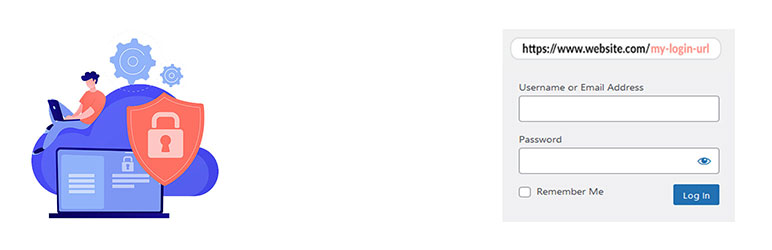
Admin login URL Change is a very lightweight plugin that lets you easily and safely change the URL of the login form page to anything you want. It does not change any core files. It simply intercepts page requests and works on any WordPress website. This is great for your convenience, but it also closes the door to would-be attackers.

Why Use Admin Login URL Change?

WordPress websites are common targets for automated bots and hackers attempting to gain unauthorized access via brute-force login attempts. The default login URLs are widely known, making them easy targets. Admin Login URL Change solves this problem by letting you rename your login URL to something unique, effectively closing this security loophole.

How to use the plugin

Add New login Slug (Example: madmin)

Ảnh màn hình

  • Settings

Cài đặt

  1. Install Admin login URL Change by uploading the admin-login-url-change directory to the /wp-content/plugins/ directory.
  2. Activate Admin login URL Change through the Plugins menu in WordPress.
  3. Chanage your URL Slug by going to the Settings > Admin login URL Change menu.
  4. Now you can logout and login by new URL.(Must be a Live Server)

Hỏi đáp

Do I need to have coding skills to use Admin login URL Change?

Absolutely not.

Đánh giá

Excellent Little Plugin

Cam Bruhns 18 Tháng 8, 2025 1 trả lời
This plugin works exactly as expected and is no-frills, lightweight, and makes other robust competitor plugins used for this purpose look clunky. Great job! Thanks!

It always works

devjesus 10 Tháng 1, 2025 2 trả lời
I have installed this plugin on several websites and it always works with no issues. The only thing that I don’t see right is that after login with the custom url it shows a 404 page message (always on every installation I have made); I can navigate the Wordpress admin/backend using the top menu., but it should go to the main dashboard page by default. Is there a way to fix/solve it ? Thank you in advanced

Perfect and The best!

Delyan Petrov 11 Tháng 8, 2024
I tried many plugins but only this one works!Thanks!

Perfect!

raywjohnson 11 Tháng 5, 2024 1 trả lời
Thanks for solving this with a usable and functional plugin. I tested more than a few plugins and tried creating my own. Could not quite get it to work. This plugin works perfectly. Any of the built in redirects fail with a proper 404 (/dashboard, /login, /admin, /wp-admin, etc). This plugin does not create files or the .htaccess file. Just enter a new slug, done.
Đọc tất cả 4 đánh giá

Người đóng góp & Lập trình viên

“Admin login URL Change” là mã nguồn mở. Những người sau đã đóng góp vào plugin này.

Những người đóng góp
  • Jahid Hasan

“Admin login URL Change” đã được dịch qua 1 ngôn ngữ. Cảm ơn những người tham gia dịch vì đóng góp của họ.

Dịch “Admin login URL Change” sang ngôn ngữ của bạn.

Muốn tham gia phát triển?

Duyệt code, check out SVN repository, hoặc theo dõi nhật ký phát triển qua RSS.

Nhật ký thay đổi

1.1.5

  • Added: Compatibility with WordPress 6.9

1.1.4

  • Improvement: Updated file Structure
  • Fixed: Redirect issue fixed

1.1.3

  • Fixed: Deprecated issue Fixed

1.1.2

  • Added: Compatibility with WordPress 6.8

1.1.1

  • Added: Compatibility with WooCommerce 9.8.1

1.1.0

  • Added: Compatibility with WordPress 6.7

1.0.9

  • Added: Compatibility with WordPress 6.6

1.0.8

  • Removed: Auto Redirect to the Setting Page

1.0.7

  • Added: Compatibility with WordPress 6.5

1.0.6

  • Updated: Security
  • Fixed: Nonce Validation and escaping issues

1.0.5

  • Fixed: Redirect Issue

1.0.4

  • Added: Compatibility with WordPress 6.4

1.0.3

  • Added: Compatibility with WordPress 6.3

1.0.2

  • Added: Compatibility with WordPress 6.2
  • Removed: Unused Code

1.0.1

  • Settings Page Integrate

1.0

  • Initial version

Meta

  • Phiên bản 1.1.5
  • Cập nhật lần cuối 2 tháng trước
  • Số lượt cài đặt 1.000+
  • Phiên bản WordPress 4.7 hoặc cao hơn
  • Đã kiểm tra lên đến 6.9.1
  • Phiên bản PHP 5.3 hoặc cao hơn
  • Ngôn ngữ

    English (US) và Ukrainian.

    Dịch sang ngôn ngữ của bạn

  • Thẻ
    change wp-logincustom loginloginRemove WP-Loginwordpress login
  • Nâng cao

Đánh giá

5 trên 5 sao.
  • 4 5-star reviews 5 sao 4
  • 0 4-star reviews 4 sao 0
  • 0 3-star reviews 3 sao 0
  • 0 2-star reviews 2 sao 0
  • 0 1-star reviews 1 sao 0

Thêm đánh giá của bạn

Xem tất cả đánh giá

Những người đóng góp

  • Jahid Hasan

Hỗ trợ

Các lỗi đã xử lý trong vòng hai tháng gần đây:

0 trên 2

Xem diễn đàn hỗ trợ

Ủng hộ

Bạn có muốn hỗ trợ vào sự phát triển của plugin này?

Ủng hộ plugin này

  • Giới thiệu
  • Tin tức
  • Lưu trữ
  • Quyền riêng tư
  • Trưng bày
  • Giao diện
  • Plugin
  • Mẫu khối
  • Học hỏi
  • Hỗ trợ
  • Nhà phát triển
  • WordPress.tv ↗
  • Tham gia
  • Sự kiện
  • Quyên góp ↗
  • Năm cho Tương lai
  • WordPress.com ↗
  • Matt ↗
  • bbPress ↗
  • BuddyPress ↗
WordPress.org
WordPress.org

tiếng Việt

  • Truy cập tài khoản X (trước đây là Twitter) của chúng tôi
  • Visit our Bluesky account
  • Visit our Mastodon account
  • Visit our Threads account
  • Xem trang Facebook của chúng tôi
  • Truy cập tài khoản Instagram của chúng tôi
  • Truy cập tài khoản LinkedIn của chúng tôi
  • Visit our TikTok account
  • Truy cập kênh YouTube của chúng tôi
  • Visit our Tumblr account
Viết code như làm thơ.
The WordPress® trademark is the intellectual property of the WordPress Foundation. WordPress® is not the same thing as WP Engine®. Since October 2024, WordPress.org’s creator Matt Mullenweg is a defendant in a legal action from WP Engine®. The WordPress Hosting page does not recommend WP Engine®.