Tag Archives: scripts

Scripts Stats

I have grown many scripts in my UNIX life – close to 500 that I still use daily and even more then 700 in my 18 years time at various jobs … and also often for personal daily reasons.

% find ~/scripts -maxdepth 1 | wc -l
     492

% find ~/scripts -type f | wc -l
     702

All (or most) of these scripts are available on my https://github.com/vermaden/scripts GitHub page.
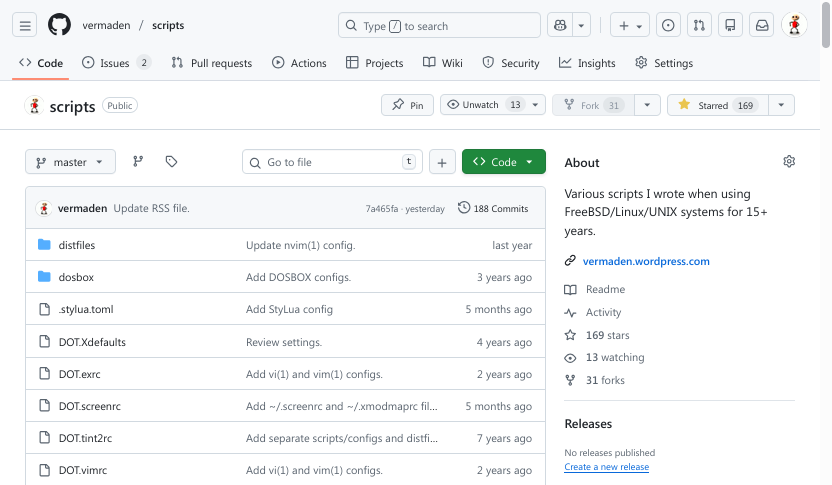
Feel free to ask me about ones I did not added there.

… and while having all of them – I was curious … how often I use them.

Are they still useful? Should I delete them? Phase out? Archive?

There was time that You probably seen the following code part in some of my scripts.

echo '1' 2> /dev/null >> ~/scripts/stats/${0##*/}

It is/was for stats.

I have created a ~/scripts/stats directory in which I stored stats for how often I executed my scripts … and gathered these stats for 3 years.

The start date of the experiment was on 2020/10/17 day.

To be honest – the code snipped should have looked like that one below – to make sure its possible to store the stats and the dir exists πŸ™‚

mkdir -p                 ~/scripts/stats || exit 0
echo '1' 2> /dev/null >> ~/scripts/stats/${0##*/}

The complete stats are below – but be advised that they contain various scripts I run using cron(8) or that they are part of my 5 minutes or less Dzen2 information bar.

5800969  TOTAL
1074619  desktop-kill-shit.sh
 506653  __conky_if_dns.sh
 506485  __conky_if_ping.sh
 506466  __conky_if_gw.sh
 506357  dzen2-update.sh
 499821  __conky_if_ip.sh
 493590  __conky_battery_separate.sh
 484046  desktop-battery-warning.sh
 363833  __conky_if_xfer.sh
 207484  rsync-delete.sh
 132050  acpi-thinkpad-fan.sh
 155405  random-wallpaper.sh
  94059  rsync-delete-before.sh
  42239  xdotool.sh
  41625  to-ascii.sh
  37234  random.sh
  25154  xterm.sh
  20593  random-wallpaper-always.sh
  12811  __conky_battery.sh
  11162  todo.sh
  11135  cal.sh
   8634  network.sh
   6303  mpv.sh
   6249  ff.mp3.320.sh
   6017  mupdf.sh
   4771  see.sh
   3565  shot.sh
   2977  __openbox_lock.sh
   2034  urxvt.sh
   2024  aero-snap.sh
   1702  terminal.sh
   1236  desktop-debug.sh
   1082  photo-unsharp-mask-JPG.sh
   1073  dzen2-fifo.sh
   1073  __openbox_restart_dzen2.sh
   1072  __openbox_restart_tint2.sh
    788  thunar-mass-rename.sh
    741  __openbox_freebsd_sound.sh
    724  __openbox_lock_zzz.sh
    694  generate-links.sh
    683  __openbox_cpufreq_dynamic.sh
    682  __openbox_delete_wallpaper.sh
    655  __openbox_restart_conky.sh
    637  backup-cfg.sh
    620  photo-movie-audio-ac3.sh
    508  __openbox_virtualbox.sh
    503  to-lower.sh
    483  desktop-pause.sh
    468  __openbox_clean_tmp.sh
    460  ncdu.sh
    434  __openbox_cpufreq.sh
    420  firefox.sh
    384  rsync-delete-checksum.sh
    377  nfs.sh
    365  __openbox_edit_screenshot.sh
    342  games-sensible-world-of-soccer-SFX.sh
    322  sumatra.sh
    291  mdconfig.sh
    286  __openbox_dmenu.sh
    285  __random.sh
    284  mouse-move.sh
    277  photo-movie-audio-copy.sh
    272  mp3-EYE3D-remove-id.sh
    231  photo-movie-audio-copy-x265.sh
    226  __openbox_restart_redshift.sh
    208  __openbox_edit_wallpaper_gimp.sh
    205  __openbox_show_screenshot.sh
    188  __openbox_current_wallpaper.sh
    184  mpv-shuffle.sh
    183  __openbox_trash_delete.sh
    182  games-baldurs-gate-II-ee-fullscreen.sh
    162  __openbox_phaseout_wallpaper.sh
    161  files-count.sh
    152  photo-movie-half-audio-copy-x265.sh
    142  rsync.sh
    142  pdf-split.sh
    135  rdesktop-mine.sh
    135  pdf-pts-scale.sh
    135  __openbox_restart_plank.sh
    118  to-ascii-all.sh
    102  battery-capacity.sh
     93  __openbox_reload_wallpaper.sh
     89  jhead.sh
     86  tile.sh
     77  photo-requality.sh
     74  photo-rename-images.sh
     68  zip.sh
     68  pdf-concat.sh
     66  colors.sh
     65  games-baldurs-gate-I-ee-fullscreen.sh
     64  thunar.sh
     57  smartwear.sh
     57  photo-rename-movies.sh
     53  tcpkill.sh
     53  fastdiff.sh
     49  __openbox_restart_compton.sh
     48  pkg-recompile.sh
     47  sensors.sh
     45  vbox-suid.sh
     45  __openbox_restart_xbindkeys.sh
     42  games-baldurs-gate-I-fullscreen.sh
     41  contacts-convert-vcf-from.sh
     40  games-baldurs-gate-I-ee-window.sh
     40  contacts-check.sh
     38  dedup.sh
     36  pdf-extract.sh
     35  photo-unsharp-mask-PNG.sh
     35  games-colin-mcrae-rally-2.0-window.sh
     32  files-big.sh
     32  epiphany.sh
     31  photo-flow.sh
     31  backup-remote-checksum.sh
     30  loop.sh
     30  firefox-clean.sh
     27  idle.sh
     24  games-icewind-dale-ee-fullscreen.sh
     23  games-sensible-world-of-soccer.sh
     23  games-heroes-of-might-and-magic-III-window.sh
     22  fc-cache.sh
     20  xnview.sh
     20  __openbox_stop_compton.sh
     19  key.sh
     18  winscp.sh
     18  games-heroes-of-might-and-magic-III-HotA-window.sh
     18  __openbox_restart_squid.sh
     17  ports-generate-distinfo.sh
     17  games-swing.sh
     16  games-diablo.sh
     15  games-baldurs-gate-II-ee-window.sh
     15  backup-sys.sh
     11  pdf-rotate-right.sh
     11  games-DOSBOX.sh
     10  nfs-clean.sh
     10  http.sh
     10  games-pro-pinball-timeshock-window.sh
     10  games-lionheart-window.sh
      9  games-heroes-of-might-and-magic-III-HotA-fullscreen.sh
      9  ff.mp3.160.sh
      9  contacts-convert-vcf-to.sh
      9  __xterm_link_open.sh
      8  sshfs.sh
      8  lsblk.sh
      8  html-strip-script.sh
      8  games-fallout-2-window.sh
      8  games-fallout-2-fullscreen.sh
      8  games-canyon-defence.sh
      8  games-all-terrain-racing.sh
      8  __openbox_monitor_off_auto.sh
      7  games-sensible-world-of-soccer-UPG.sh
      7  games-pinball-space-cadet-NATIVE.sh
      6  rdesktop_1800_1000.sh
      6  netstat.sh
      6  games-colin-mcrae-rally-2.0-fullscreen.sh
      6  games-baldurs-gate-I-window.sh
      6  __openbox_virtualbox_vmctrl.sh
      6  __openbox_stop_plank.sh
      6  __openbox_stats_top_cpu_RENICE.sh
      6  __openbox_stats_ps_KILLALL.sh
      5  vergallery.sh
      5  rsync-delete-linux.sh
      5  games-worms-armageddon-fullscreen.sh
      5  games-robokill-1.sh
      5  games-heroes-of-might-and-magic-II.sh
      5  freebsd-lists.sh
      5  detox.sh
      5  __openbox_virtualbox_reload.sh
      5  __openbox_stats_top_cpu_KILL.sh
      5  __conky_top.sh
      4  wm_names.sh
      4  photo-movie-half-audio-copy-x264.sh
      4  photo-movie-audio-ac3-CRF.sh
      4  gg-log.sh
      4  games-sensible-golf.sh
      4  games-robokill-2.sh
      4  games-pinball-short-circuit.sh
      4  games-lionheart-fullscreen.sh
      4  __xterm_set_title.sh
      4  __openbox_stop_dzen2.sh
      4  __openbox_stats_top_mem_RENICE.sh
      3  see-open.sh
      3  photo-FLOW.sh
      3  jail.sh
      3  jail-version.sh
      3  games-theme-hospital.sh
      3  games-supercars-international.sh
      3  games-governor-of-poker.sh
      3  games-carmageddon.sh
      3  ext-maxtor.sh
      3  __openbox_stop_tint2.sh
      3  __openbox_stats_top_mem_KILL.sh

The same list without the stuff that runs periodically in cron(8) is below.

235624  TOTAL
 42239  xdotool.sh
 41625  to-ascii.sh
 37234  random.sh
 25154  xterm.sh
 11162  todo.sh
 11135  cal.sh
  8634  network.sh
  6303  mpv.sh
  6249  ff.mp3.320.sh
  6017  mupdf.sh
  4771  see.sh
  3565  shot.sh
  2977  __openbox_lock.sh
  2034  urxvt.sh
  2024  aero-snap.sh
  1702  terminal.sh
  1236  desktop-debug.sh
  1082  photo-unsharp-mask-JPG.sh
  1073  __openbox_restart_dzen2.sh
  1072  __openbox_restart_tint2.sh
   788  thunar-mass-rename.sh
   741  __openbox_freebsd_sound.sh
   724  __openbox_lock_zzz.sh
   694  generate-links.sh
   683  __openbox_cpufreq_dynamic.sh
   682  __openbox_delete_wallpaper.sh
   655  __openbox_restart_conky.sh
   637  backup-cfg.sh
   620  photo-movie-audio-ac3.sh
   508  __openbox_virtualbox.sh
   503  to-lower.sh
   483  desktop-pause.sh
   468  __openbox_clean_tmp.sh
   460  ncdu.sh
   434  __openbox_cpufreq.sh
   420  firefox.sh
   384  rsync-delete-checksum.sh
   377  nfs.sh
   365  __openbox_edit_screenshot.sh
   342  games-sensible-world-of-soccer-SFX.sh
   322  sumatra.sh
   291  mdconfig.sh
   286  __openbox_dmenu.sh
   285  __random.sh
   284  mouse-move.sh
   277  photo-movie-audio-copy.sh
   272  mp3-EYE3D-remove-id.sh
   231  photo-movie-audio-copy-x265.sh
   226  __openbox_restart_redshift.sh
   208  __openbox_edit_wallpaper_gimp.sh
   205  __openbox_show_screenshot.sh
   188  __openbox_current_wallpaper.sh
   184  mpv-shuffle.sh
   183  __openbox_trash_delete.sh
   182  games-baldurs-gate-II-ee-fullscreen.sh
   162  __openbox_phaseout_wallpaper.sh
   161  files-count.sh
   152  photo-movie-half-audio-copy-x265.sh
   142  rsync.sh
   142  pdf-split.sh
   135  rdesktop-mine.sh
   135  pdf-pts-scale.sh
   135  __openbox_restart_plank.sh
   118  to-ascii-all.sh
   102  battery-capacity.sh
    93  __openbox_reload_wallpaper.sh
    89  jhead.sh
    86  tile.sh
    77  photo-requality.sh
    74  photo-rename-images.sh
    68  zip.sh
    68  pdf-concat.sh
    66  colors.sh
    65  games-baldurs-gate-I-ee-fullscreen.sh
    64  thunar.sh
    57  smartwear.sh
    57  photo-rename-movies.sh
    53  tcpkill.sh
    53  fastdiff.sh
    49  __openbox_restart_compton.sh
    48  pkg-recompile.sh
    47  sensors.sh
    45  vbox-suid.sh
    45  __openbox_restart_xbindkeys.sh
    42  games-baldurs-gate-I-fullscreen.sh
    41  contacts-convert-vcf-from.sh
    40  games-baldurs-gate-I-ee-window.sh
    40  contacts-check.sh
    38  dedup.sh
    36  pdf-extract.sh
    35  photo-unsharp-mask-PNG.sh
    35  games-colin-mcrae-rally-2.0-window.sh
    32  files-big.sh
    32  epiphany.sh
    31  photo-flow.sh
    31  backup-remote-checksum.sh
    30  loop.sh
    30  firefox-clean.sh
    27  idle.sh
    24  games-icewind-dale-ee-fullscreen.sh
    23  games-sensible-world-of-soccer.sh
    23  games-heroes-of-might-and-magic-III-window.sh
    22  fc-cache.sh
    20  xnview.sh
    20  __openbox_stop_compton.sh
    19  key.sh
    18  winscp.sh
    18  games-heroes-of-might-and-magic-III-HotA-window.sh
    18  __openbox_restart_squid.sh
    17  ports-generate-distinfo.sh
    17  games-swing.sh
    16  games-diablo.sh
    15  games-baldurs-gate-II-ee-window.sh
    15  backup-sys.sh
    11  pdf-rotate-right.sh
    11  games-DOSBOX.sh
    10  nfs-clean.sh
    10  http.sh
    10  games-pro-pinball-timeshock-window.sh
    10  games-lionheart-window.sh
     9  games-heroes-of-might-and-magic-III-HotA-fullscreen.sh
     9  ff.mp3.160.sh
     9  contacts-convert-vcf-to.sh
     9  __xterm_link_open.sh
     8  sshfs.sh
     8  lsblk.sh
     8  html-strip-script.sh
     8  games-fallout-2-window.sh
     8  games-fallout-2-fullscreen.sh
     8  games-canyon-defence.sh
     8  games-all-terrain-racing.sh
     8  __openbox_monitor_off_auto.sh
     7  games-sensible-world-of-soccer-UPG.sh
     7  games-pinball-space-cadet-NATIVE.sh
     6  rdesktop_1800_1000.sh
     6  netstat.sh
     6  games-colin-mcrae-rally-2.0-fullscreen.sh
     6  games-baldurs-gate-I-window.sh
     6  __openbox_virtualbox_vmctrl.sh
     6  __openbox_stop_plank.sh
     6  __openbox_stats_top_cpu_RENICE.sh
     6  __openbox_stats_ps_KILLALL.sh
     5  vergallery.sh
     5  rsync-delete-linux.sh
     5  games-worms-armageddon-fullscreen.sh
     5  games-robokill-1.sh
     5  games-heroes-of-might-and-magic-II.sh
     5  freebsd-lists.sh
     5  detox.sh
     5  __openbox_virtualbox_reload.sh
     5  __openbox_stats_top_cpu_KILL.sh
     5  __conky_top.sh
     4  wm_names.sh
     4  photo-movie-half-audio-copy-x264.sh
     4  photo-movie-audio-ac3-CRF.sh
     4  gg-log.sh
     4  games-sensible-golf.sh
     4  games-robokill-2.sh
     4  games-pinball-short-circuit.sh
     4  games-lionheart-fullscreen.sh
     4  __xterm_set_title.sh
     4  __openbox_stop_dzen2.sh
     4  __openbox_stats_top_mem_RENICE.sh
     3  see-open.sh
     3  photo-FLOW.sh
     3  jail.sh
     3  jail-version.sh
     3  games-theme-hospital.sh
     3  games-supercars-international.sh
     3  games-governor-of-poker.sh
     3  games-carmageddon.sh
     3  ext-maxtor.sh
     3  __openbox_stop_tint2.sh
     3  __openbox_stats_top_mem_KILL.sh

The experiment ended on 2023/10/17.

This is the time I removed the known code snipped from all of the scripts.

This data helped me to tweak a little more the ones that I use the most … and especially the ones that are run by my Dzen2 info bar config or in cron(8) daemon.

Some of this input also helped me to just phase out the ones that are not needed anymore … to put them into retirement.

EOF

Simple FreeBSD Poudriere Harvester Guide

The Poudriere is one of the topics I kinda omitted. I thought that official pkg(8) packages are more then enough and that occasional needed package recompilations are not the reasons to use a harvester such as Poudriere for that task. What was my needed recompilations? Usually the audio/lame because FreeBSD did not provided package for it for more then a decade while OpenBSD did … and multimedia/ffmpeg just to include that lame(1) support. Also at the beginning of exFAT format the sysutils/exfat-utils and sysutils/fusefs-exfat needed to be built by hand because of additional license agreement.

This guide will be about running Poudriere on a bare metal or virtual machine. If you would like to run Poudriere inside FreeBSD Jail instead – then check the Poudriere Inside FreeBSD VNET Jail article.

logo-freebsd

The Table of Contents for this article:

  • Poudriere Name
  • Poudriere Features
  • FreeBSD Host Setup
  • Poudriere Setup
  • Poudriere Jails
  • Poudriere Ports Tree
  • Poudriere Packages to Build List
  • Poudriere Options
  • Nginx
  • Memcached
  • Ccache
  • Poudriere Packages Build Process
  • Our Repository Client Setup
  • Next Builds
  • Summary

There was as time when I had a dedicated script that would do just that – rebuild several ports as packages after the pkg upgrade cycle.

% cat pkg-recompile.sh
#! /bin/sh

# OPTIONS
  PORTS='audio/lame multimedia/ffmpeg sysutils/exfat-utils sysutils/fusefs-exfat'

# ONLY root CAN BUILD PACKAGES/PORTS
if [ "$( whoami )" != "root" ]
then
  echo "ER: only 'root' may use this script"
  exit 1
fi

# BUILD PACKAGES
case ${1} in
  # REBUILD PACKAGES
  (b|build)
    for PORT in ${PORTS}
    do
      pkg unlock -y ${PORT} 1> /dev/null 2> /dev/null
      env BATCH=yes DISABLE_VULNERABILITIES=yes \
        make -C /usr/ports/${PORT} build deinstall install clean &
      MAKE=${!}
      rctl -a process:${MAKE}:pcpu:deny=40
      wait ${MAKE}
      pkg lock -y ${PORT}
    done
    ;;

  # CLEAN
  (c|clean)
    for PORT in ${PORTS}
    do
      make -C /usr/ports/${PORT} clean
    done
    ;;

  # USAGE
  (*)
    echo "usage: ${0##*/} b|c|build|clean"
    exit 1
    ;;

esac

Now none of that is needed anymore … unless you want to Connect FreeBSD to FreeIPA/IDM server … this is the case where Poudriere comes pretty handy. Here you may find my latest attempt with FreeBSD on FreeIPA/IDM with Poudriere Repo guide. You may configure/rebuild needed packages by hand or use a tool that will do that for you and you will then just use its custom build packages repository to install them on multiple systems. Scale often changes many things and this is not different with Poudriere tool.

Poudriere Name

… its quite unfortunate to say the least. I needed some time to actually learn to remember that name properly. Not sure I have any useful tips here – I just split it in half to make it easier to remember – as poud and riere parts. In the beginning I interpreted the pond part as British Pound … uncorrected of course. I really wish the author would name it simpler – like Rebuild or Bob the Builder for example πŸ™‚

So what does Poudriere really means? Its a French translation of Powder Keg – which means a place where gunpowder was stored. There is some logic in that … as all the power (gun power) is in the packages … and Poudriere creates that place.

UPDATE: Dan Langille just reminded me that Poudriere replaced Powder Keg which was a similar tool – that explains the French translation for the name πŸ™‚

Poudriere Features

The Poudriere is a bulk package builder and port tester. It uses a ‘clean’ FreeBSD Jails containers to build packages for defined FreeBSD version (supported or not) and a ‘snapshot’ of a FreeBSD Ports tree. Most of the time it will be the latest FreeBSD Ports tree ‘snapshot’ but nothing prevents you from using older ‘snapshots’ with older packages versions when needed.

Then the results (and logs) of these builds are available as HTML pages and you can (and probably should) host them as some WWW server.

All of this seems scary, complicated and pointless bloat to some … but it gets simple and obvious once you try it. You know me – I have an allergy for bullshit and bloat and Poudriere is really far from both of them.

Its kinda like with the famous UNIX co-creator Dennis Ritchie quote – “UNIX is basically a simple operating system, but you have to be a genius to understand the simplicity.” – just kidding – Poudriere actually is quite simple once you start using it – and that is probably the biggest obstacle to knowing it better. Just start using it (in a VM or in a Jail) to get to know it better and once you know it better – setup it properly and just use. Its far from over-complicated solutions such as SELinux, systemd(1) or Kubernetes.

FreeBSD Host Setup

First things first. The ‘three kings’ of and FreeBSD system configuration:

  • /boot/loader.conf
  • /etc/rc.conf
  • /etc/sysctl.conf

Here they are:

The /boot/loader.conf file.

# cat /boot/loader.conf
security.bsd.allow_destructive_dtrace=0
kern.geom.label.disk_ident.enable=0
kern.geom.label.gptid.enable=0
cryptodev_load=YES
zfs_load=YES

The /etc/rc.conf file.

# cat /etc/rc.conf
  clear_tmp_enable=YES
  syslogd_flags="-ss"
  sendmail_enable=NONE
  hostname=fbsdpr
  ifconfig_em0="inet 10.0.10.123/24"
  defaultrouter="10.0.10.1"
  sshd_enable=YES
  dumpdev=AUTO
  zfs_enable=YES
  nginx_enable=YES
  memcached_enable=YES
  memcached_flags="-l localhost -m 8192"

The /etc/sysctl.conf file.

# cat /etc/sysctl.conf
vfs.zfs.min_auto_ashift=12

From the three above only the /etc/rc.conf is important as the other two only have settings from the bsdinstall(8) installer – as used with the Auto ZFS option.

We will also need to populate /etc/resolv.conf file to have DNS configured.

# echo nameserver 1.1.1.1 > /etc/resolv.conf

Pick your personal DNS server favorite here if the Cloudflare one does not suit your needs.

Poudriere Setup

First we need to install some packages – especially the Poudriere package – to make them more up-to-date we would prefer the latest branch of pkg(8) packages.

# sed -i '' -e 's|quarterly|latest|g' /etc/pkg/FreeBSD.conf

# grep latest /etc/pkg/FreeBSD.conf
  url: "pkg+http://pkg.FreeBSD.org/${ABI}/latest",

Now we can add needed packages.

# env ASSUME_ALWAYS_YES=yes \
    pkg install -y \
      poudriere \
      portmaster \
      screen \
      tmux \
      zsh \
      beadm \
      lsblk \
      nginx \
      git-lite \
      htop \
      tree \
      ccache-memcached \
      memcached \
      groff

Some of them are less needed but they definitely does not hurt for workflow. Absolute minimum are:

  • poudriere
  • nginx
  • git-lite
  • ccache-memcached
  • groff

[ CAUTION: BEGIN ]

The devel/ccache-memcached port seems to be removed now – so as showed in one of the later guides – Connect FreeBSD 14.0-STABLE to FreeIPA/IDM – please useΒ devel/ccache4 instead. Thanks.

[ CAUTION: END ]

Now … lets prepare some dirs and certs to make our packages signed.

# SSL=/usr/local/etc/ssl
# mkdir -p   ${SSL}/keys ${SSL}/certs /usr/ports/distfiles
# chmod 0600 ${SSL}/keys
# openssl genrsa -out ${SSL}/keys/poudriere.key 4096
# openssl rsa -in ${SSL}/keys/poudriere.key -pubout -out ${SSL}/certs/poudriere.cert

As we will be using ZFS for Poudriere we will now create dedicated dataset for it.

# zfs create -o mountpoint=/usr/local/poudriere zroot/poudriere

[ CAUTION: BEGIN ]

Because of the ZROOTFS /usr/local bug I have switched the ZROOTFS variable to /dev/null and Poudriere still works well.

[ CAUTION: END ]

Now we will create the Poudriere config file.

# cat << EOF > /usr/local/etc/poudriere.conf
ZPOOL=zroot
BASEFS=/usr/local/poudriere
ZROOTFS=/dev/null
FREEBSD_HOST=ftp://ftp.freebsd.org
POUDRIERE_DATA=/usr/local/poudriere/data
CHECK_CHANGED_OPTIONS=verbose
CHECK_CHANGED_DEPS=yes
PKG_REPO_SIGNING_KEY=/usr/local/etc/ssl/keys/poudriere.key
URL_BASE=http://10.0.10.123/
USE_TMPFS=yes
TMPFS_LIMIT=8
MAX_MEMORY=8
MAX_FILES=2048
DISTFILES_CACHE=/usr/ports/distfiles
KEEP_OLD_PACKAGES=yes
KEEP_OLD_PACKAGES_COUNT=3
CHECK_CHANGED_OPTIONS=verbose
CHECK_CHANGED_DEPS=yes
CCACHE_DIR=/var/ccache
RESTRICT_NETWORKING=no
EOF

Its quite basic – yet it will do the job.

Poudriere Jails

Next we will create Poudriere Jails for each FreeBSD version we want to create pkg(8) repositories with packages.

I will create Jails for all FreeBSD 13.x versions – supported or not.

# poudriere jail -c -j 13-2-R-amd64 -v 13.2-RELEASE
# poudriere jail -c -j 13-1-R-amd64 -v 13.1-RELEASE
# poudriere jail -c -j 13-0-R-amd64 -v 13.0-RELEASE -m ftp-archive

Keep in mind that you need to specify additional -m ftp-archive argument for unsupported FreeBSD versions.

After some time you will end up with ready to use Poudriere FreeBSD Jails containers as shown below.

# poudriere jail -l
13-0-R-amd64 13.0-RELEASE-p13 amd64 ftp-archive 2023-04-28 03:22:05 /usr/local/poudriere/jails/13-0-R-amd64
13-1-R-amd64 13.1-RELEASE-p7  amd64 http        2023-04-27 23:17:13 /usr/local/poudriere/jails/13-1-R-amd64
13-2-R-amd64 13.2-RELEASE     amd64 http        2023-04-27 23:15:30 /usr/local/poudriere/jails/13-2-R-amd64

Poudriere Ports Tree

You may already have an up-to-date FreeBSD Ports tree on your disk at usual /usr/ports location – but we need Poudriere to get its own one too.

# poudriere ports -c

After fetching one you can list it like that.

# poudriere ports -l
default   git+https 2023-04-27 06:16:42 /usr/local/poudriere/ports/default

Poudriere Packages to Build List

Here is the best part – you do not need to build all 33000+ ports – you may specify just several of them. This is what we would do now.

# cat << EOF > /usr/local/etc/poudriere.d/list
sysutils/beadm
sysutils/lsblk
devel/m4
EOF

Accepting all possible licenses is also a good idea.

# echo DISABLE_LICENSES=yes >> /usr/local/etc/poudriere.d/make.conf

We will also specify which options should (and should not) be included in our built packages.

# cat << EOF > /usr/local/etc/poudriere.d/13-0-R-amd64-make.conf
ALLOW_UNSUPPORTED_SYSTEM=yes
DISABLE_LICENSES=yes
EOF

# cat << EOF > /usr/local/etc/poudriere.d/13-1-R-amd64-make.conf
ALLOW_UNSUPPORTED_SYSTEM=yes
DISABLE_LICENSES=yes
EOF

# cat << EOF > /usr/local/etc/poudriere.d/13-2-R-amd64-make.conf
ALLOW_UNSUPPORTED_SYSTEM=yes
DISABLE_LICENSES=yes
EOF

Poudriere Options

You may choose the Poudriere packages options the same interactive way you do when you use the FreeBSD Ports tree.

To do that – here are the needed spells.

# poudriere options -c -j 13-0-R-amd64 -f /usr/local/etc/poudriere.d/list
# poudriere options -c -j 13-1-R-amd64 -f /usr/local/etc/poudriere.d/list
# poudriere options -c -j 13-2-R-amd64 -f /usr/local/etc/poudriere.d/list

Nginx

To make most of the Poudriere you will also need some web server. I have chosen Nginx for that task as its currently ‘the’ standard for the Internet.

Its setup is not complicated – just repeat steps below and you are done.

# service nginx enable

# sed -i '' -E 's|text/plain[\t\ ]*txt|text/plain txt log|g' /usr/local/etc/nginx/mime.types

# cat << EOF > /usr/local/etc/nginx/nginx.conf
events {
  worker_connections 1024;
}

http {
  include      mime.types;
  default_type application/octet-stream;

  server {
    listen 80 default;
    server_name ${IP};
    root /usr/local/share/poudriere/html;

    location /data {
      alias /usr/local/poudriere/data/logs/bulk;
      autoindex on;
    }

    location /packages {
      root /usr/local/poudriere/data;
      autoindex on;
    }
  }
}
EOF

# service nginx restart

The /usr/local/etc/nginx/mime.types part will allow you to display the *.log files in the browser instead of ‘forcing’ the browser to pointlessly download them.

Our web server seems to work properly.

# sockstat -l4
USER     COMMAND    PID   FD PROTO  LOCAL ADDRESS         FOREIGN ADDRESS
www      nginx      95263 7  tcp4   *:80                  *:*
root     nginx      95262 7  tcp4   *:80                  *:*
root     sshd       706   5  tcp4   *:22                  *:*

Memcached

As we will be using devel/ccache-memcached package to speed up builds – we would also need memcached to be running.

We already have needed configuration in /etc/rc.conf file so we only need to start it.

# grep memcached /etc/rc.conf
  memcached_enable="YES"
  memcached_flags="-l localhost -m 8192"

# service memcached restart

# sockstat -l4
USER     COMMAND    PID   FD PROTO  LOCAL ADDRESS         FOREIGN ADDRESS
nobody   memcached  37844 13 tcp4   127.0.0.1:11211       *:*
www      nginx      69727 7  tcp4   *:80                  *:*
root     nginx      69726 7  tcp4   *:80                  *:*
root     sshd       706   5  tcp4   *:22                  *:*

Ccache

We will now configure ccache(1) service.

Like success have many father the same ccache(1) have many configs – to be sure – we will propagate all of them.

We will use /var/ccache dir for the ccache(1) cache dir = but feel free to put it somewhere else or even with a dedicated ZFS dataset.

# mkdir -p /var/ccache

# cat << EOF > /usr/local/etc/ccache.conf
max_size = 0
cache_dir = /var/ccache
base_dir = /var/ccache
memcached_conf = --SERVER=localhost:11211
memcached_only = true
EOF

# cat << EOF > /root/.ccache/ccache.conf
max_size = 0
cache_dir = /var/ccache
base_dir = /var/ccache
memcached_conf = --SERVER=localhost:11211
memcached_only = true
EOF

# cat << EOF > /var/ccache/ccache.conf
max_size = 0
cache_dir = /var/ccache
base_dir = /var/ccache
memcached_conf = --SERVER=localhost:11211
memcached_only = true
EOF

The ccache(1) stats output after several builds below.

# ccache -s
cache directory                     /var/ccache
primary config                      /var/ccache/ccache.conf
secondary config      (readonly)    /usr/local/etc/ccache.conf
stats updated                       Fri Apr 28 04:10:17 2023
cache hit (direct)                  4510
cache hit (preprocessed)             713
cache miss                          2481
cache hit rate                     67.80 %
called for link                     5616
called for preprocessing            1476
multiple source files                 18
compile failed                      1143
preprocessor error                   351
bad compiler arguments                72
unsupported source language            9
autoconf compile/link               3147
no input file                        441
cleanups performed                     0
files in cache                      6303
cache size                          26.6 MB

Poudriere Packages Build Process

Now as you have everything configured and ready – you may build your custom packages.

These next commands will build repositories with your configured packages.

# poudriere bulk -j 13-0-R-amd64 -f /usr/local/etc/poudriere.d/list
# poudriere bulk -j 13-1-R-amd64 -f /usr/local/etc/poudriere.d/list
# poudriere bulk -j 13-2-R-amd64 -f /usr/local/etc/poudriere.d/list

The Poudriere console output is pretty colorful and nice – here is how it looks.

poudriere-build

Lets check how it look on the browser side.

poudriere-www-01

Lets ‘click’ the 13-2-R-amd64-default name for some details.

poudriere-www-02

It shows that 14 packages has been built in the process and all of them succeed.

Lets now click the date_time build name.

poudriere-www-03

You will now see the details about that build run – with logs and time needed for each package build.

You can ‘click’ on the package name to get the build log details.

poudriere-www-04

Here is how our three repositories look after the build process.

# ls -l /usr/local/poudriere/data/packages
total 26K
drwxr-xr-x 4 root wheel 14 2023-04-28 04:10 13-0-R-amd64-default/
drwxr-xr-x 4 root wheel 14 2023-04-28 04:06 13-1-R-amd64-default/
drwxr-xr-x 4 root wheel 14 2023-04-28 04:07 13-2-R-amd64-default/

# tree /usr/local/poudriere/data/packages
/usr/local/poudriere/data/packages
β”œβ”€β”€ 13-0-R-amd64-default
β”‚Β Β  β”œβ”€β”€ All -> .latest/All
β”‚Β Β  β”œβ”€β”€ Latest -> .latest/Latest
β”‚Β Β  β”œβ”€β”€ meta.conf -> .latest/meta.conf
β”‚Β Β  β”œβ”€β”€ meta.pkg -> .latest/meta.pkg
β”‚Β Β  β”œβ”€β”€ meta.txz -> .latest/meta.txz
β”‚Β Β  β”œβ”€β”€ packagesite.pkg -> .latest/packagesite.pkg
β”‚Β Β  └── packagesite.txz -> .latest/packagesite.txz
β”œβ”€β”€ 13-1-R-amd64-default
β”‚Β Β  β”œβ”€β”€ All -> .latest/All
β”‚Β Β  β”œβ”€β”€ Latest -> .latest/Latest
β”‚Β Β  β”œβ”€β”€ meta.conf -> .latest/meta.conf
β”‚Β Β  β”œβ”€β”€ meta.pkg -> .latest/meta.pkg
β”‚Β Β  β”œβ”€β”€ meta.txz -> .latest/meta.txz
β”‚Β Β  β”œβ”€β”€ packagesite.pkg -> .latest/packagesite.pkg
β”‚Β Β  └── packagesite.txz -> .latest/packagesite.txz
└── 13-2-R-amd64-default
    β”œβ”€β”€ All -> .latest/All
    β”œβ”€β”€ Latest -> .latest/Latest
    β”œβ”€β”€ meta.conf -> .latest/meta.conf
    β”œβ”€β”€ meta.pkg -> .latest/meta.pkg
    β”œβ”€β”€ meta.txz -> .latest/meta.txz
    β”œβ”€β”€ packagesite.pkg -> .latest/packagesite.pkg
    └── packagesite.txz -> .latest/packagesite.txz

10 directories, 15 files

Our Repository Client Setup

Now we need to configure our FreeBSD clients to start using our Poudriere created repositories.

Here is what we need to do on such client.

# mkdir -p /usr/local/etc/pkg/repos

# cat << EOF > /usr/local/etc/pkg/repos/13-2-R-amd64.conf
13-2-R-amd64: {
    url: "http:/10.0.10.123/packages/13-2-R-amd64-default/",
    mirror_type: "http",
    signature_type: "pubkey",
    pubkey: "/usr/local/etc/ssl/certs/poudriere.cert",
    enabled: yes,
    priority: 100
}
EOF

# pkg update -f
Updating FreeBSD repository catalogue...
Fetching meta.conf: 100%    163 B   0.2kB/s    00:01
Fetching packagesite.pkg: 100%    7 MiB 626.5kB/s    00:11
Processing entries: 100%
FreeBSD repository update completed. 32980 packages processed.
Updating 13-2-R-amd64-HEAD repository catalogue...
Fetching meta.conf: 100%    163 B   0.2kB/s    00:01
Fetching packagesite.pkg: 100%    6 KiB   5.7kB/s    00:01
Processing entries: 100%
13-2-R-amd64-HEAD repository update completed. 14 packages processed.
All repositories are up to date.

We now have our first FreeBSD client system configured against our Poudriere created repository.

Lets install/update the m4 package for a test.

# pkg install m4
Updating FreeBSD repository catalogue...
FreeBSD repository is up to date.
Updating 13-2-R-amd64-HEAD repository catalogue...
13-2-R-amd64-HEAD repository is up to date.
All repositories are up to date.
The following 2 package(s) will be affected (of 0 checked):

New packages to be INSTALLED:
        m4: 1.4.19,1 [13-2-R-amd64-HEAD]

Installed packages to be REINSTALLED:
        pkg-1.19.1_1 [13-2-R-amd64-HEAD] (options changed)

Number of packages to be installed: 1
Number of packages to be reinstalled: 1

The process will require 2 MiB more space.
9 MiB to be downloaded.

Proceed with this action? [y/N]: y
[1/2] Fetching pkg-1.19.1_1.pkg: 100%    8 MiB   8.7MB/s    00:01
[2/2] Fetching m4-1.4.19,1.pkg: 100%  214 KiB 218.7kB/s    00:01
Checking integrity... done (0 conflicting)
[1/2] Reinstalling pkg-1.19.1_1...
[1/2] Extracting pkg-1.19.1_1: 100%
[2/2] Installing m4-1.4.19,1...
[2/2] Extracting m4-1.4.19,1: 100%

Now some FreeBSD client notes … if you are a Linux fan you probably know that – for example on Red Hat Linux (and its clones) – its relatively easy to just list the configured repositories with yum repolist command.

# yum repolist
repo id         repo name
appstream       CentOS Linux 8 - AppStream
baseos          CentOS Linux 8 - BaseOS
epel            Extra Packages for Enterprise Linux 8 - x86_64
epel-modular    Extra Packages for Enterprise Linux Modular 8 - x86_64
extras          CentOS Linux 8 - Extras

… unfortunately there is not 1:1 equivalent on FreeBSD side for pkg(8) repositories.

The closest one that is available out of the box are:

# pkg -vv | grep -A 999 '^Repositories:'
Repositories:
  FreeBSD: {
    url             : "pkg+http://pkg.FreeBSD.org/FreeBSD:13:amd64/latest",
    enabled         : yes,
    priority        : 0,
    mirror_type     : "SRV",
    signature_type  : "FINGERPRINTS",
    fingerprints    : "/usr/share/keys/pkg"
  }
  13-2-R-amd64: {
    url             : "http://10.0.10.123/packages/13-2-R-amd64-default/",
    enabled         : yes,
    priority        : 100,
    mirror_type     : "HTTP",
    signature_type  : "PUBKEY",
    pubkey          : "/usr/local/etc/ssl/certs/poudriere.cert"
  }

# grep -h '^[^#]' /etc/pkg/* /usr/local/etc/pkg/repos/*
FreeBSD: {
  url: "pkg+http://pkg.FreeBSD.org/${ABI}/latest",
  mirror_type: "srv",
  signature_type: "fingerprints",
  fingerprints: "/usr/share/keys/pkg",
  enabled: yes
}
13-2-R-amd64: {
    url: "http://10.0.10.123/packages/13-2-R-amd64-default/",
    mirror_type: "http",
    signature_type: "pubkey",
    pubkey: "/usr/local/etc/ssl/certs/poudriere.cert",
    enabled: yes,
    priority: 100
}

Not very pretty.

After asking at GitHub for potential solution or pkg(8)man page overlook I was informed that there is no such option … so I came with my own POSIX /bin/sh shell scripts/functions for the rescue πŸ™‚

For example pkg-repo-var-en.sh that will list all pkg(8) repositories with their enabled/disabled status.

# ./pkg-repo-var-en.sh
REPO          ENABLED  PRIO  URL
FreeBSD       yes      0     pkg+http://pkg.FreeBSD.org/${ABI}/latest
13-2-R-amd64  yes      100   http://10.0.10.123/packages/13-2-R-amd64

# cat pkg-repo-var-en.sh
#! /bin/sh

( # HEADER
  echo -e "\nREPO ENABLED PRIO URL"
  for REPO in /etc/pkg/* /usr/local/etc/pkg/repos/*
  do
    REPOCUR=$( grep '^[^#]' "${REPO}" )

    # REPO
    echo "${REPOCUR}" | awk -F ':' '/\{[\ \t]*$/ {printf(" %s ",$1)}'

    # ENABLED
    echo "${REPOCUR}" | awk '/enabled:/ {printf(" %s ",$NF)}' | tr -cd '[a-zA-Z ]'

    # PRIO
    if echo "${REPOCUR}" | grep -q priority
    then
      echo "${REPOCUR}" | awk '/priority:/ {printf(" %s ",$NF)}' | tr -cd '[0-9 ]'
    else
      echo -n " 0 "
    fi

    # URL
    echo "${REPOCUR}" | grep '^[^#]' | awk -F'"' '/url:/ {print $2}' | tr -d ','

  done 2> /dev/null
) | column -t 2> /dev/null

Next Builds

So … you have successfully build your custom repository once … these are the steps to create new up-to-date package every next time.

// UPDATE JAILS
# poudriere jail -u -j 13-0-R-amd64
# poudriere jail -u -j 13-1-R-amd64
# poudriere jail -u -j 13-2-R-amd64

// UPDATE PORTS
# poudriere ports -u

// BUILD REPOSITORIES
# poudriere bulk -j 13-0-R-amd64 -f /usr/local/etc/poudriere.d/list
# poudriere bulk -j 13-1-R-amd64 -f /usr/local/etc/poudriere.d/list
# poudriere bulk -j 13-2-R-amd64 -f /usr/local/etc/poudriere.d/list

For example – if there are not new packages/changes – this is how the Poudriere output would look like.

poudriere-build-not-needed

Summary

Not sure what should I add here more … I definitely need to compare Poudriere against ports-mgmt/synth alternative one day … but it is not this day – as Aragorn once said πŸ™‚

Pick your packages to customize and have fun.

Take care.

UPDATE 1 – Local pkg(8) Repository from Poudriere Build

After the packages are built with Poudriere harvester there are several ways to distribute these packages to ‘target’ servers.

On of the simplest ways of using/installing these packages is to create local ‘dir/file’ repository.

This is how the directories with packages look like after the desired package set is built with Poudriere.

# tree -L 2 /usr/local/poudriere/data/packages
/usr/local/poudriere/data/packages
β”œβ”€β”€ 14-2-R-amd64-default
β”‚Β Β  β”œβ”€β”€ All -> .latest/All
β”‚Β Β  β”œβ”€β”€ data.pkg -> .latest/data.pkg
β”‚Β Β  β”œβ”€β”€ data.tzst -> .latest/data.tzst
β”‚Β Β  β”œβ”€β”€ Latest -> .latest/Latest
β”‚Β Β  β”œβ”€β”€ logs -> .latest/logs
β”‚Β Β  β”œβ”€β”€ meta -> .latest/meta
β”‚Β Β  β”œβ”€β”€ meta.conf -> .latest/meta.conf
β”‚Β Β  β”œβ”€β”€ packagesite.pkg -> .latest/packagesite.pkg
β”‚Β Β  └── packagesite.tzst -> .latest/packagesite.tzst
β”œβ”€β”€ 14-2-R-amd64-idm
β”‚Β Β  β”œβ”€β”€ All -> .latest/All
β”‚Β Β  β”œβ”€β”€ data.pkg -> .latest/data.pkg
β”‚Β Β  β”œβ”€β”€ data.txz -> .latest/data.txz
β”‚Β Β  β”œβ”€β”€ Latest -> .latest/Latest
β”‚Β Β  β”œβ”€β”€ logs -> .latest/logs
β”‚Β Β  β”œβ”€β”€ meta -> .latest/meta
β”‚Β Β  β”œβ”€β”€ meta.conf -> .latest/meta.conf
β”‚Β Β  β”œβ”€β”€ packagesite.pkg -> .latest/packagesite.pkg
β”‚Β Β  └── packagesite.txz -> .latest/packagesite.txz
β”œβ”€β”€ 14-2-R-amd64-samba
β”‚Β Β  β”œβ”€β”€ All -> .latest/All
β”‚Β Β  β”œβ”€β”€ data.pkg -> .latest/data.pkg
β”‚Β Β  β”œβ”€β”€ data.txz -> .latest/data.txz
β”‚Β Β  β”œβ”€β”€ Latest -> .latest/Latest
β”‚Β Β  β”œβ”€β”€ logs -> .latest/logs
β”‚Β Β  β”œβ”€β”€ meta -> .latest/meta
β”‚Β Β  β”œβ”€β”€ meta.conf -> .latest/meta.conf
β”‚Β Β  β”œβ”€β”€ packagesite.pkg -> .latest/packagesite.pkg
β”‚Β Β  └── packagesite.txz -> .latest/packagesite.txz
└── ansible.PKG.tar
 
13 directories, 19 files

We will now create a local repository under /root/ansible/14-2-R-amd64-default dir for the 14-2-R-amd64-default package set.

# mkdir -p /root/ansible

# cp -ap /usr/local/poudriere/data/packages/14-2-R-amd64-default /root/ansible

# ls /root/ansible
14-2-R-amd64-default
 
# mkdir -p /usr/local/etc/pkg/repos
 
# echo "FreeBSD: { enabled: no }" > /usr/local/etc/pkg/repos/FreeBSD.conf
 
# cat << EOF > /usr/local/etc/pkg/repos/ansible.conf
local: {
  url: "file:///root/ansible/14-2-R-amd64-default",
  enabled: yes
}
EOF
 
# pkg repos
ansible: {
  url             : "file:///root/ansible/14-2-R-amd64-default",
  enabled         : yes,
  priority        : 0
}

Now we can check if pkg(8) sees packages in the new local repository.

# pkg stats
Local package database:
        Installed packages: 1
        Disk space occupied: 47 MiB
  
Remote package database(s):
        Number of repositories: 1
        Packages available: 264
        Unique packages: 264
        Total size of packages: 982 MiB

If needed you can list all available packages with this command.

# pkg search -g '*'

You can now install any needed package(s) on that system with pkg(8) command as usual.

# pkg install ansible vim zsh

Hope that helps.

EOF