

Descripción
AICA – Smart AI Commerce Assistant is a powerful WooCommerce plugin that adds an intellectual AI-powered shopping assistant to your store. It uses advanced AI models (OpenAI, Claude, Gemini, OpenRouter) to provide personalized product recommendations and instant customer support.
🚀 KEY FEATURES
Multi-Provider AI Support
* OpenAI (GPT-4, GPT-4o, GPT-3.5)
* Anthropic (Claude 3.5 Sonnet, Claude 3 Opus)
* Google (Gemini 2.5 Flash, Gemini Pro)
* OpenRouter (access to 100+ models)
Intelligent Product Search (RAG)
* Semantic product search using embeddings
* Context-aware recommendations
* Understands natural language queries
* Filters by stock, price, categories
Smart Cart Integration
* Add products to cart via AI
* Track cart contents in conversation
* Seamless WooCommerce integration
Customizable Widget
* Position: bottom-right, bottom-left, top-right, top-left
* Custom colors and branding
* Magic prompts (quick suggestions)
* Light/dark themes
* Mobile responsive
Analytics & Insights
* Track product recommendations
* Monitor conversion rates
* Session analytics
* Popular queries tracking
Developer Friendly
* Clean, documented code
* WordPress Coding Standards compliant
* Extensive filter/action hooks
* REST API endpoints
* Translation ready
💡 PERFECT FOR
- Online stores wanting to improve customer experience
- Shops with large product catalogs
- Businesses looking to reduce cart abandonment
- Stores needing 24/7 customer support
- Sites wanting to increase average order value
🌐 MULTILINGUAL SUPPORT
- Translation ready (i18n)
- WPML compatible
- Polylang compatible
- Supports RTL languages
🔒 PRIVACY & SECURITY
- Data sanitization and validation
- Nonce verification on all requests
- Rate limiting to prevent abuse
- No data shared without consent
- GDPR compliant
Third-Party Services
This plugin connects to third-party AI services to function. Please review their privacy policies:
OpenAI
* Service: https://api.openai.com/
* Privacy Policy: https://openai.com/privacy/
* Terms: https://openai.com/terms/
Anthropic (Claude)
* Service: https://api.anthropic.com/
* Privacy Policy: https://www.anthropic.com/privacy
* Terms: https://www.anthropic.com/legal/consumer-terms
Google (Gemini)
* Service: https://generativelanguage.googleapis.com/
* Privacy Policy: https://policies.google.com/privacy
* Terms: https://policies.google.com/terms
OpenRouter
* Service: https://openrouter.ai/api/
* Privacy Policy: https://openrouter.ai/privacy
* Terms: https://openrouter.ai/terms
Data sent to these services includes:
* User messages
* Product information from your catalog
* Conversation history (temporary)
NO personally identifiable user information is sent without explicit user action.
Developer Documentation
Filters
aica_max_products_per_response - Modify max products shown
aica_system_prompt - Customize AI system prompt
aica_widget_settings - Modify widget configuration
aica_rate_limit - Adjust rate limiting
Actions
aica_before_chat_response - Before AI generates response
aica_after_chat_response - After response is generated
aica_product_added_to_cart - When product added via AI
aica_conversation_started - New conversation started
REST API Endpoints
POST /wp-json/ai-assistant/v1/chat– Send messageGET /wp-json/ai-assistant/v1/products/search– Search productsPOST /wp-json/ai-assistant/v1/cart/add– Add to cartGET /wp-json/ai-assistant/v1/cart/get– Get cart contentsGET /wp-json/ai-assistant/v1/settings– Get widget settings
See full developer documentation at https://joseph78.altervista.org/aica-smart-ai-commerce-assistant/
Support
For support, feature requests, or bug reports:
* Visit our support forum on WordPress.org
* Documentation: https://joseph78.altervista.org/aica-smart-ai-commerce-assistant/
Credits
Developed by Joseph78
Icons from FontAwesome (CC BY 4.0 License)
Powered by OpenAI, Anthropic, Google, and OpenRouter APIs
Capturas

Banner e banner-icon (3 images) 
AICA – Smart AI Commerce Assistant widget in action – Chat interface with product recommendations 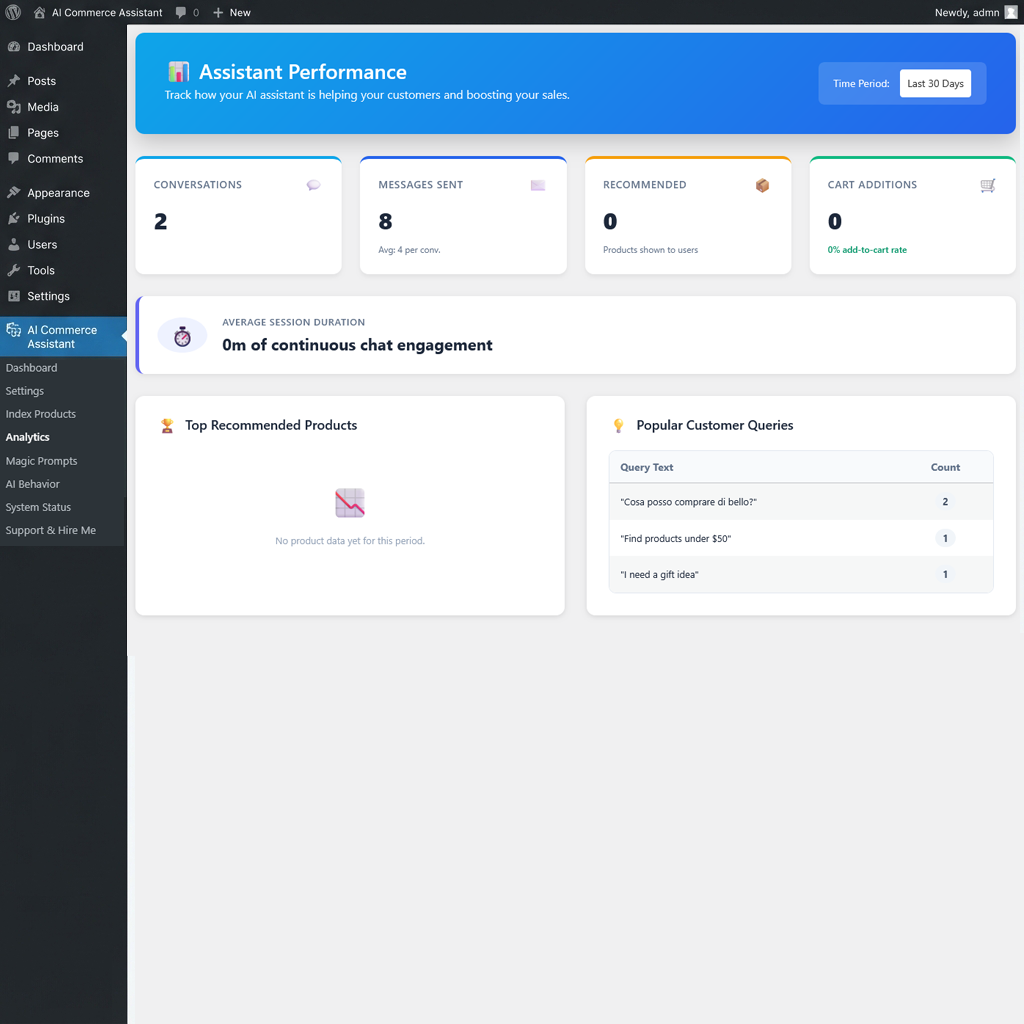
Admin settings page – Configure AI provider, API keys, and widget appearance 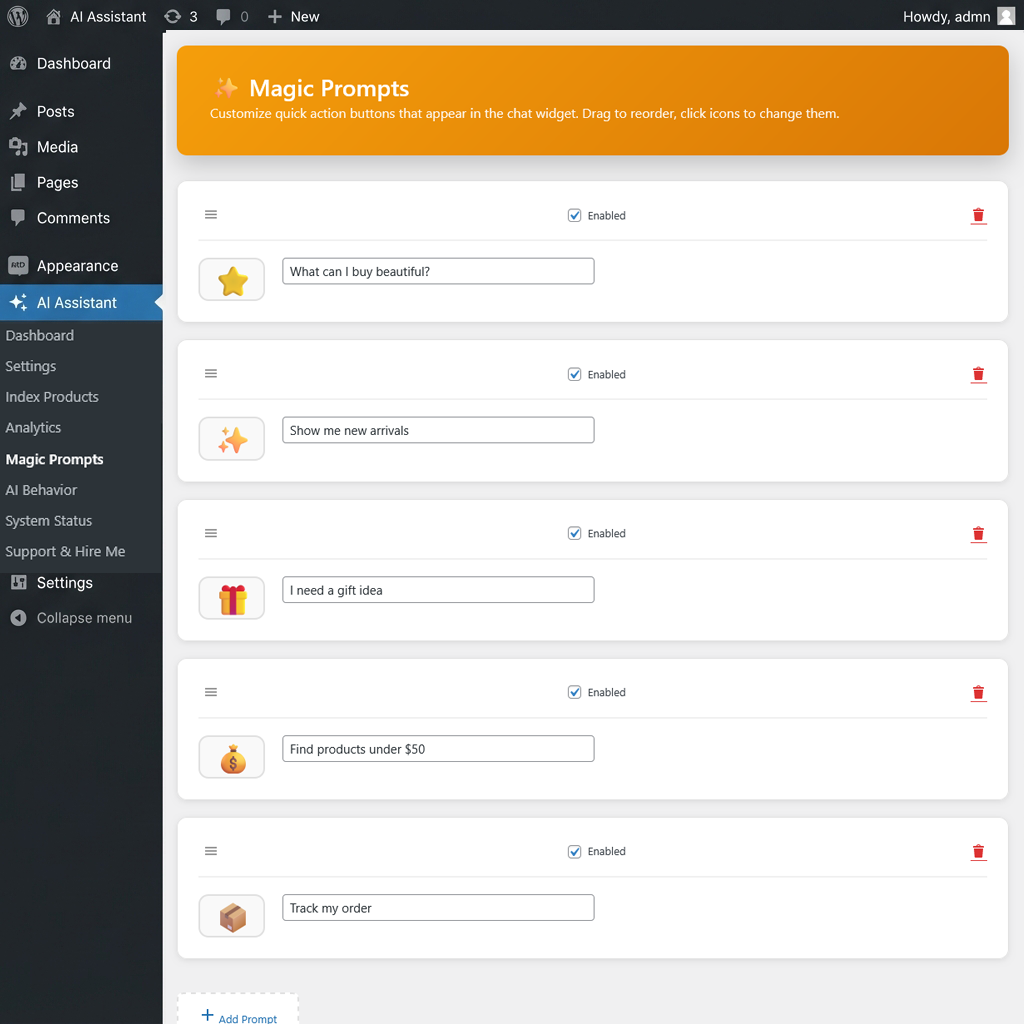
Analytics dashboard – Track conversations, recommendations, and conversion rates
Instalación
Minimum Requirements
- WordPress 6.0 or greater
- WooCommerce 7.0 or greater
- PHP version 7.4 or greater
- MySQL version 5.6 or greater
Automatic Installation
- Log in to your WordPress dashboard
- Navigate to Plugins Add New
- Search for «AICA – Smart AI Commerce Assistant»
- Click «Install Now» and then «Activate»
Manual Installation
- Download the plugin ZIP file
- Upload to
wp-content/plugins/directory - Unzip the file
- Activate the plugin through the ‘Plugins’ menu in WordPress
Configuration
- Go to AI Assistant Settings in your WordPress admin
- Choose your AI provider (OpenAI, Claude, Gemini, or OpenRouter)
- Enter your API key for the selected provider
- Configure widget appearance and position
- Go to AI Assistant Index Products to index your catalog
- (Optional) Customize magic prompts in AI Assistant Magic Prompts
Getting API Keys
OpenAI
1. Visit https://platform.openai.com/api-keys
2. Sign up or log in
3. Create a new API key
4. Copy and paste into plugin settings
Google Gemini
1. Visit https://makersuite.google.com/app/apikey
2. Create an API key
3. Copy and paste into plugin settings
4. Gemini 2.5 Flash is FREE up to 15 requests/minute
Claude (Anthropic)
1. Visit https://console.anthropic.com/
2. Sign up for an account
3. Create an API key
4. Copy and paste into plugin settings
OpenRouter
1. Visit https://openrouter.ai/
2. Sign up and add credits ($5 minimum)
3. Create an API key
4. Access to 100+ models including free options
Preguntas frecuentes
-
Is this plugin free?
-
Yes! The plugin is completely free. However, you’ll need an API key from an AI provider (OpenAI, Google Gemini, Claude, or OpenRouter). Google Gemini offers a free tier perfect for testing.
-
Which AI provider should I choose?
-
- Google Gemini 2.5 Flash: FREE tier, great for small-medium stores
- OpenAI GPT-4o: Best quality, higher cost
- Claude 3.5 Sonnet: Excellent balance of quality and speed
- OpenRouter: Access to many models, good for experimentation
-
Does it work with my theme?
-
Yes! The widget is designed to work with any WordPress theme. It’s fully self-contained and doesn’t interfere with your theme’s styling.
-
Will it slow down my site?
-
No. The AI widget loads asynchronously and doesn’t impact your site’s initial page load speed. AI responses are fast (typically 1-3 seconds).
-
Can I customize the widget appearance?
-
Absolutely! You can customize:
* Position (four corners)
* Primary color
* Widget title
* Greeting message
* Magic prompts (quick suggestions)
* Light/dark theme -
Is it GDPR compliant?
-
Yes. The plugin only sends data to AI providers when users actively interact with the widget. No data is collected or shared without user action.
-
Can customers add products to cart through the AI?
-
Yes! The AI can recommend products and add them to the cart directly from the conversation.
-
Does it support multilingual stores?
-
Yes! The plugin is translation-ready and compatible with WPML and Polylang. All user-facing strings can be translated.
-
How do I track performance?
-
Go to AI Assistant Analytics to view:
* Total conversations
* Products recommended
* Cart additions via AI
* Most common queries
* Conversion rates -
What if the AI can’t find products?
-
Make sure to index your products first by going to AI Assistant Index Products. The plugin uses embeddings for semantic search, which requires products to be indexed.
-
Can I disable embeddings?
-
Yes. In Settings RAG Settings, you can disable embeddings and use traditional full-text search instead. Embeddings provide better results but require OpenAI API calls for indexing.
-
What happens during high traffic?
-
The plugin includes rate limiting to protect your API costs. You can configure limits in Settings Advanced.
-
Does it collect analytics data?
-
Only locally in your WordPress database. NO data is sent to external servers except to your chosen AI provider for generating responses.
Reseñas

Colaboradores y desarrolladores
«AICA – Smart AI Commerce Assistant» es un software de código abierto. Las siguientes personas han colaborado con este plugin.
Colaboradores
Traduce «AICA – Smart AI Commerce Assistant» a tu idioma.
¿Interesado en el desarrollo?
Revisa el código , echa un vistazo al repositorio SVN o suscríbete al registro de desarrollo por RSS.
Registro de cambios
1.0.4 – 2026-01-22
- Added dynamic currency and price formatting support based on WooCommerce settings
- Improved AI response consistency for currency symbols and decimal separators
- Optimized system prompt for better price rendering in chat
1.0.3 – 2026-01-15
- Added «Powered by AICA» link to widget
- Minor UI improvements
1.0.2 – 2026-01-07
- Improved React widget stability
- Fixed ReactCurrentOwner error (wp-element dependency)
- Optimized admin settings UI
- Updated compatibility for WooCommerce 9.0
1.0.1 – 2026-01-05
- Security enhancements for REST API
- Improved data sanitization
- Minor UI bug fixes
1.0.0 – 2026-01-02
- Initial release
- Multi-provider AI support (OpenAI, Claude, Gemini, OpenRouter)
- RAG-based product search with embeddings
- Smart cart integration with WooCommerce
- Customizable chat widget with dark/light themes
- Magic prompts for quick user actions
- Analytics dashboard with conversion tracking
- System health checker and diagnostics
- Rate limiting and security features
- WPML/Polylang compatibility
- Onboarding wizard for easy setup
- Comprehensive error handling
- RESTful API for developers
- WordPress Coding Standards compliant