

تفصیل
A simple and clean widget tag cloud with a list of tags in orizontal percentual lines.
Suitable for any theme because have measures in percentage. Custom options for max tag number; background, border and text color of the bars.
The default theme have simple orizontal bars with round corner but you can customize it with every css rules. No style is set for font-family or font dimensions or links: it keep your theme style!
Add in your WordPress and add the Linear Tag Cloud to your custom sidebar, set the max number of tags you whant to see, set the colours and enjoy!
اسکرین شاٹس
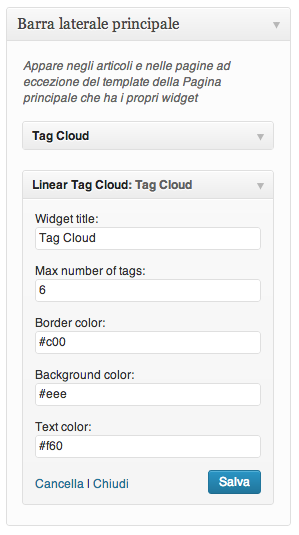
The control panel in the widget page on Wordpress admin panel 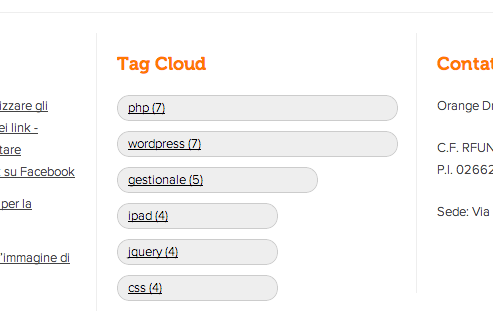
An example of the application 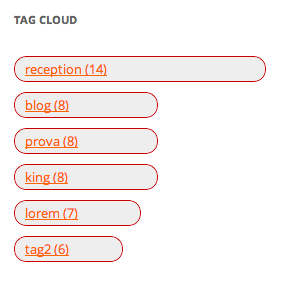
An example of the application in the Twenty Twelve default Wordpress Theme
انسٹالیشن
- Download the .zip file from the official repository and unzip it
- Upload the folder
linear-tag-cloudto the/wp-content/plugins/directory - Activate the plugin through the ‘Plugins’ menu in WordPress
- Add the widget in the sidebar areas and configure it
- Done!
عمومی سوالات
- Is it possible to configure it?
-
Yes, you can configure max number of tags; background, text and border color of the bars
جائزے
There are no reviews for this plugin.
شراکت دار اور ڈیویلپرز
“Linear Tag Cloud” اوپن سورس سافٹ ویئر ہے۔ مندرجہ ذیل لوگوں نے اس پلگ ان میں حصہ لیا:
شراکت دار
“Linear Tag Cloud” کا اپنی زبان میں ترجمہ کریں۔
ڈویلپمینٹ میں دلچسپی ہے؟
کوڈ براؤز کریں، ایس این وی ریپوزیٹری کو چیک کریں یا ڈویلپمینٹ لاگ کو سبسکرائب کریں بذریعہ آر ایس ایس۔
چینج لاگ
1.3.1
- Minor fix
1.3
- Admitted empty value for border, background and text color
- Links text visualized also if are more long than the bars
- Optimized code and CSS style
1.2
- Bug fix
- Add CSS rules
- Optimized code
1.0
- Bug fix
- HTML5 tag applied
0.1
- First release
- Max number of tags configurable
- Background and border color configurable for bars
- Text color configurable for link in the bars