

تفصیل
Your dashboard is the first thing most WordPress admins see when they log in to a website – why not add a space for them to see important dates coming up? With the Important Dates Dashboard Widget – you can do just that. Easily add and manage upcoming events, birthdays, anniversaries and more with this lightweight plugin.
اسکرین شاٹس
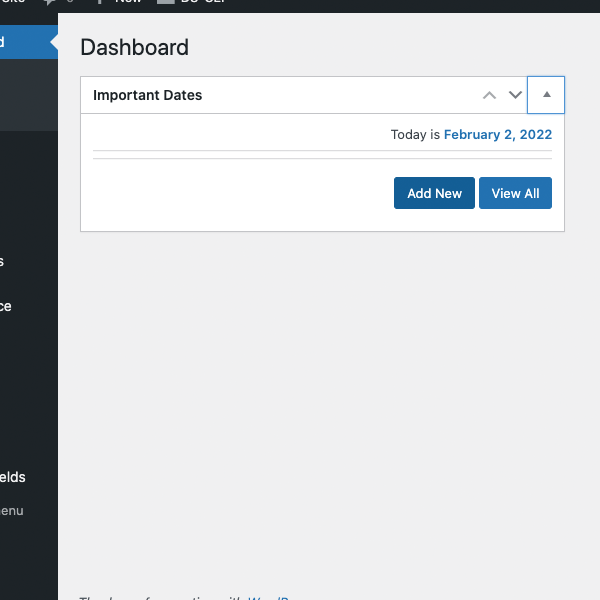
Add your dates from the widget on the dashboard 
The Add New Date Screen 
One Date has been added
انسٹالیشن
- Install via the built-in WordPress plugin installer. Or download and unzip important-dates-dashboard-widget.zip inside the plugins directory for your site (typically wp-content/plugins/)
- Activate the plugin through the ‘Plugins’ admin menu in WordPress
- From the new widget in your admin dashboard, click \”add New\” to add a new date.
عمومی سوالات
-
Where do I add the date?
-
Once installed, click on the \”add New\” button to add and name your first date.
-
How many dates can I install?
-
As many as you want – there is no limit.
جائزے
There are no reviews for this plugin.
شراکت دار اور ڈیویلپرز
“Important Dates Dashboard Widget” اوپن سورس سافٹ ویئر ہے۔ مندرجہ ذیل لوگوں نے اس پلگ ان میں حصہ لیا:
شراکت دار
“Important Dates Dashboard Widget” کا اپنی زبان میں ترجمہ کریں۔
ڈویلپمینٹ میں دلچسپی ہے؟
کوڈ براؤز کریں، ایس این وی ریپوزیٹری کو چیک کریں یا ڈویلپمینٹ لاگ کو سبسکرائب کریں بذریعہ آر ایس ایس۔
چینج لاگ
1.0 – initial release
1.01 – Better Notifications, Updated Navigation, Improved Instructions
1.02 – Cleaned up Options Page