
تفصیل
English:
This plugin to select blocks of code takes advantage of JavaScript-library ‘google-code-prettify’. If it is for his work simply insert frame <pre> tag with class ‘prettyprint’.
*** Tip: In order to optimize the use of resources, try to use only one option – ‘Automatically replace the tags <pre> to <pre class=”prettyprint linenums”> before saving post.’
Russian:
Данный плагин для выделения блоков кода использует возможности JavaScript-библиотеки ‘google-code-prettify’. При это для его работы достаточно просто обрамлять вставки тегом <pre> с классом ‘prettyprint’.
***Совет: в целях оптимизации потребления ресурсов старайтесь использовать только 1 флажок – ‘Автоматически заменять <pre> на <pre class=”prettyprint linenums”> перед сохранением записи.’
اسکرین شاٹس
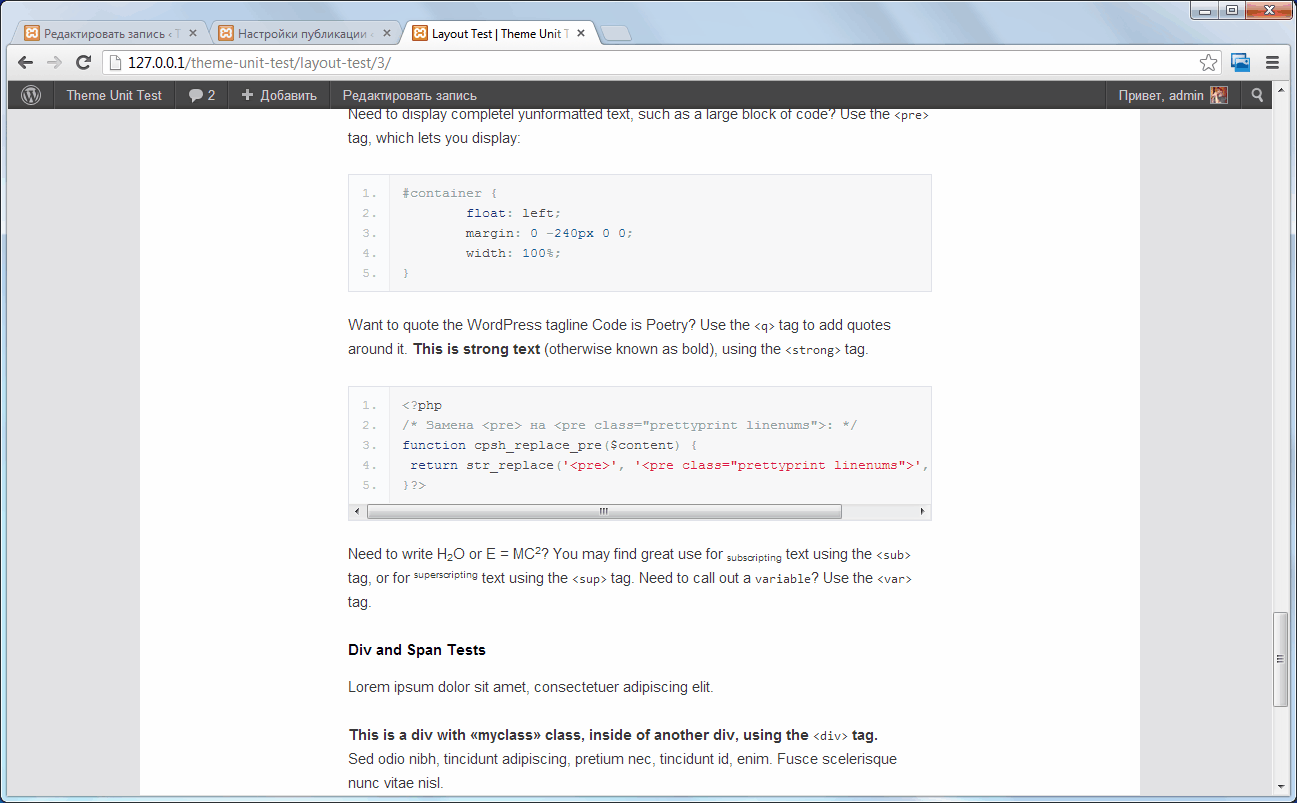
This frontend. 
This administration page. 
This post editing page.
انسٹالیشن
- Unzip files.
- Upload ‘cpsh’ to the ‘/wp-content/plugins/’ directory.
- Activate the plugin through the ‘Plugins’ menu in WordPress.
- Go to your ‘Writing’.
- Go to your ‘Highlighting code with «google-code-prettify»’.
عمومی سوالات
- Syntax highlighting is not working?
Try disabling JQuery in your theme. Or comment the 33rd line of code plugin: wp_enqueue_script (‘jquery’);
- How do I block a themed code?
Specify the path to an arbitrary CSS file in the plugin settings. Examples of these, see the catalog ‘http://example.com/wordpress/wp-content/plugins/cpsh/google-code-prettify/prettify.css’.
جائزے
There are no reviews for this plugin.
شراکت دار اور ڈیویلپرز
“Code Prettify Syntax Highlighter” اوپن سورس سافٹ ویئر ہے۔ مندرجہ ذیل لوگوں نے اس پلگ ان میں حصہ لیا:
شراکت دار
“Code Prettify Syntax Highlighter” کا اپنی زبان میں ترجمہ کریں۔
ڈویلپمینٹ میں دلچسپی ہے؟
کوڈ براؤز کریں، ایس این وی ریپوزیٹری کو چیک کریں یا ڈویلپمینٹ لاگ کو سبسکرائب کریں بذریعہ آر ایس ایس۔
چینج لاگ
1.0
- The first version of the plugin.