
Опис
Покращте своє SEO за допомогою зворотного зв’язку в режимі реального часу, схем та чітких інструкцій. Оновіться, щоб отримати інструменти штучного інтелекту, інтеграцію з Google Docs та цілодобову підтримку без прихованих платежів.
Yoast SEO: Плагін №1 для SEO в WordPress
З 2008 року Yoast SEO допомагає мільйонам веб-сайтів по всьому світу підвищити їхню видимість та ефективність SEO.
Наша місія — SEO для всіх — від невеликих місцевих підприємств до найвідвідуваніших сайтів у мережі.
Yoast SEO надає вам усе необхідне для ефективного управління SEO на вашому сайті.
Плагін Yoast SEO Premium та його розширення відкривають доступ до ще більш просунутих інструментів на базі штучного інтелекту.
Забезпечуємо вам конкурентну перевагу
SEO – це найстабільніше та найекономічніше джерело трафіку веб-сайту, але воно може бути складним. Незалежно від того, чи ви тільки починаєте, чи є досвідченим користувачем, Yoast SEO допоможе вам впевнено та ефективно керувати SEO.
Немає часу слідкувати за пошуком зі штучним інтелектом та найкращими практиками? Оновлення SEO-оптимізацій на Yoast означає, що ви автоматично отримуєте користь від постійних технічних удосконалень, оновлень схем та досягнень у сфері штучного інтелекту — і все це завдяки нашому фірмовому підходу «світлофор».
Допоможіть пошуковим системам краще розуміти ваш веб-сайт за допомогою інтеграції структурованих даних Schema.org, а також скористайтеся інструментами для детального аналізу вмісту та його читабельності, які допоможуть вам створювати вміст, оптимізований для високої ефективності в пошуку.
Швидке та просте налаштування
Налаштування Yoast SEO відбувається швидко та просто — технічних знань для цього не потрібно.
Наш покроковий майстер налаштування допоможе вам пройти всі основні етапи, щоб Yoast SEO міг генерувати точні структуровані дані, які допомагають пошуковим системам краще розуміти ваш сайт.
Переходите з іншого SEO-плагіна, такого як Rank Math або AIOSEO? Міграція відбувається без проблем.
Безпечно імпортуйте свої існуючі SEO-дані та налаштування за допомогою наших вбудованих інструментів імпорту/експорту.
Вміст та функції ШІ
Розкрийте весь потенціал вашого вмісту за допомогою розширеного аналізу вмісту та інструментів на базі штучного інтелекту від Yoast SEO.
Функції оптимізації контенту:
– Детальний SEO-аналіз для вибору ключових слів та оцінки ефективності сайту.
– Аналіз читабельності для створення чітких, цікавих та зручних для користувачів текстів.
– Попередній перегляд результатів пошуку, як для настільних комп’ютерів, так і для мобільних пристроїв.
– Блоки «Як зробити» та «Часті запитання» із вбудованою підтримкою схеми.
– Блок навігаційних посилань для покращення навігації.
– Аналіз інклюзивної мови для створення більш уважного та доступного контенту.
– Інтеграція з Semrush для дослідження ключових слів безпосередньо в Yoast SEO.
– Інтеграція з Wincher для відстеження ефективності ключових слів у вашій панелі управління.
– Інтеграція з Elementor для безперебійної оптимізації у вашому улюбленому конструкторі.
Функції штучного інтелекту (входять до преміум-версії):
– Yoast AI Generate – Миттєве створення п’яти SEO-оптимізованих заголовків та метаописів із можливістю генерування нових варіантів одним кліком.
– Yoast AI Optimize – Автоматично покращуйте розміщення ключових фраз (вступ, розподіл, щільність).
– Yoast AI Summarize (Нове 2025) – Створюйте короткі резюме контенту для брифів або публікацій у соціальних мережах.
– Усі інструменти AI включені – Без додаткових облікових записів, обмежень або прихованих витрат.
Ці інструменти допоможуть вам створювати оптимізований та корисний вміст, який знайде відгук у читачів і покаже високі результати на пошукових платформах.
Дбаємо про ваше технічне SEO
Yoast SEO автоматично бере на себе більшу частину технічного SEO вашого сайту, завдяки чому ви можете зосередитися на вмісті.
Ключові технічні SEO-функції:
– Автоматизована оптимізація метатегів одразу після встановлення.
– Канонічні URL-адреси для запобігання дублювання контенту.
– Розширені XML-карти сайту для чіткого індексування сайту.
– Найкраща у своєму класі інтеграція Schema.org для покращення розуміння та зовнішнього вигляду пошуку.
– Повний контроль хлібних крихт для відвідувачів та сканерів.
– Покращення продуктивності, що допомагає скоротити час завантаження.
– Налаштування сканування для керування доступом ботів до вашого сайту та зменшення впливу на навколишнє середовище.
– Керування LLMs.txt для керування взаємодією великих мовних моделей з вашим контентом.
Кожне оновлення автоматично забезпечує постійні технічні покращення SEO.
Підтримуйте свій веб-сайт у бездоганному стані
Незалежно від того, чи ви творець, власник бізнесу чи розробник, Yoast SEO допомагає підтримувати здоров’я SEO вашого веб-сайту:
- Інструменти для створення основного вмісту для організації та визначення пріоритетності ключових сторінок.
- Інспектор SEO для фронтенду для перегляду та редагування заголовків, описів і схем у режимі реального часу.
- Ролі SEO для безпечного делегування доступу до плагінів між командами.
- Регулярний 2-тижневий цикл оновлення для забезпечення сумісності з останніми стандартами SEO та змінами пошукових систем.
Потужні інтеграції
Yoast SEO бездоганно працює з популярними інструментами WordPress для покращення вашого робочого процесу та результатів:
- Google Site Kit: Отримуйте доступ до аналітики з Search Console, Analytics та PageSpeed безпосередньо у WordPress.
- Advanced Custom Fields (ACF): Використовуйте разом із ACF Content Analysis for Yoast SEO для передової оптимізації полів.
- Elementor: Використовуйте повний функціонал SEO Yoast у редакторі Elementor.
- Algolia: Підвищує точність та продуктивність внутрішнього пошуку.
- Semrush: Знаходьте та оптимізуйте ключові слова з високою цінністю.
- Wincher: Відстежуйте позиції та тенденції ключових слів у пошуку Google.
- Jetpack: Керуйте SEO та попереднім переглядом у соціальних мережах в одному місці.
- Easy Digital Downloads (EDD): Підвищіть видимість цифрових продуктів за допомогою інтегрованої схеми.
- Mastodon: Підключіть свій веб-сайт до Mastodon за допомогою Yoast SEO Premium.
- WooCommerce: Оптимізуйте SEO вашого інтернет-магазину за допомогою спеціального розширення для WooCommerce.
Yoast SEO Premium – SEO на базі штучного інтелекту для WordPress
Yoast SEO Premium покращує всі можливості Yoast SEO завдяки розширеній автоматизації, інструментам штучного інтелекту та професійній підтримці.
За довірою мільйонів користувачів, він допомагає вам ефективно оптимізувати пошук як для традиційного, так і для пошуку на основі штучного інтелекту.
Вирішуйте свої SEO-завдання:
– Слідкуйте за оновленнями алгоритмів та пошуку на основі штучного інтелекту.
– Ефективно орієнтуйтеся на потрібну аудиторію.
– Автоматизуйте перенаправлення, елементи керування скануванням та внутрішнє посилання.
– Виявляйте забутий контент та покращуйте структуру сайту.
– Отримуйте підтримку, коли вона вам потрібна.
Основні переваги преміум-версії:
– Заголовки та метаописи, згенеровані штучним інтелектом.
– Розумні пропозиції щодо внутрішніх посилань.
– Попередній перегляд соціальних мереж для Facebook та X.
– Менеджер перенаправлень з інструментами для масового використання та автоматичними підказками.
– Блокер ботів для сканерів зі штучним інтелектом (GPTBot, CCBot, Google-Extended).
– Інтеграція з IndexNow для швидкого оновлення контенту.
– Інспектор SEO для фронтенду для редагування в режимі реального часу.
– SEO-тренування для покращення застарілого та базового контенту.
– Доповнення Google Docs для безперебійного написання SEO-текстів у Docs.
– Цілодобова преміум-підтримка від SEO-фахівців.
У комплекті без додаткової оплати:
– Yoast Local SEO: оптимізація для місцевої аудиторії та Google Maps.
– Yoast Video SEO: Забезпечте розуміння ваших відео Google за допомогою відео-карт сайту та схеми.
– Yoast News SEO: Підвищіть видимість у Google News та Top Stories.
Yoast WooCommerce SEO – Розширена SEO-оптимізація для інтернет-магазинів
Yoast WooCommerce SEO базується на Yoast SEO Premium та містить інструменти, спеціально розроблені для електронної комерції, для покращення видимості вашого магазину та потенціалу конверсії.
Ключові функції SEO для електронної комерції:
– XML-карта сайту, специфічна для WooCommerce, що виключає контент, не пов’язаний з покупками.
– Структуровані дані про продукт для покращених розширених результатів (ціна, відгуки, наявність).
– Керування канонічними URL-адресами для запобігання дублікатам.
– Аналіз контенту, орієнтований на електронну комерцію, для GTIN, SKU та коротких описів.
– Генерація на основі штучного інтелекту для електронної комерції – миттєво створюйте оптимізовані заголовки та метаописи для сторінок продуктів та категорій.
Переваги:
– Покращення видимості товару за допомогою автоматизованих структурованих даних.
– Підвищення ефективності сканування великих каталогів.
– Заощадження часу завдяки шаблонам метаданих та автоматизації.
– Збільшення залученості завдяки метаданим електронної комерції, оптимізованим за допомогою штучного інтелекту.
Створено для WooCommerce, якому довіряють тисячі інтернет-магазинів по всьому світу.
Для розробників
Yoast SEO розроблено з урахуванням потреб розробників. Завдяки сучасним API, хукам та уніфікованій системі індексування ви можете розширювати або інтегрувати SEO-функціонал у власні теми, плагіни чи безінтерфейсні конфігурації.
REST API
Отримуйте метадані SEO для будь-якої публікації чи URL-адреси, включаючи метатеги, Open Graph, картки Twitter та дані Schema.org.
Дізнайтеся більше про REST API.
Surfaces API
Отримуйте доступ до SEO-даних безпосередньо в коді за допомогою YoastSEO()->meta->for_current_page().
Підтримує заголовки, описи, каноніки та схеми.
Ознайомтеся з документацією Surfaces API.
Metadata API
Використовуйте API метаданих для фільтрації, перевизначення або розширення метатегів за допомогою хуків WordPress, таких як wpseo_title, wpseo_metadesc та wpseo_canonical.
Schema API
Schema API дозволяє змінювати або розширювати частини графіка Schema.org, включаючи сутності Article (Стаття), Organisation (Організація), Person (Особа), Breadcrumb (Навігаційна шкала) та WebPage (Веб-сторінка).
Сумісність з Редактором Блоків
Yoast SEO безпосередньо інтегрується з редактором блоків WordPress (Gutenberg).
За замовчуванням він генерує схему для блоків «Як зробити» та «Часті запитання», а розробники можуть розширити схему для власних блоків.
Індексовані елементи
В основі Yoast SEO лежить система індексованих елементів, яка об’єднує всі SEO-дані для швидших запитів та узгоджених метаданих у всіх результатах.
Постійна підтримка та навчання
Yoast працює на базі досвідчених розробників, тестувальників та SEO-фахівців, які постійно вдосконалюють плагін.
Ми прагнемо допомогти користувачам розвивати свої SEO-навички за допомогою таких ресурсів, як:
- Yoast SEO Academy: Безкоштовні та преміум-курси з SEO (входять до всіх платних тарифних планів).
- Блог Yoast SEO, розсилка та вебінари.
- Подкаст «Yoast SEO Update» – дізнайтеся про останні новини у сфері SEO.
- Повідомлення про помилки на GitHub (для відстеження проблем, а не для звернень до служби підтримки).
Yoast SEO — створено, щоб зробити пошукову оптимізацію доступною, надійною та готовою до майбутнього пошуку зі штучним інтелектом.
Скріншоти
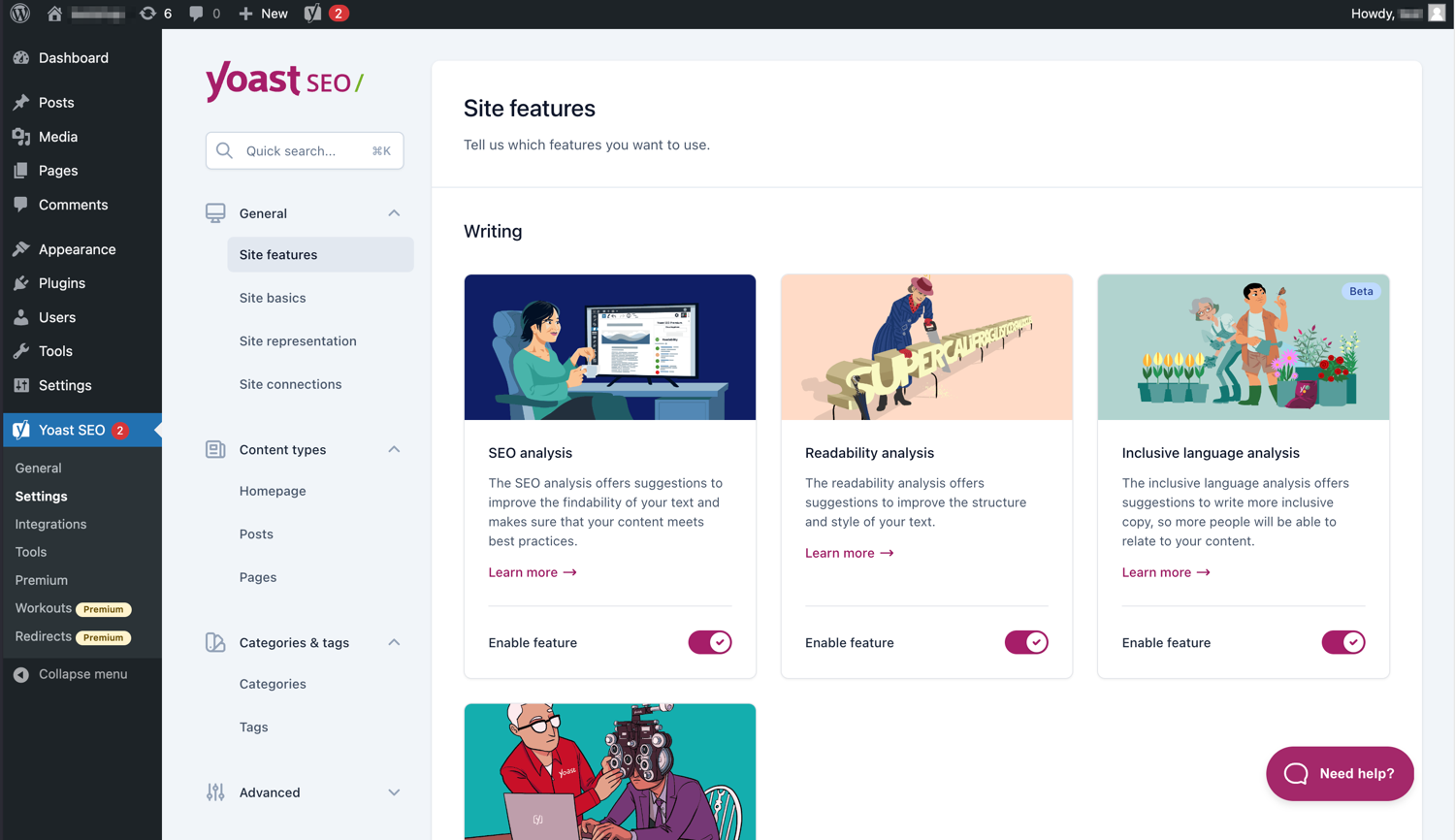
Сучасний інтерфейс полегшує роботу з Yoast SEO. 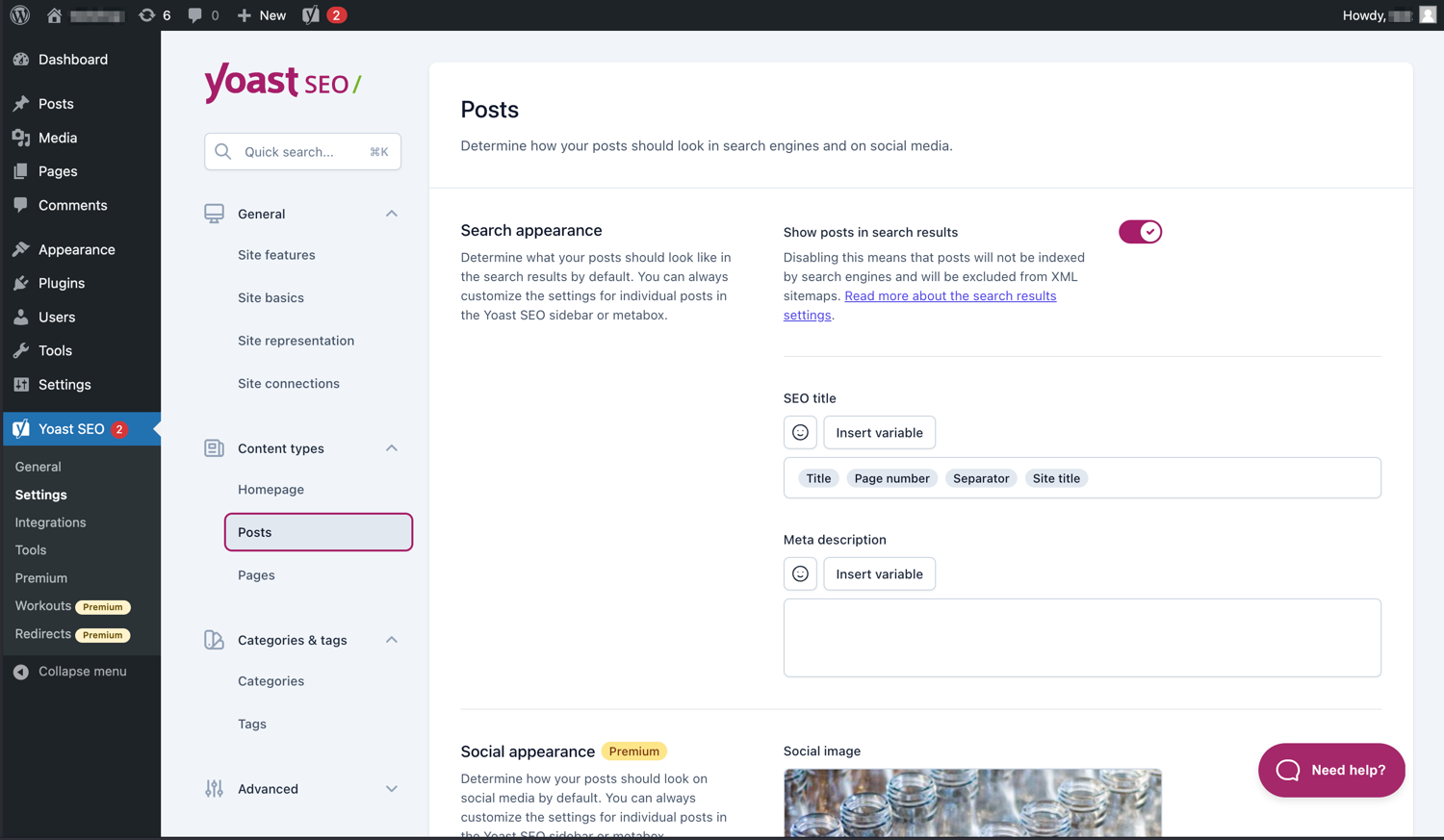
Легко керуйте тим, як ваші дописи та сторінки відображаються в пошуковій видачі. 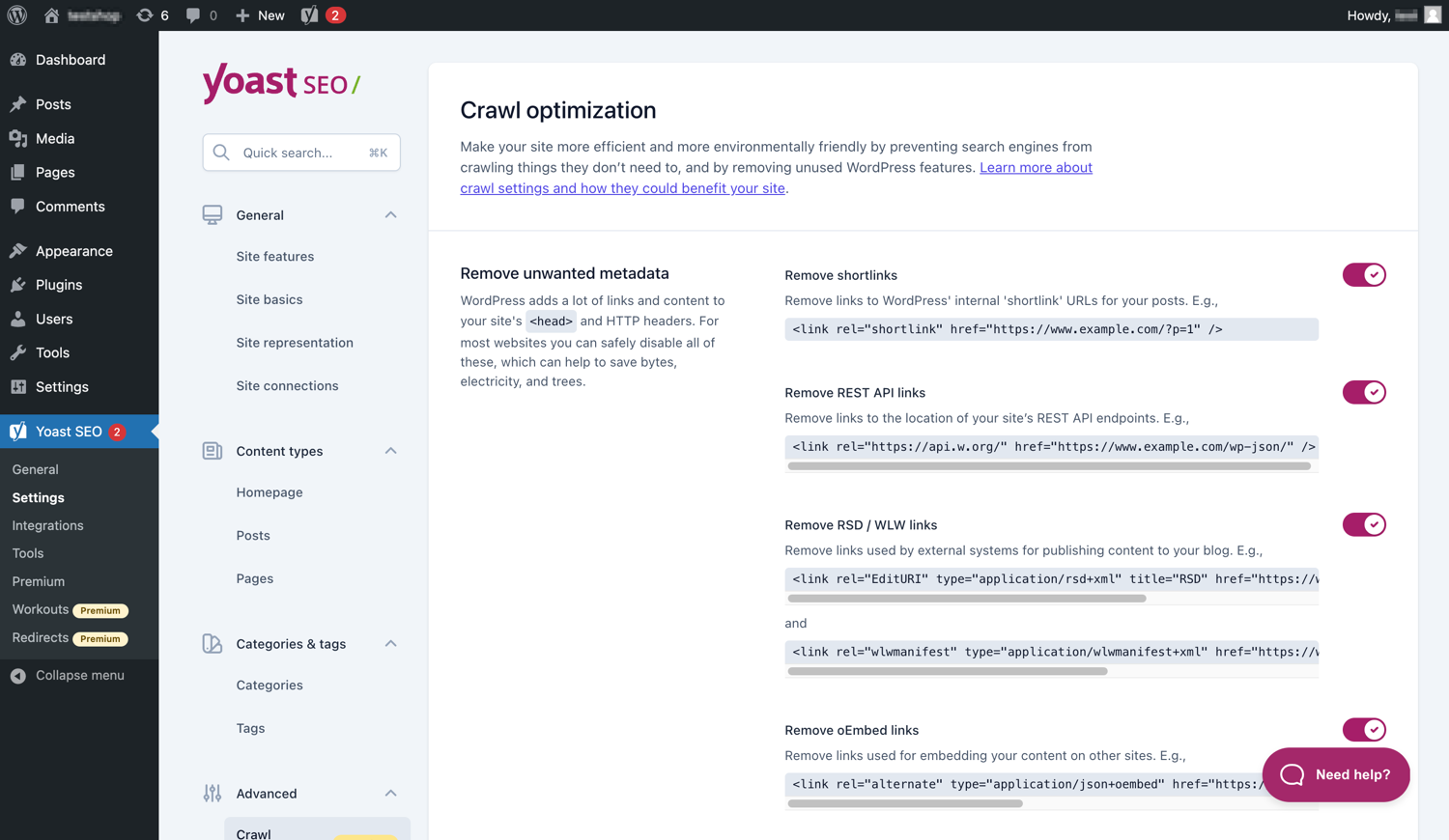
Yoast SEO Premium має додаткові параметри оптимізації сканування. 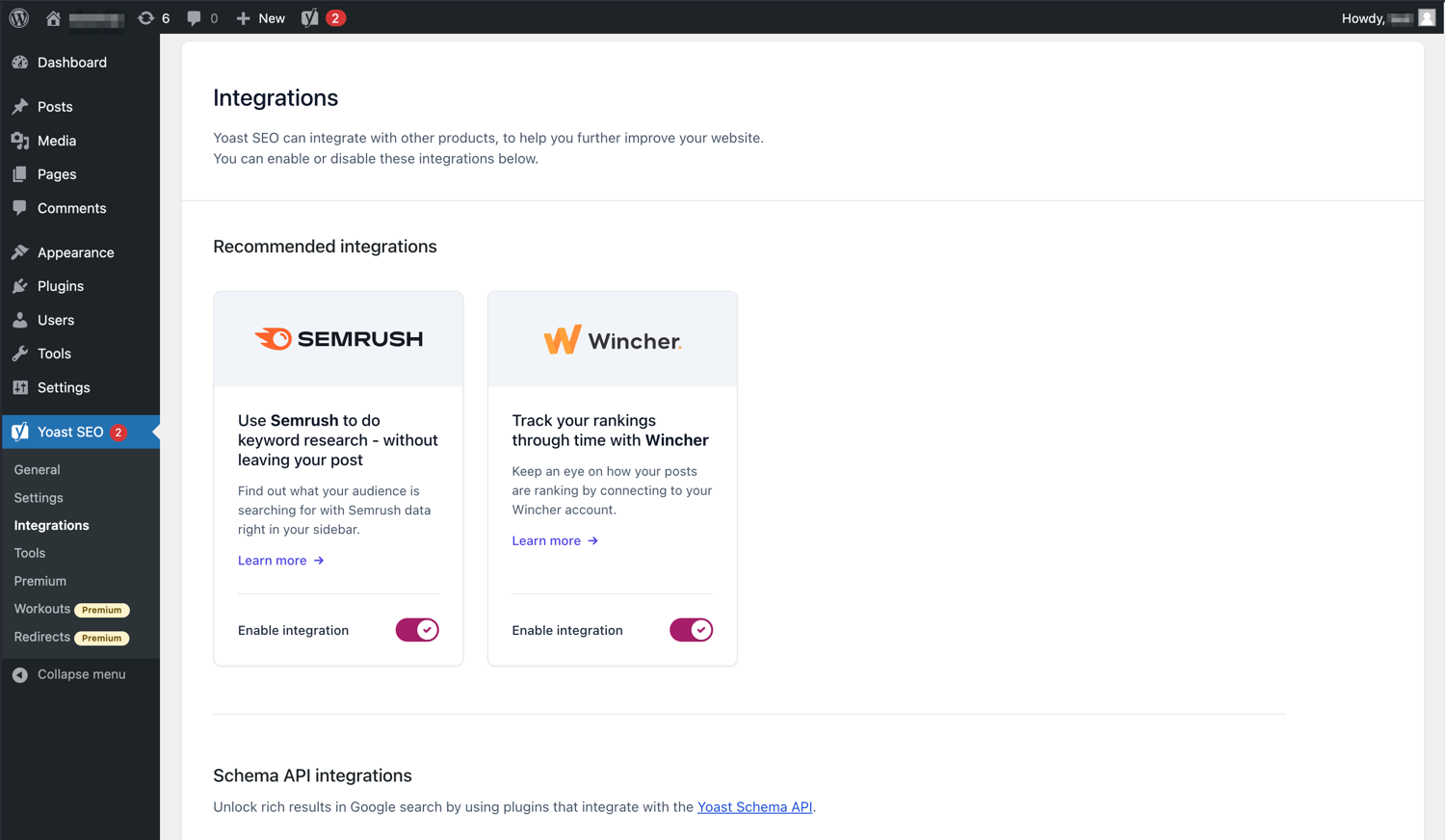
Yoast SEO інтегрується з такими інструментами, як Semrush і Wincher. 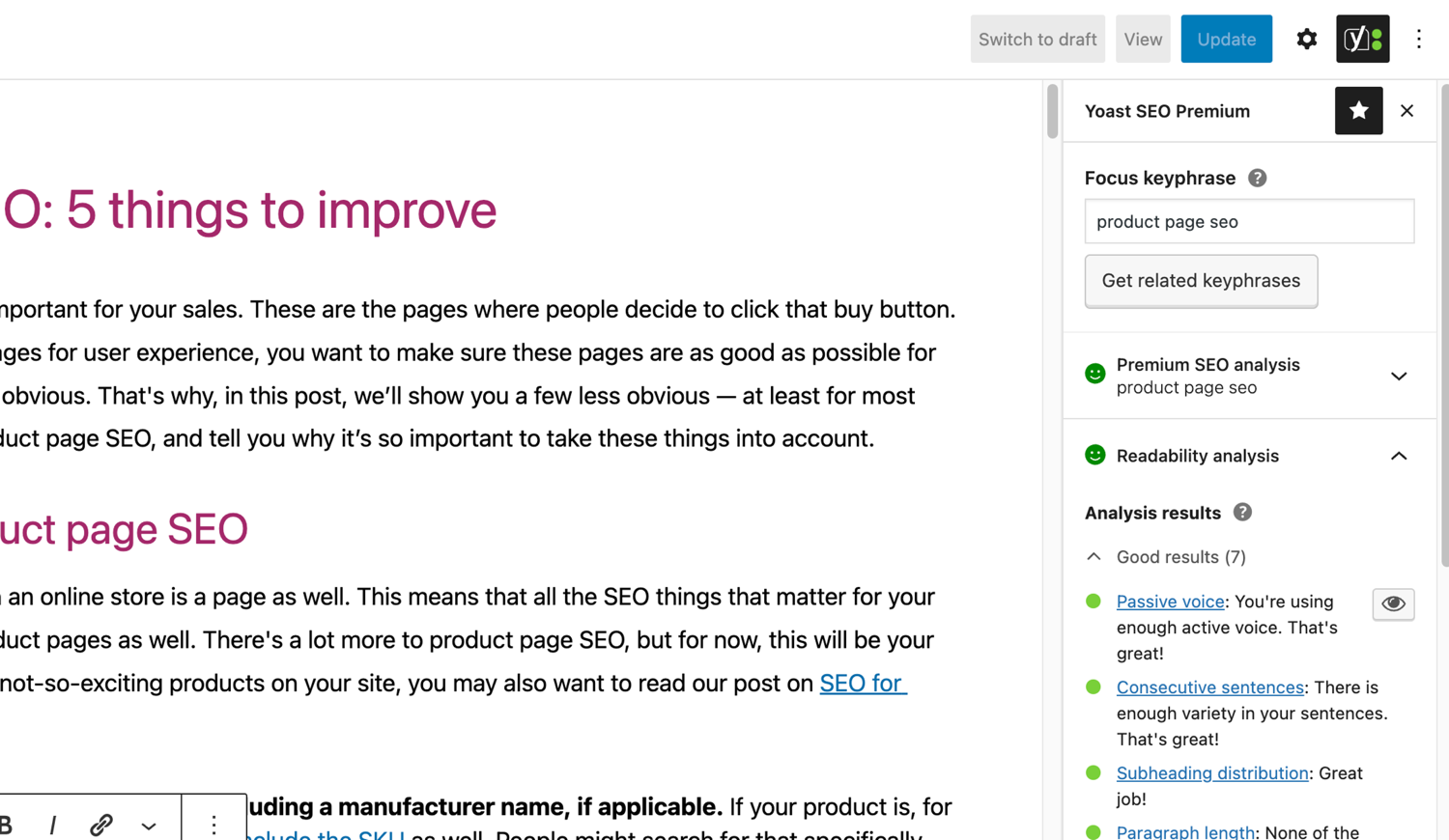
Знаменитий аналіз SEO та читабельності в Yoast SEO. 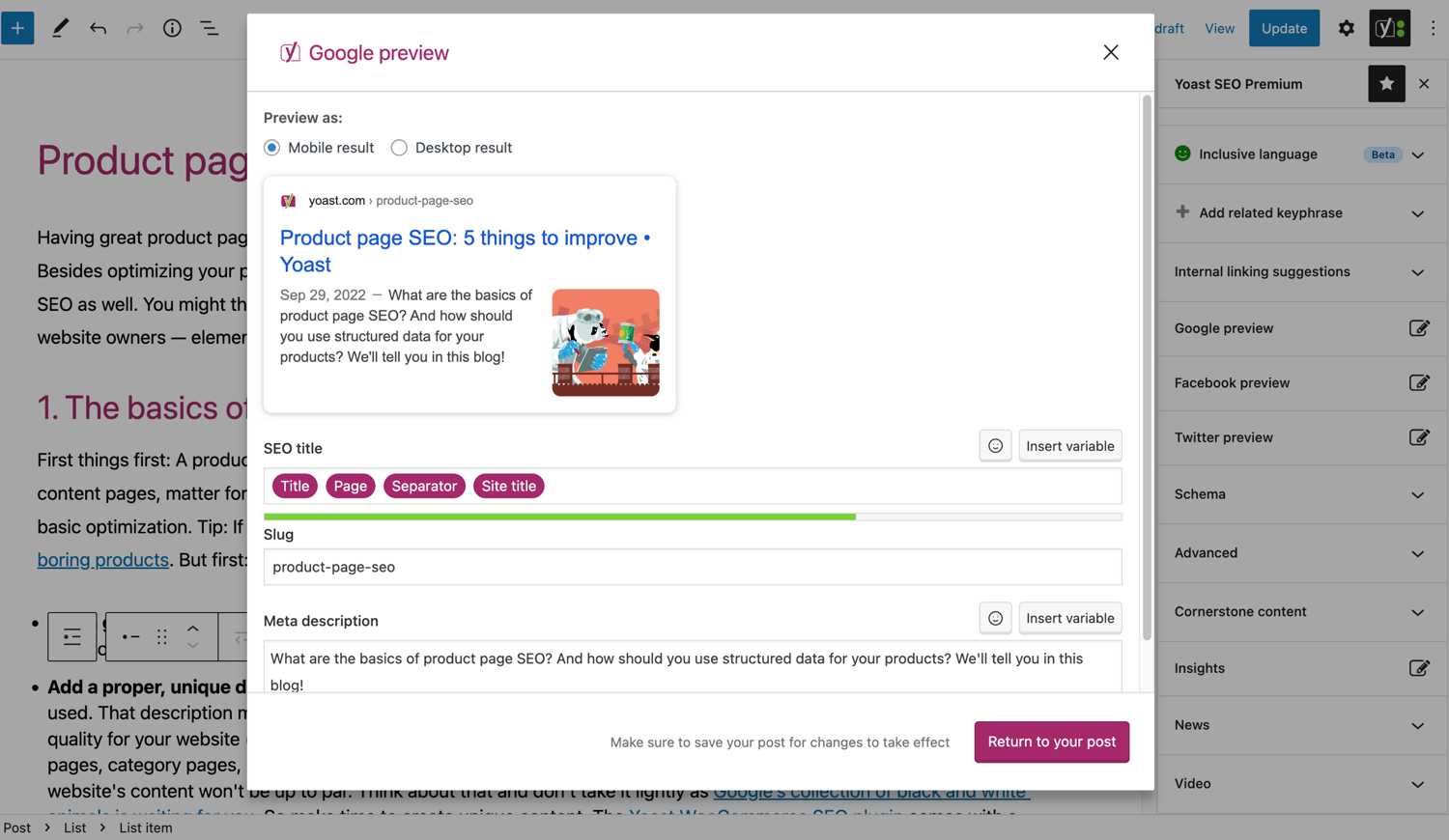
Подивіться, як ваша публікація виглядає в Google. 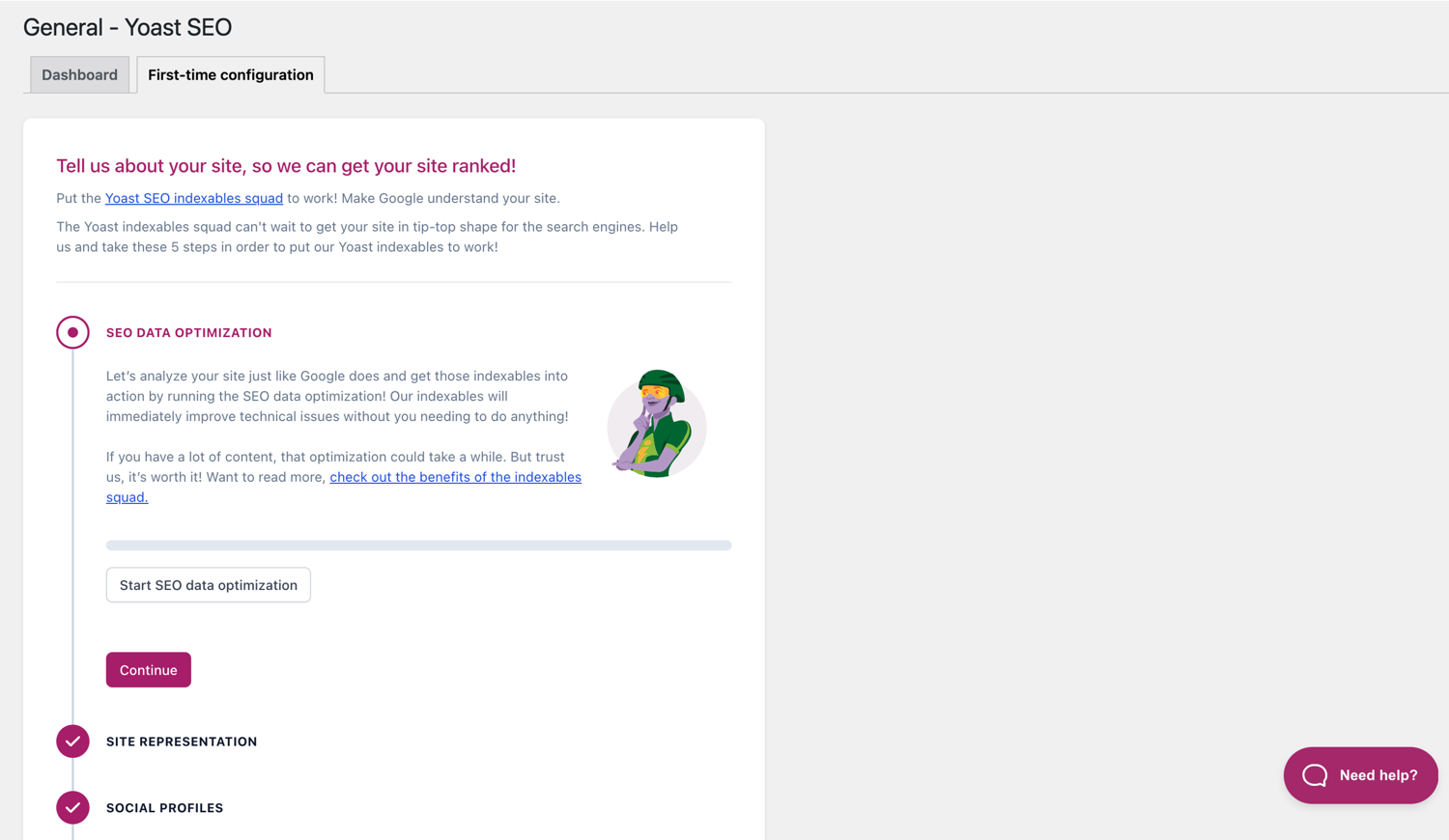
Конфігурація First-time допомагає швидко розпочати роботу. 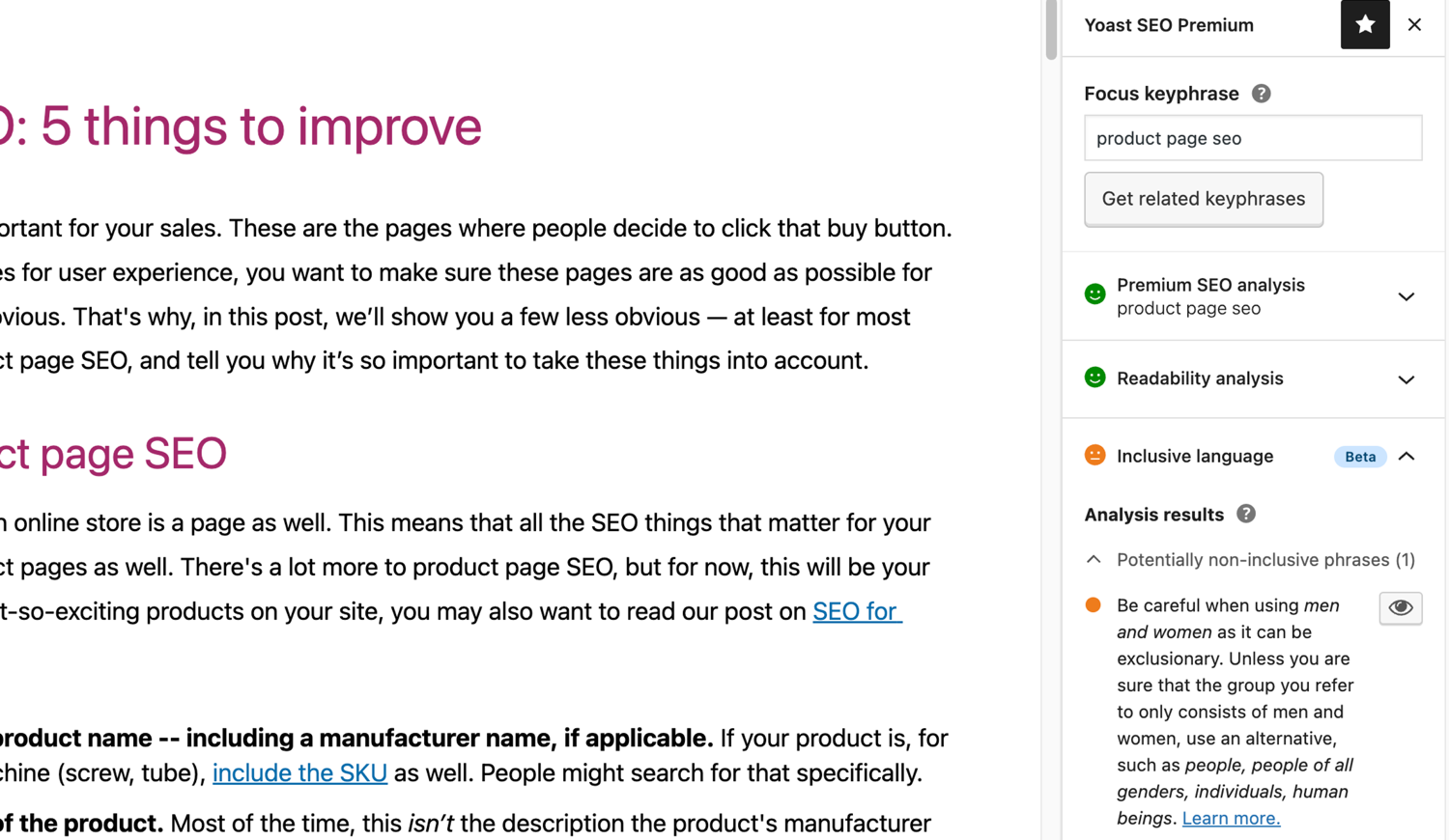
Інклюзивний мовний аналіз у Yoast SEO. 
Блоки
Цей плагін надає 2 блоки.
- Yoast How-to Create a How-to guide in an SEO-friendly way. You can only use one How-to block per post.
- Yoast FAQ List your Frequently Asked Questions in an SEO-friendly way.
Встановлення
Початок роботи з Yoast SEO складається лише з двох кроків: встановлення та налаштування плагіна. Yoast SEO розроблено для роботи з конкретними потребами вашого сайту, тому не забудьте пройти початкову конфігурацію Yoast SEO, як описано на етапі «після активації»! Щоб отримати найновіші вказівки щодо встановлення продуктів Yoast SEO, будь ласка, відвідайте наш довідковий центр.
Часті питання
-
Як працюють XML-мапи сайту в плагіні Yoast SEO?
-
Наявність XML-карти сайту може бути корисною для SEO, оскільки Google може дуже швидко отримати важливі сторінки веб-сайту, навіть якщо внутрішні посилання сайту не є бездоганними.
Індекс карти сайту та окремі карти сайту оновлюються автоматично, коли ви додаєте або видаляєте вміст, і включатимуть типи публікацій, які пошукові системи повинні індексувати. Типи публікацій, позначені як noindex, не відображатимуться на карті сайту. Докладніше про XML-мапи сайту. -
Як добавити свій сайт до консолі Google Search?
-
Додати свій веб-сайт до Google Search Console дуже просто.
1. Створіть обліковий запис Google Search Console та увійдіть у свій обліковий запис.
2. Натисніть «Додати ресурс» у спадному меню.
3. Введіть URL-адресу свого веб-сайту в полі та натисніть «Продовжити».
4. Натисніть стрілку поруч із «тегом HTML», щоб розгорнути параметр.
5. Скопіюйте мета-тег.
6. Увійдіть на свій веб-сайт WordPress.
7. Натисніть «SEO» на інформаційній панелі.
8. Натисніть «Загальні».
9. Натисніть на вкладку «Інструменти для веб-майстра».
10. Вставте код у поле Google і натисніть «Зберегти зміни».
11. Поверніться до Google Search Console і натисніть «Підтвердити».Якщо вам потрібні докладніші дії, перегляньте нашу статтю в нашому довідковому центрі.
-
Наведені нижче кроки є тимчасовим рішенням, оскільки вручну редагування файлів тем можуть бути перезаписані майбутніми оновленнями тем. Щоб отримати постійне рішення, зв’яжіться з розробником теми. Ми написали статтю про важливість навігації для SEO.
Щоб реалізувати функцію навігації в Yoast SEO, вам доведеться відредагувати свою тему. Рекомендуємо перед будь-яким редагуванням файлів тем робити резервну копію. Ваш постачальник послуг може допомогти вам зробити резервну копію.
Скопіюйте наступний код у свою тему в тому місці, де ви хочете розмістити навігаційні стежки. Якщо ви не впевнені, вам доведеться поекспериментувати з розміщенням:<?php if ( function_exists( 'yoast_breadcrumb' ) ) { yoast_breadcrumb( '<p id="breadcrumbs">','</p>' ); } ?>Загальні місця, де можна розмістити навігаційні стежки, знаходяться у файлі
single.phpта / абоpage.phpтрохи вище назви сторінки. Інший варіант, який робить його дуже легким у деяких темах, – просто вставити код уheader.phpв самому кінці.У більшості тем, що не належать до WooTheme, цей фрагмент коду не слід додавати у файл
functions.php.
Крім того, ви можете вручну додати короткий код навігації до окремих публікацій або сторінок:[wpseo_breadcrumb]Якщо вам потрібна додаткова інформація або покроковий посібник, ознайомтеся з нашим Посібником із впровадження навігаційних стежок Yoast SEO.
-
Як добавити тег noindex у посилання?
-
Yoast SEO надає кілька варіантів для налаштування URL-адреси або групи URL-адрес як noindex. Докладніше про те, як це зробити, у цьому посібнику.
-
Що робити якщо Google відображає не правельно description?
-
Якщо ви створили гарні мета-описи для своїх публікацій у блозі, ніщо так не дратує, ніж Google який показує повністю інший опис вашого сайту у фрагменті результатів пошуку.
Можливими причинами можуть бути:
1. Неправильний опис у коді
2. Кеш Google застарів
3. Маніпулювання пошуковими термінами
4. Google проігнорував мета-описВи можете докладніше прочитати тут про те, як вирішити проблему з неправильним описом.
-
Як часто оновлювався Yoast SEO?
-
Yoast SEO оновлюється кожні два тижні. Якщо ви хочете знати чому, прочитайте цю публікацію про те, чому ми випускаємо кожні два тижні!
-
Як отримати підтримку?
-
Оскільки нашим безкоштовним плагіном користуються мільйони людей у всьому світі, ми не можемо запропонувати усім повну підтримку. Якщо у вас виникли проблеми з плагіном Yoast SEO для WordPress, ви можете отримати допомогу на форумах підтримки за посиланням wordpress.org або перевіривши нашу базу знань на kb.yoast.com.
Плагіни, які ви купуєте в Yoast, називаються «преміум-плагінами» (навіть якщо Преміум не від імені) і містять повний рік безкоштовних оновлень та підтримку преміум-класу. Це означає, що ви можете зв’язатися з нашою службою підтримки, якщо у вас виникнуть запитання щодо цього плагіна.
-
Що станеться з моїми даними, якщо я ввімкну відстеження використання?
-
На цій сторінці на yoast.com пояснюється, які дані ми збираємо для покращення Yoast SEO. Ми збираємо дані лише тоді, коли ви явно погоджуєтеся. Дізнайтеся більше про те, як ми обробляємо ваші дані, у нашій Політиці конфіденційності.
-
У мене інше питання, ніж перераховане тут
-
Відповідь на Ваше питання, скоріш за все, вже є в нашій базі знань: kb.yoast.com.
Відгуки


Учасники та розробники
“Yoast SEO — розширене SEO з підказками в режимі реального часу та вбудованим ШІ” — проект з відкритим вихідним кодом. В розвиток плагіну внесли свій вклад наступні учасники:
Учасники


“Yoast SEO — розширене SEO з підказками в режимі реального часу та вбудованим ШІ” було перекладено на 58 локалізацій. Дякуємо перекладачам за їх роботу.
Цікавитесь розробкою?
Перегляньте код, перегляньте сховище SVN або підпишіться на журнал розробки за допомогою RSS.
Журнал змін
27.7
Release date: 2026-05-27
Yoast SEO 27.7 brings more enhancements and bugfixes. Find more information about our software releases and updates here.
Виправлення помилок
- Fixes a bug in Schema aggregator where products Schema pieces had incorrect
@idvalues formainEntityOfPageandimageproperties. - Fixes a bug where a
FocusTrapwarning was thrown and the X button did not receive focus when the replace content confirmation modal from the AI Content Planner was opened. - Fixes a bug where a warning was triggered in the console when editing a post with the Content Planner feature enabled.
- Fixes a bug where only the first piece was returned when indexables were not available.
- Fixes a bug where the AI features section was rendered twice on the user profile page.
- Fixes a bug where the block editor was crashing when some AI features were triggering errors.
- Fixes a bug where the Content Planner inline banner was displayed when editing a template or template part.
Інше
- Makes the Academy, Upgrade and Brand insights links visible to more user roles.
27.6
Дата випуску: 2026-05-12
У Yoast SEO Premium з’явився Yoast AI Content Planner, який пропонує п’ять ідей для публікацій, адаптованих під ваш сайт, та структурований початковий чернетку одразу після відкриття нової публікації. Ще не скористалися своїми безкоштовними AI-підказками? Спробуйте їх за наш рахунок. Ознайомтеся з повним текстом анонсу тут.
Покращення
- Додає функцію «Планувальник контенту», яка дозволяє користувачам отримувати пропозиції контенту на основі ШІ та структуровані плани для нових публікацій безпосередньо з редактора блоків. Ця функція доступна, як частина безкоштовного набору Іскор у Yoast SEO Free.
Інше
- Покращує документацію в блоці документації. Рекомендації щодо @MukundaKatta.
- Представляє спільний посібник для розробників, призначений для людей та інструментів ШІ.
Попередні версії
Щоб змінити список змін у попередніх версіях, зверніться до журналу змін Yoast на yoast.com