

Опис
AI Bot Defender is a comprehensive WordPress security plugin that uses artificial intelligence to protect your website from malicious bots, automated attacks, and security threats. With advanced behavioral analysis and real-time threat detection, it provides enterprise-level security for websites of all sizes.
Key Features
- AI-Powered Threat Detection – Intelligent analysis of visitor behavior and attack patterns
- Multiple AI Provider Support – Choose between Site Guarding AI (with FREE tokens) or OpenAI Direct
- Traffic Monitoring – Real-time tracking of all website visitors and suspicious activities
- Auto-Blocking System – Automatically block malicious IPs based on threat scores
- Honeypot Traps – Invisible fields that catch automated bots
- Login Protection – Defend against brute force attacks on WordPress login
- XSS Detection – Block Cross-Site Scripting attempts
- SQL Injection Protection – Prevent database attacks
- Contact Form 7 Integration – AI-powered spam detection for form submissions
- Comprehensive Dashboard – Beautiful analytics and security insights
- Token Balance Warnings – 4-level alert system to prevent service interruption
Why Choose AI Bot Defender?
For Site Guarding AI Users:
* Get started with FREE tokens – no credit card required
* Simple token-based pricing
* Managed infrastructure – no API keys to configure
* OpenAI-powered AI behind the scenes
* Real-time token balance monitoring
* Low balance warning system (< 25,000 tokens)
For OpenAI Users:
* Direct OpenAI API integration
* Full control over API settings
* Cost tracking and usage analytics
* Flexible model selection
Advanced Security Features
-
Intelligent Bot Detection
- Behavioral pattern analysis
- User-agent fingerprinting
- Request frequency monitoring
- Geographic location tracking
-
Attack Prevention
- Brute force protection
- SQL injection blocking
- XSS attempt detection
- Directory traversal prevention
-
Form Security
- Honeypot field injection
- AI-powered spam detection
- Real-time form submission analysis
- Automatic bot blocking
-
Traffic Analysis
- IP-based visitor tracking
- Attack pattern recognition
- Threat level assessment
- Detailed security reports
Dashboard & Analytics
- Beautiful security overview with real-time statistics
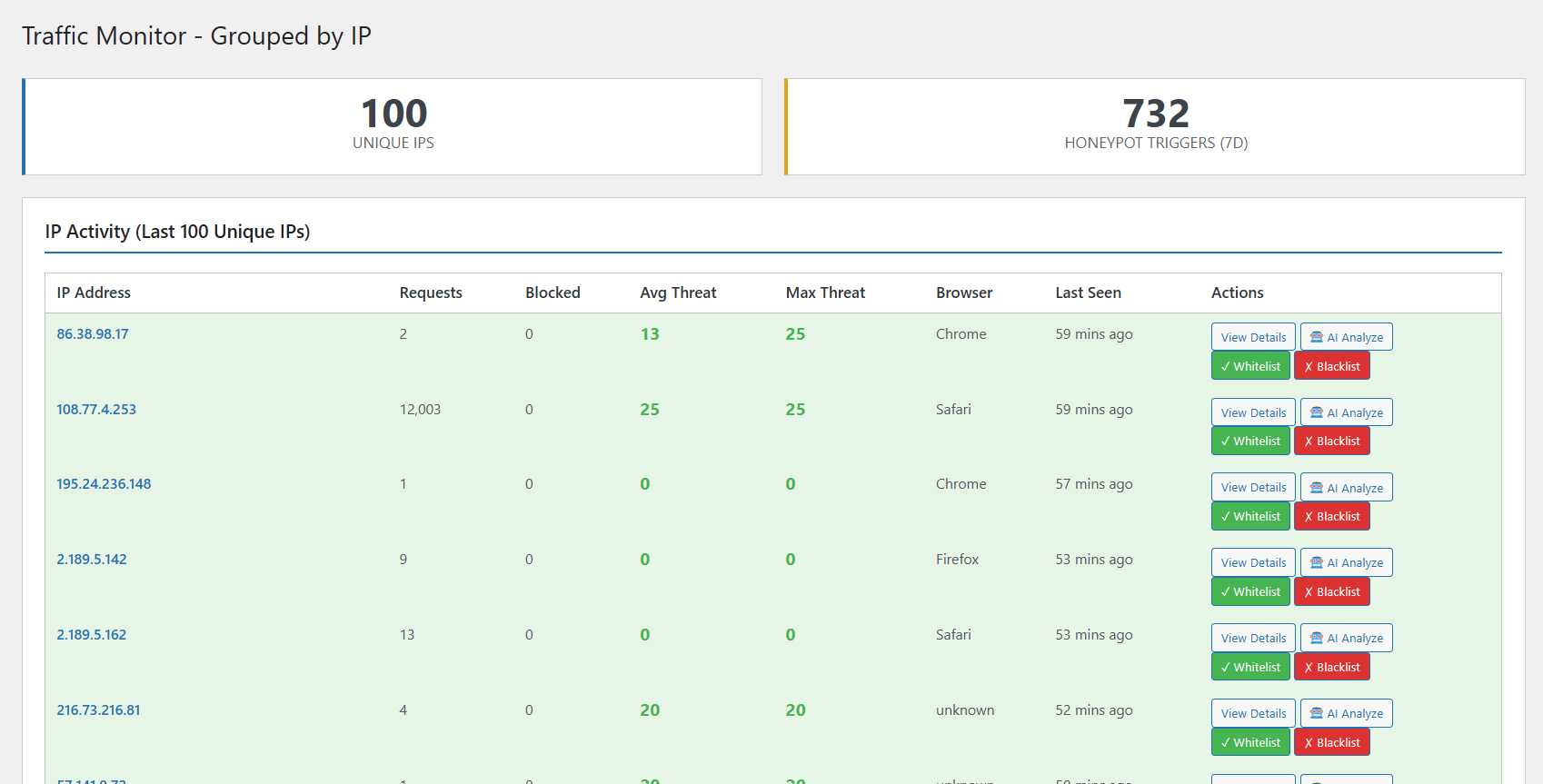
- Traffic monitoring with IP grouping
- Attack log with severity indicators
- Token usage tracking
- Cost analytics (OpenAI Direct)
- One-click IP blocking
- Detailed security reports
Support & Documentation
- Professional support from Site Guarding team
- Comprehensive documentation
- Regular updates and improvements
- Active development and maintenance
Pro Services Available
- 24/7 Website Monitoring
- Malware Detection & Removal
- Firewall Protection
- Security Audits
- Priority Support
Additional Information
System Requirements
- WordPress 5.0 or higher
- PHP 7.4 or higher (PHP 8.0+ recommended)
- MySQL 5.6 or higher
- HTTPS recommended for API communications
Browser Compatibility
- Chrome (latest)
- Firefox (latest)
- Safari (latest)
- Edge (latest)
- Opera (latest)
Language Support
- English (default)
- More translations coming soon!
Privacy & Data
AI Bot Defender respects your privacy:
- No personal data is collected without consent
- Traffic monitoring uses only IP addresses and user agents
- AI analysis data is processed securely
- All API communications are encrypted
- No data is sold to third parties
Website ownership verification requires domain validation during registration.
Third Party Services
This plugin may connect to the following external services:
AI API
- Purpose: AI-powered threat analysis
- When: When using AI provider for security analysis
- Data Sent: IP addresses, user agents, attack patterns, form data
OpenAI API
- Purpose: Direct AI analysis when using OpenAI provider
- When: When OpenAI Direct is selected as AI provider
- Data Sent: Security-related text for analysis
- Privacy Policy: OpenAI Privacy Policy
- Service URL: https://api.openai.com
Users have full control over which AI provider to use, and can disable AI features entirely if desired.
Скріншоти



Встановлення
Automatic Installation
- Log in to your WordPress dashboard
- Navigate to Plugins Add New
- Search for “AI Bot Defender”
- Click “Install Now” button
- Click “Activate” button
- You’ll be automatically redirected to the plugin dashboard
Manual Installation
- Download the plugin ZIP file
- Log in to your WordPress dashboard
- Navigate to Plugins Add New Upload Plugin
- Choose the downloaded ZIP file
- Click “Install Now”
- Click “Activate Plugin”
- Configure your AI provider in settings
Initial Setup
Option 1: Site Guarding AI (Recommended)
- After activation, you’ll see a promotional block on the dashboard
- Click “Register Now & Get FREE Tokens”
- Your website will be automatically registered
- You’ll receive FREE tokens to start protecting your site
- All AI features are instantly available!
Option 2: OpenAI Direct
- Go to Bot Defender Settings
- Select “OpenAI Direct” as AI Provider
- Enter your OpenAI API key
- Choose your preferred model
- Save settings
Quick Access
- Top Menu: Click “🛡️ Bot Defender” in the admin bar (top of any page)
- Plugin Page: Find quick “Dashboard” and “Settings” links on the Plugins page
- WordPress Dashboard: View security overview widget (full width, always on top)
Часті питання
-
Is this plugin free?
-
Yes! The plugin is completely free. For AI features, you can choose:
- Site Guarding AI: Start with FREE tokens, then pay-as-you-go
- OpenAI Direct: Use your own OpenAI API key
-
Do I need an API key?
-
For Site Guarding AI: No! Just click “Register” and get FREE tokens automatically.
For OpenAI Direct: Yes, you’ll need an OpenAI API key from platform.openai.com.
-
How many tokens do I get for free?
-
When you register for Site Guarding AI, you receive FREE tokens to start using all AI features immediately. No credit card required!
-
What happens when tokens run out?
-
The plugin has a comprehensive 4-level warning system:
- RED admin bar – Visible everywhere when balance < 25,000 tokens
- Dashboard widget warning – Full-width alert on WordPress dashboard
- Token Usage page alert – Critical warning with buy button
- Plugin dashboard warning – Prominent red box with balance info
When balance reaches zero, AI requests are blocked automatically to minimize server load.
-
Can I switch between AI providers?
-
Yes! You can switch between Site Guarding AI and OpenAI Direct at any time in the Settings page.
-
Does it work with Contact Form 7?
-
Yes! The plugin automatically integrates with Contact Form 7 to provide AI-powered spam detection and bot blocking for form submissions.
-
Will it slow down my website?
-
No! The plugin is optimized for performance:
- Lightweight traffic monitoring
- Efficient database queries
- Cached API responses
- Zero-balance request blocking
- Minimal overhead
-
What PHP version is required?
-
PHP 7.4 or higher is required. PHP 8.0+ is recommended for best performance.
-
Is it compatible with other security plugins?
-
Yes! AI Bot Defender works alongside other security plugins. It focuses on AI-powered bot detection and doesn’t conflict with firewall or malware scanning plugins.
-
Can I block specific countries?
-
Currently, the plugin focuses on behavior-based blocking rather than geographic blocking. However, you can manually block any IP address from any country.
-
How do I get support?
-
- Documentation: Check the plugin’s comprehensive documentation
- Support Page: Visit Bot Defender Support in your WordPress admin
- Premium Support: Available with premium packages
-
We offers professional security services:
- Premium Security Package: 24/7 monitoring, malware removal, firewall protection
- Malware Removal: Professional cleanup service (12-24 hours)
- Website Monitoring: Continuous security scanning and alerts
- Priority Support: Fast response times and dedicated assistance
Visit the Support page in your admin panel for details.
-
Earlier Versions
-
- Initial releases with core security features
- Traffic monitoring implementation
- Attack detection and logging
- IP management system
- Honeypot trap system
- Login protection
- Contact Form 7 integration
Відгуки
Для цього плагіна немає відгуків.
Учасники та розробники
“Magex AI Bot Defender” — проект з відкритим вихідним кодом. В розвиток плагіну внесли свій вклад наступні учасники:
Учасники
Перекладіть “Magex AI Bot Defender” на вашу мову.
Цікавитесь розробкою?
Перегляньте код, перегляньте сховище SVN або підпишіться на журнал розробки за допомогою RSS.