

چۈشەندۈرۈش
Simply enable the plugin and go to the WP Live Debug tab to see your debug.log. The view is refreshed every 3 seconds.
ئېكران كەسمىسى
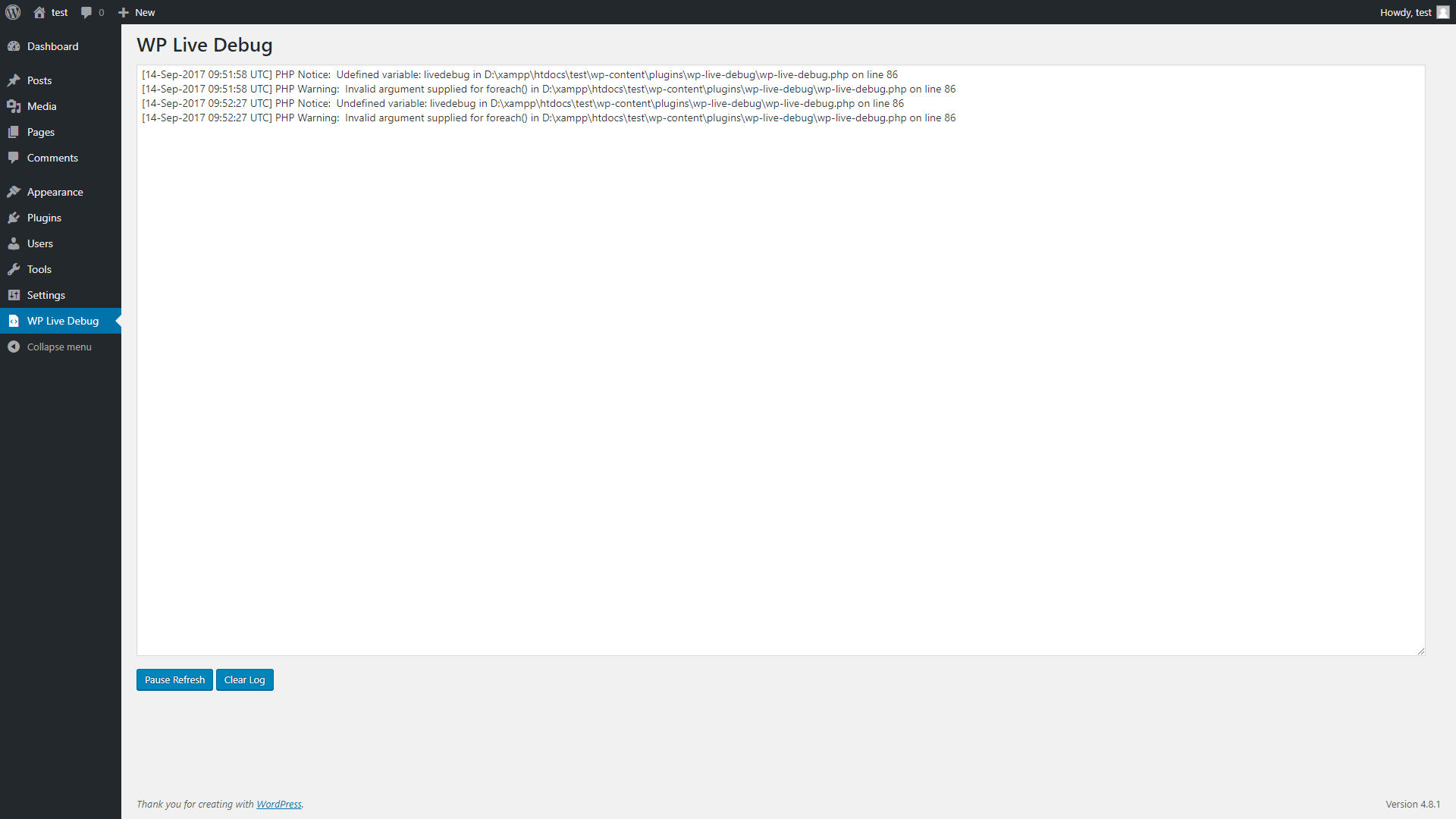
WP Live Debug
ئورنىتىش
From within WordPress
- Visit Plugins > Add New
- Search for WP Live Debug
- Click the Install Now button to install the plugin
- Click the Activate button to activate the plugin
Manually
- Unzip the downloaded package
- Upload
wp-live-debugdirectory to the /wp-content/plugins/ directory - Activate the plugin through the ‘Plugins’ menu in WordPress
FAQ
- Installation Instructions
-
From within WordPress
- Visit Plugins > Add New
- Search for WP Live Debug
- Click the Install Now button to install the plugin
- Click the Activate button to activate the plugin
Manually
- Unzip the downloaded package
- Upload
wp-live-debugdirectory to the /wp-content/plugins/ directory - Activate the plugin through the ‘Plugins’ menu in WordPress
باھالاشلار
بۇ قىستۇرمىغا تېخى باھا يېزىلمىدى.
تۆھپىكار ۋە ئىجادكار
«WP Live Debug» كودى ئوچۇق يۇمشاق دېتال. تۆۋەندىكى كىشىلەر بۇ قىستۇرمىغا تۆھپە قوشقان.
تۆھپىكار
«WP Live Debug» نى تىلىڭىزغا تەرجىمە قىلىڭ
ئىجادىيەتكە قىزىقامسىز؟
كودقا كۆز يۈگۈرتۈپ، SVN خەزىنە تەكشۈرۈپ ياكى RSSئارقىلىق ئىجادىيەت خاتىرىسىگە مۇشتەرى بولغىلى بولىدۇ.
ئۆزگىرىش خاتىرىسى
4.9.4.2
- Update required PHP to 5.3.
- Update required WordPress version to 4.8.
4.9.4.1
- Fixed removing ›n‹ from the debug view.
4.9.4
- Code refactoring.
- Minor fixes.
4.9.2.1
- Fixed faulty Plugin URI.
4.9.2
- Checks if file exists first to avoid errors.
- Bumping version to follow WordPress releases.
1.0.1
- Fixed
No such file or directorywarning
1.0.0
- Initial Release