

چۈشەندۈرۈش
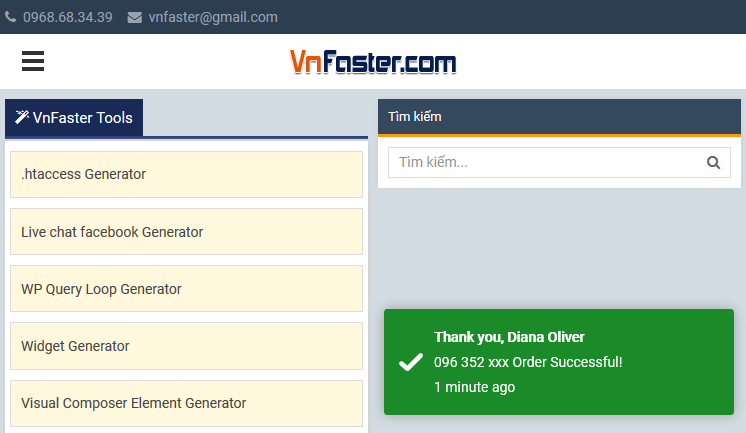
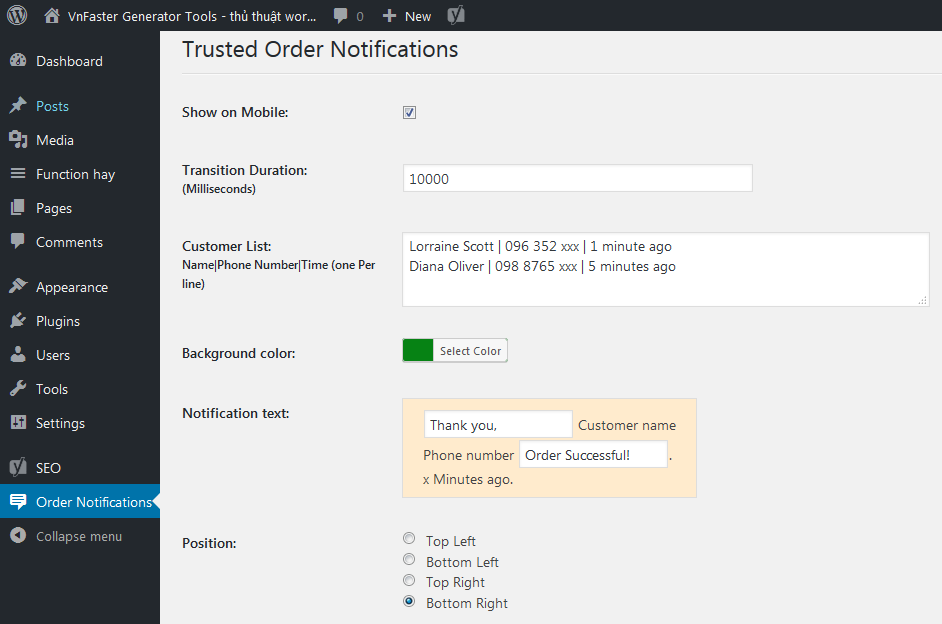
Trusted Order Notifications on Ecommerce Site.
From within WordPress
- Visit ›Plugins > Add New‹
- Search for ›Trusted Order Notifications‹
- Activate Trusted Order Notifications from your Plugins page.
Manually
- Upload the
trusted-order-notificationsfolder to the/wp-content/plugins/directory - Activate the Trusted Order Notifications plugin through the ›Plugins‹ menu in WordPress
- Go to «after activation» below.
ئېكران كەسمىسى
FAQ
You’ll find answers to many of your questions on (https://vnfaster.com).
باھالاشلار

2021-يىلى 16-ئۆكتەبىر
Cảm ơn ! Đang cần giải pháp này !

2018-يىلى 26-ئۆكتەبىر
Fantastic plugin!
تۆھپىكار ۋە ئىجادكار
«Trusted Order Notifications» كودى ئوچۇق يۇمشاق دېتال. تۆۋەندىكى كىشىلەر بۇ قىستۇرمىغا تۆھپە قوشقان.
تۆھپىكار
«Trusted Order Notifications» نى تىلىڭىزغا تەرجىمە قىلىڭ
ئىجادىيەتكە قىزىقامسىز؟
كودقا كۆز يۈگۈرتۈپ، SVN خەزىنە تەكشۈرۈپ ياكى RSSئارقىلىق ئىجادىيەت خاتىرىسىگە مۇشتەرى بولغىلى بولىدۇ.
ئۆزگىرىش خاتىرىسى
3.0.0
- Fixed Conflict with Minify HTML plugin.
1.0.0
- First release.