

چۈشەندۈرۈش
«Simplify Dashboard» adds a toggle in the admin bar to hide menu items you don’t use much.
It gives you a simple interface for your users, and can be quickly turned on or off.
Choose which items are hidden in the Settings>Simplify Dashboard page by writing their menu name, or specify the actual HTML id.
ئېكران كەسمىسى
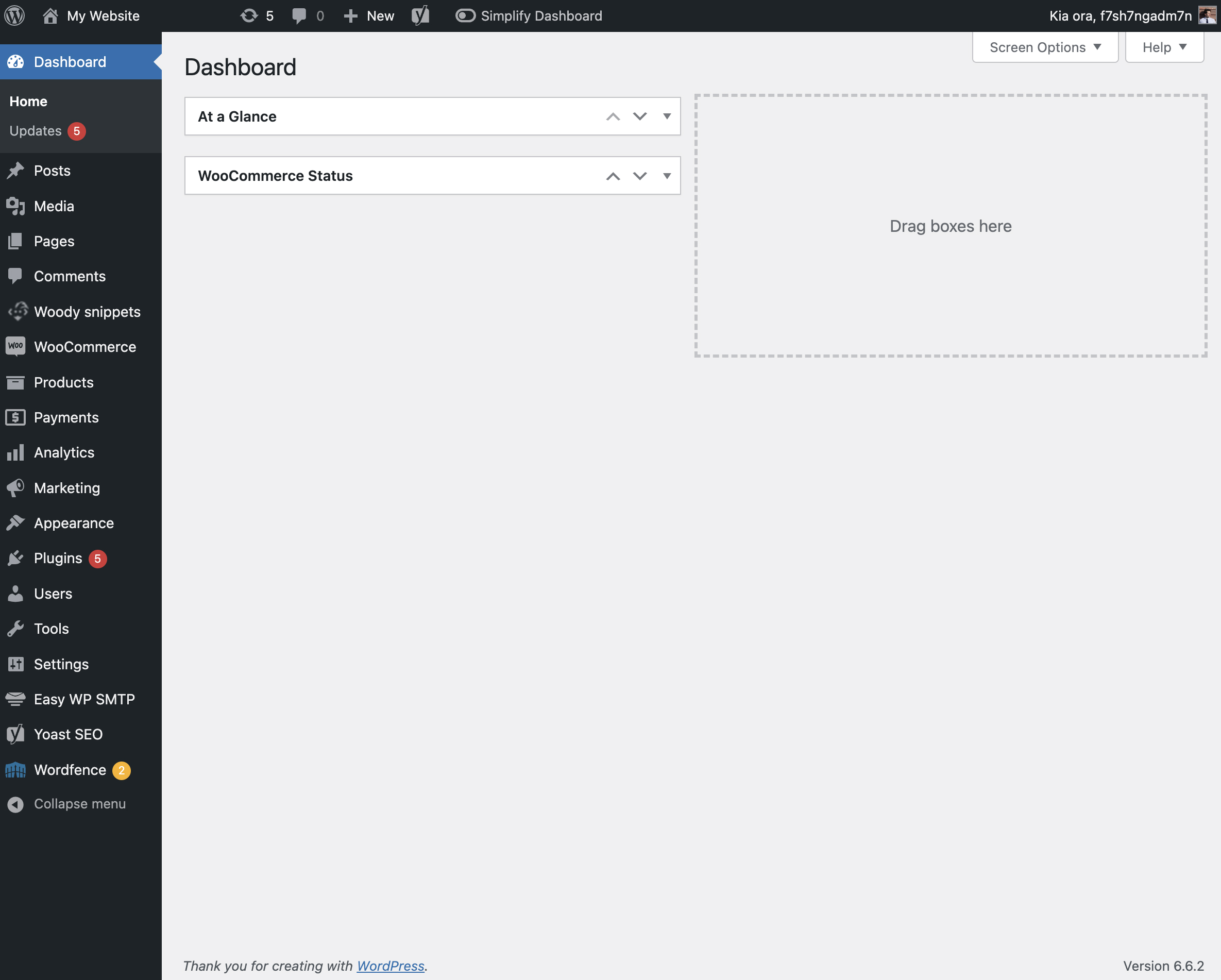
The admin screen with nothing hidden. 
View of the admin screen with the toggle activated. 
The settings page for Simplify Dashboard.
ئورنىتىش
- Upload the
simplify-dashboardfolder to the/wp-content/plugins/directory. - Activate the plugin through the ›Plugins‹ menu in WordPress.
- Once activated, navigate to the Settings page and click on the new submenu «Simplify Dashboard».
- Enter the names of the menu items you want to hide. Additionally, choose items to hide in the admin by their element id.
- Turn the Simplify Dashboard toggle to on.
باھالاشلار
بۇ قىستۇرمىغا تېخى باھا يېزىلمىدى.
تۆھپىكار ۋە ئىجادكار
«Simplify Dashboard» كودى ئوچۇق يۇمشاق دېتال. تۆۋەندىكى كىشىلەر بۇ قىستۇرمىغا تۆھپە قوشقان.
تۆھپىكار
«Simplify Dashboard» نى تىلىڭىزغا تەرجىمە قىلىڭ
ئىجادىيەتكە قىزىقامسىز؟
كودقا كۆز يۈگۈرتۈپ، SVN خەزىنە تەكشۈرۈپ ياكى RSSئارقىلىق ئىجادىيەت خاتىرىسىگە مۇشتەرى بولغىلى بولىدۇ.
ئۆزگىرىش خاتىرىسى
1.1
- Improving code quality.
1.0
- Initial release.