
چۈشەندۈرۈش
A simple plugin with no-backend interface, to clean up some dummy fields from user profiles edition and creation pages, focused on corporate purposes. The following fields are removed right after this plugin activation: Colors Profile, Keyboard Shortcuts, Toolbar, AIM, Jabber, Yahoo IM, Website URL, Biography Description and User Role (every new user is created as Subscriber)
Some contents was inspired on teachingyou.net
ئېكران كەسمىسى
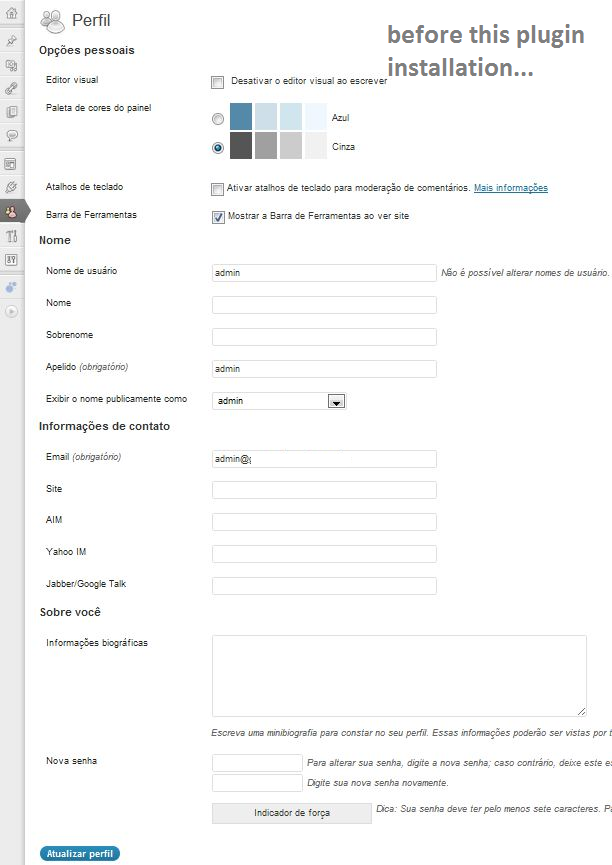
Before installation and activation of Hide User Profile Fields plugin. 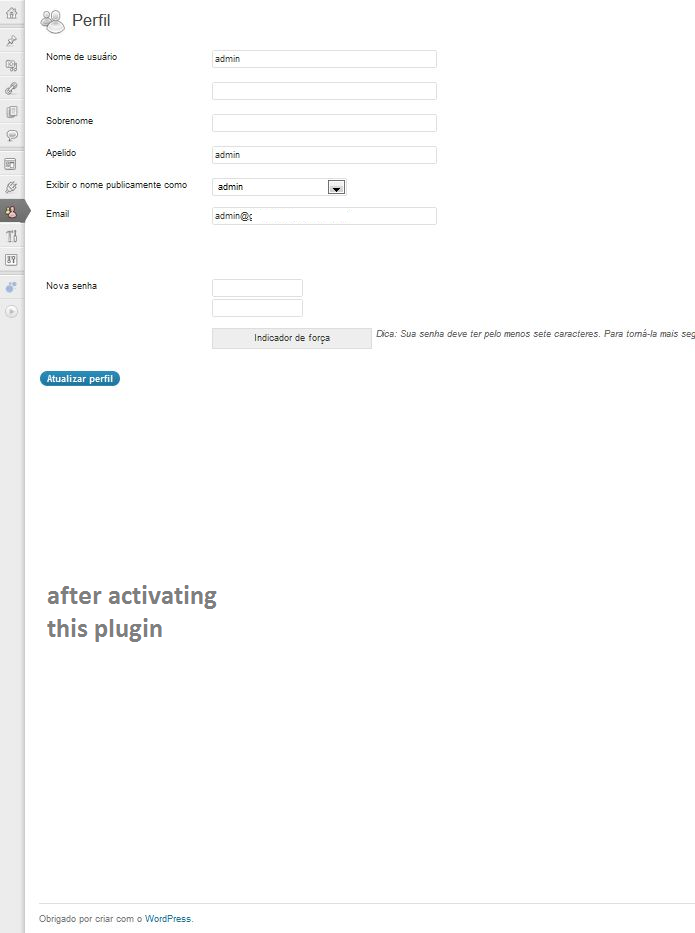
After installation and activation of Hide User Profile Fields plugin.
ئورنىتىش
- Upload
hide-user-fields.phpto the/wp-content/plugins/directory - Activate the plugin through the ›Plugins‹ menu in WordPress
- Navigate to the ›Hide User Profile Fields‹ Settings menu and enable it.
FAQ
- How do I enable this plugin?
-
Once the plugin itself is installed, navigate to the ›Hide User-Profile Fields‹ Settings menu, check the lone checkbox, and click ›Update Options‹.
- How can I hide/unhide some specific fields?
-
You can’t, not through this plugin, but you can edit this as your needs.
باھالاشلار

تۆھپىكار ۋە ئىجادكار
«Hide User Profile Fields» كودى ئوچۇق يۇمشاق دېتال. تۆۋەندىكى كىشىلەر بۇ قىستۇرمىغا تۆھپە قوشقان.
تۆھپىكار
«Hide User Profile Fields» نى تىلىڭىزغا تەرجىمە قىلىڭ
ئىجادىيەتكە قىزىقامسىز؟
كودقا كۆز يۈگۈرتۈپ، SVN خەزىنە تەكشۈرۈپ ياكى RSSئارقىلىق ئىجادىيەت خاتىرىسىگە مۇشتەرى بولغىلى بولىدۇ.
ئۆزگىرىش خاتىرىسى
1.2
- Color Profiles and other checkboxes will also be hidden on this version.
1.0.0
- First published version.