

外掛說明
The Secure Login Authorization plugin provides an added layer of protection to your WordPress login page. By integrating with an external application on your mobile, the plugin ensures that users can only access the login page after being authorized with a unique secret key generated from the WordPress dashboard. This plugin ensures that unauthorized users cannot log in, adding an extra layer of security by requiring both the secret key and time-based validation for successful access.
How to use the Plugin?
Once the plugin is installed on your website, you can find a unique secret key on the plugin’s Settings page. This key is essential for pairing your website with the Secure Login Authorization app, which can be downloaded from the app store.
After the app is set up, anyone attempting to access your WordPress login page (wp-admin) will require authorization through the app, even if they know the correct username and password. The app gives you full control over login access, allowing you to specify how long user(s) can log in. Additionally, it includes the ability to forcefully log out user(s) from the website at any time.
By combining the plugin and the app, you add an extra layer of security to your WordPress website. Only authorized users can access the login page, and their access is limited to specific time periods, regardless of whether they know the username and password. This makes Secure Login Authorization an effective solution for protecting your site against unauthorized access.
Download the APP
To use this plugin you must first download the Android app from the Google Play Store. The app allows you to securely manage login authorizations, grant access to specific users or devices, and define time-based permissions for enhanced control over your site’s security.
Download Android App: Click here
If you want to learn more about the plugin – please check our website – ideastocode.com.
External Services
This plugin generates QR codes for secret keys, enabling easy use on mobile phones. The QR codes are generated using the Endroid/QR-Code library. By using this feature, you consent to the use of this service.
License Information: Click here
螢幕擷圖
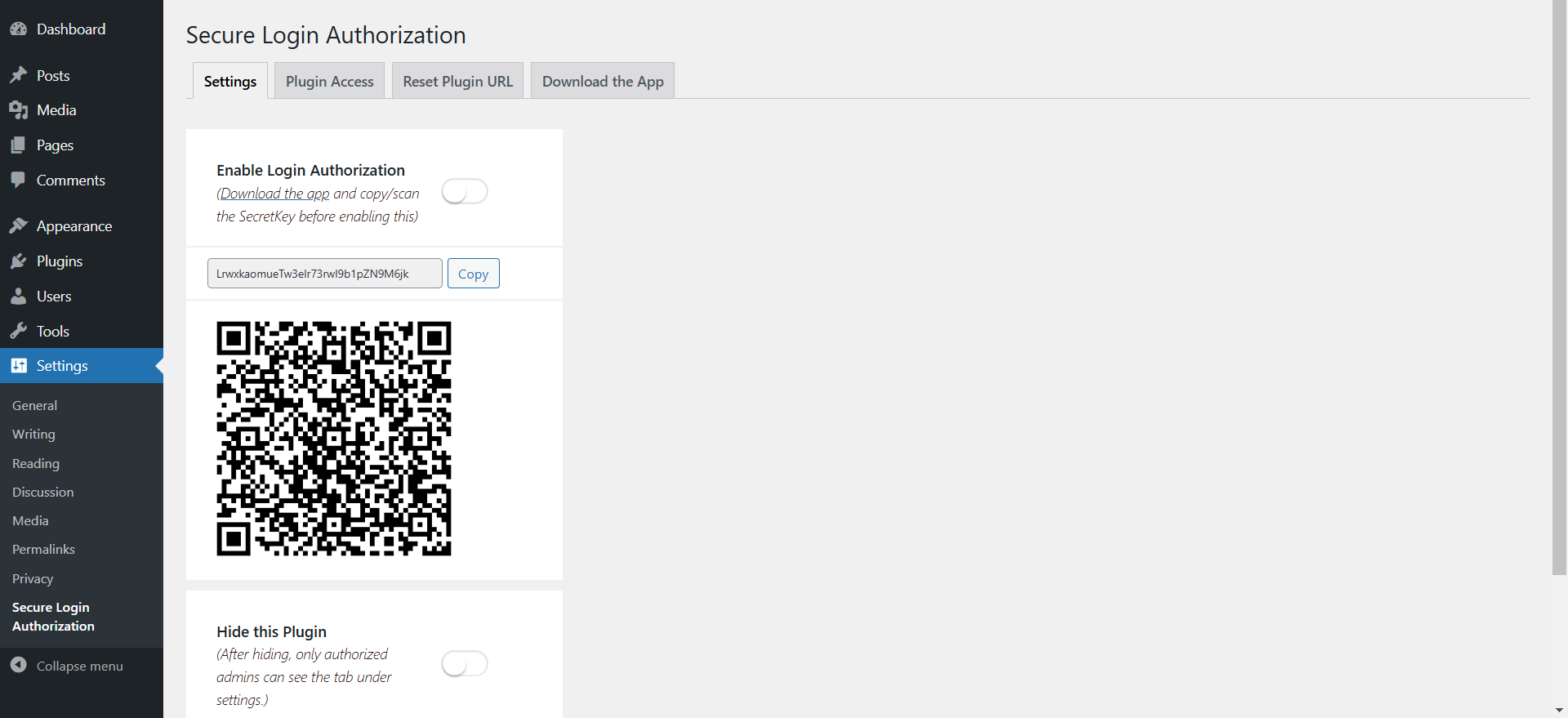
Enable Login Authorization 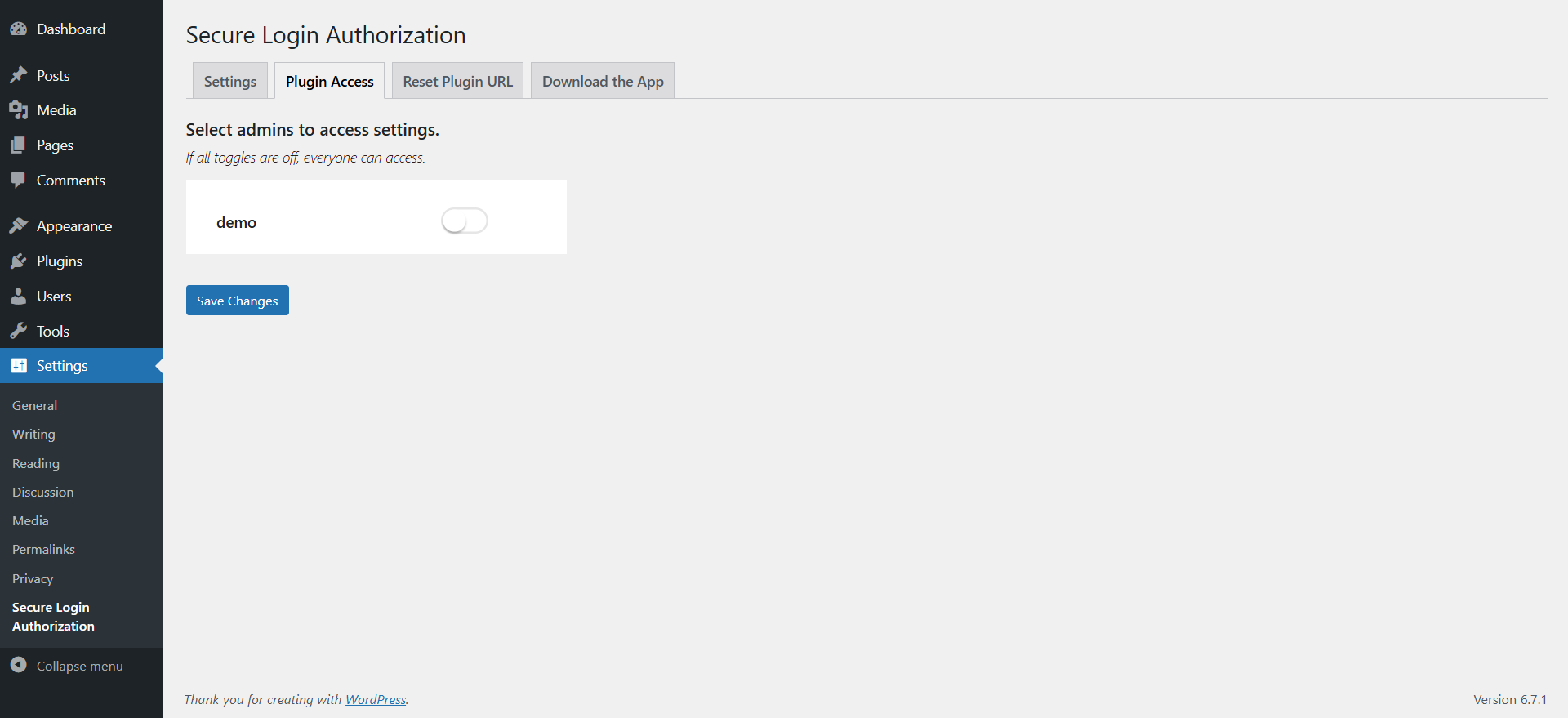
Restrict Plugin Access 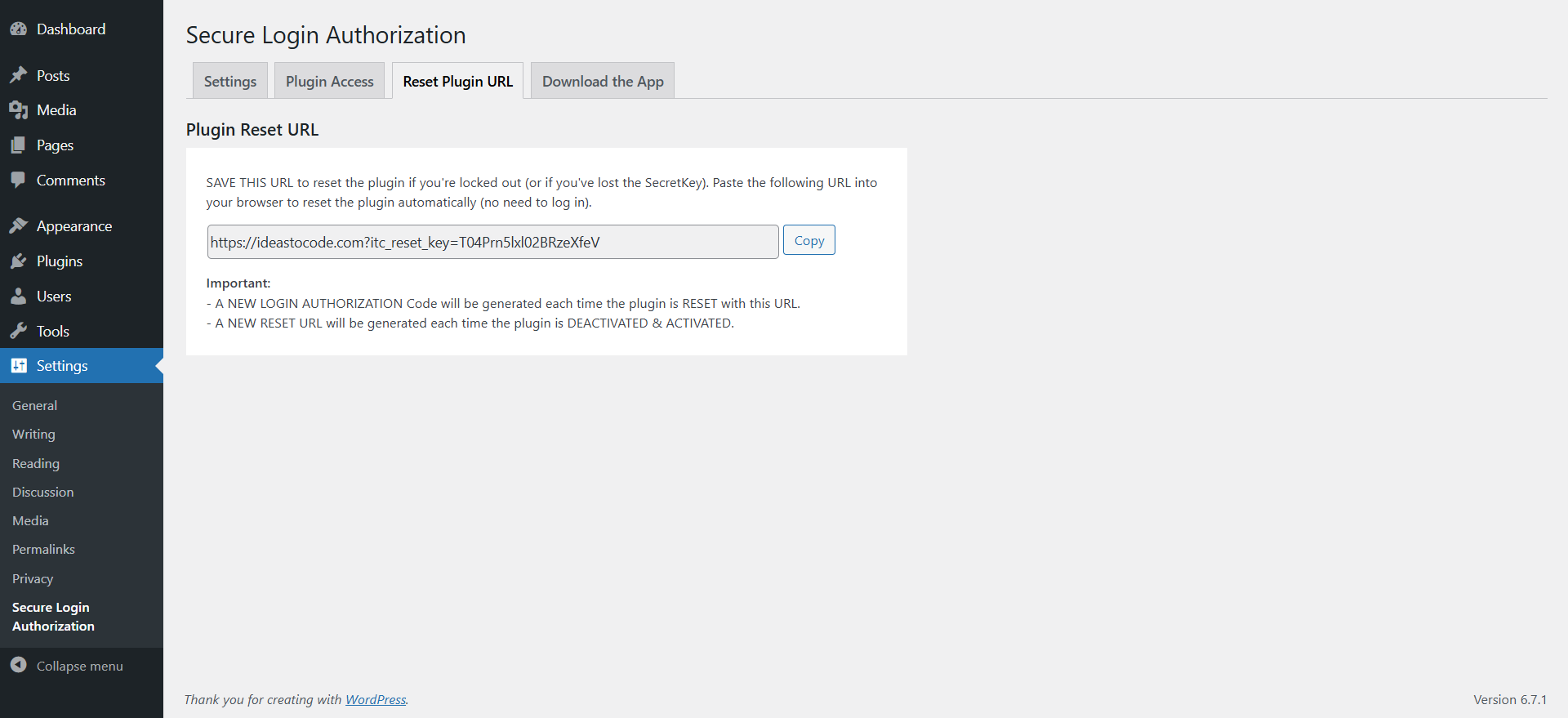
Reset Plugin URL 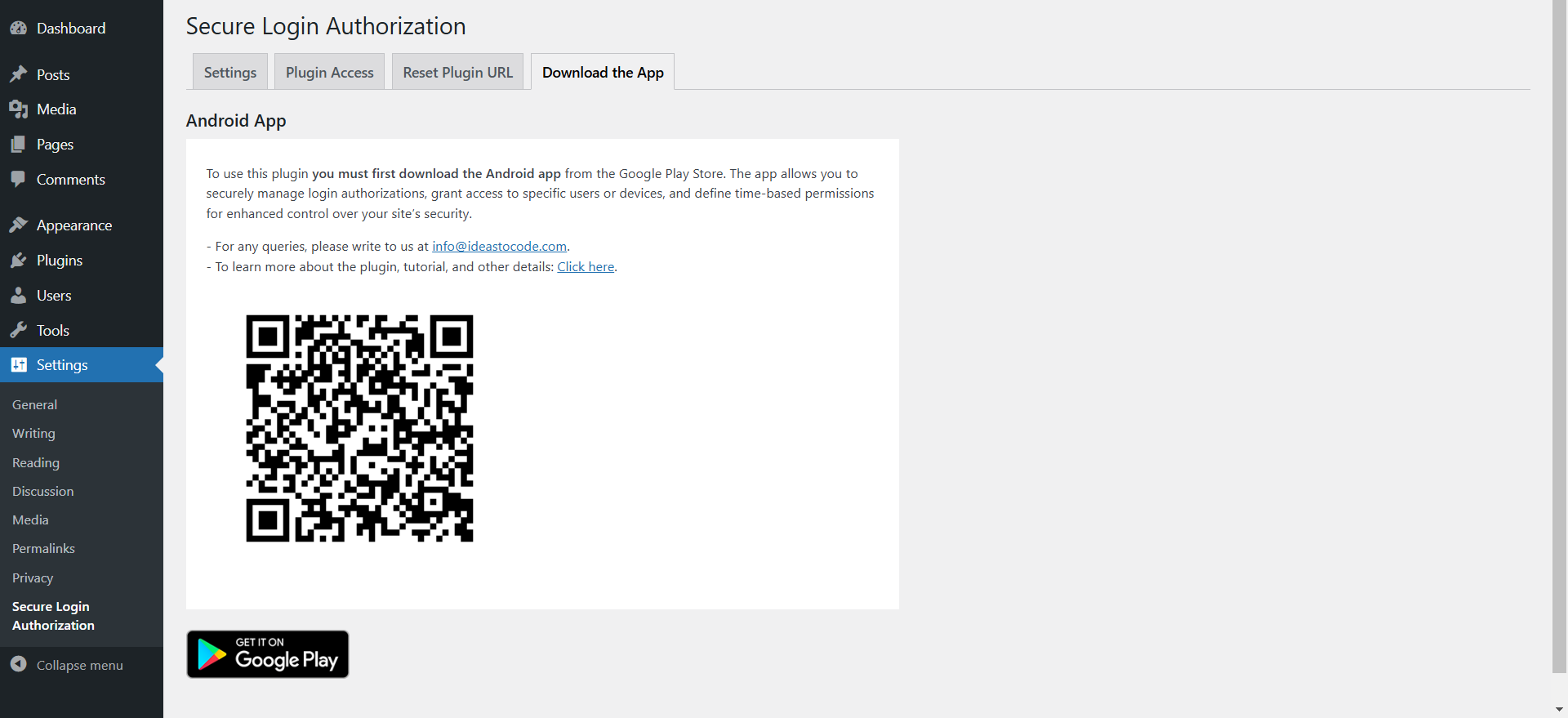
Download the App
安裝方式
Secure Login Authorization can be directly installed from your website.
- Log in to your site’s dashboard i.e. /wp-admin
- Then Go to Plugins Add New
- Search for ideasToCode
- Locate the plugin Secure Login Authorization & click on Install Now
- Activate the plugin Navigate to Settings.
常見問題集
-
After the plugin is activated, you can enable Login Authorization. Simply copy the Secret Key and toggle on the login authorization. After that, use the secret key with the app to authorize the website. Then, you can click on “Authorize” in the app to authorize a particular user, IP, and define the time until which the user can access the WP dashboard. Once the predefined time is over, the user will be automatically logged out.
Note: Please also copy the Reset Plugin URL, as this will reset the plugin to defaults and prevent lockout in case you cannot connect using the Login Authorization Key.
-
Yes, you can use this plugin with any theme. We have tested it with popular themes such as Enfold, Avada, Elementor Page Builders, Astra, Divi, and others, and it works perfectly well.
-
How does the “Hide this Plugin” toggle work?
-
If you turn this on, the plugin will be hidden from the Installed Plugins list, but it will still appear in the side admin bar under the Settings tab.
-
What is plugin Access?
-
In this tab, all admin users of your website (only admins) are listed. You can select which users are allowed to access the settings page of this plugin. By default, this option is turned off, but once you select a user, only that user will be able to access the plugin settings via the side admin bar in the dashboard.
Note: When combined with the “Hide this Plugin” toggle, no one except authorized users will be able to deactivate the plugin from the WordPress dashboard. Only authorized users will be able to see the plugin name under Settings in the admin panel; for all other users, it will be hidden.
使用者評論
這個外掛目前沒有任何使用者評論。
參與者及開發者

變更記錄
1.0.0
- Initial release.