

外掛說明
Accept Credit card, Debit card and Bank account payment directly on your store with the official Flutterwave Plugin for WordPress.
Plugin Features
- Collections: Card, Account, Mobile money, Bank Transfers, USSD, Barter, 1voucher.
- Recurring payments: Tokenization and Subscriptions.
- Split payments: Split payments between multiple recipients.
Requirements
- Flutterwave for business API Keys
- Supported PHP version: 5.6.0 – 7.4.0
螢幕擷圖

To configure the plugin, go to Rave > Settings from the left menu. 
On Visual Composer Add Element dialog, click on “Rave Forms” and select the type of form you want to include on your page. 
On the “Form Settings” dialog, fill in the form attributes and click “Save Changes”. 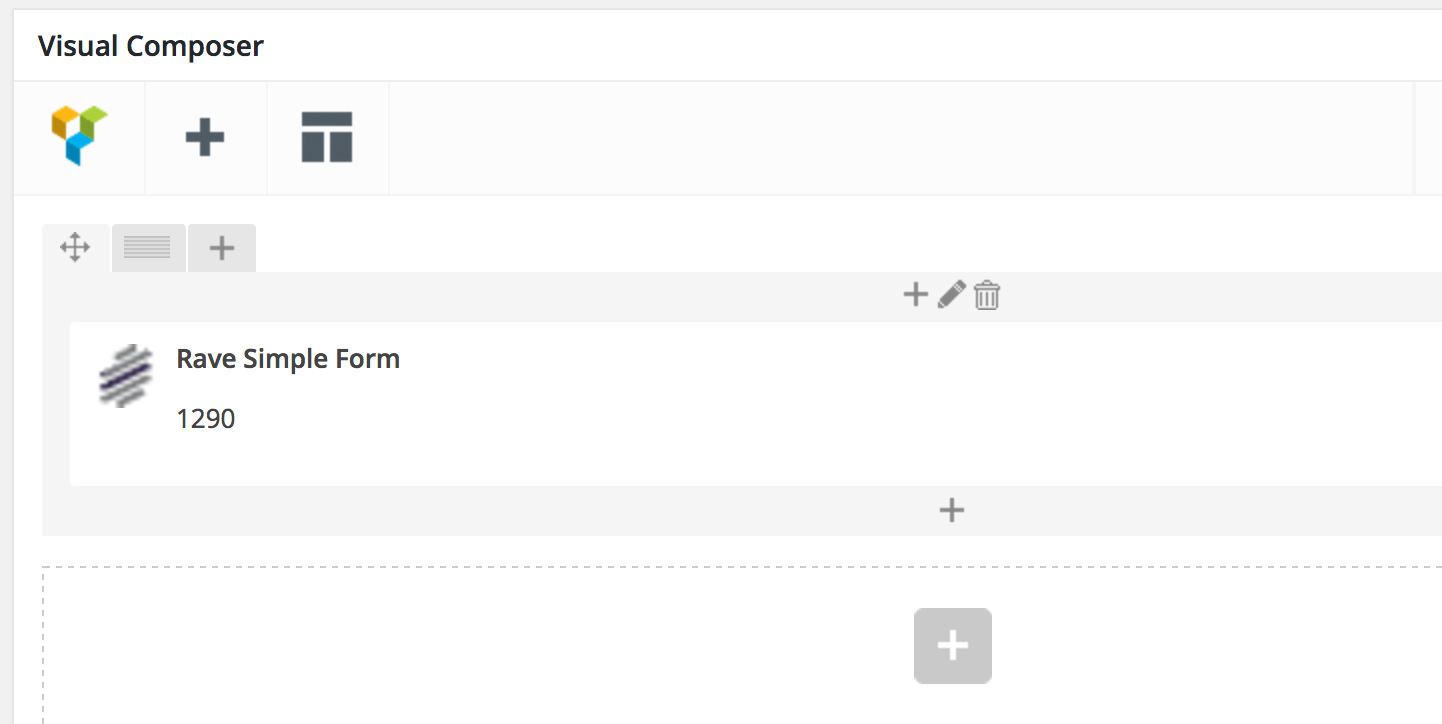
Payment Form successfully added to the page. 
All the payments made through the forms to Rave can be accessed on Rave > Transactions page. 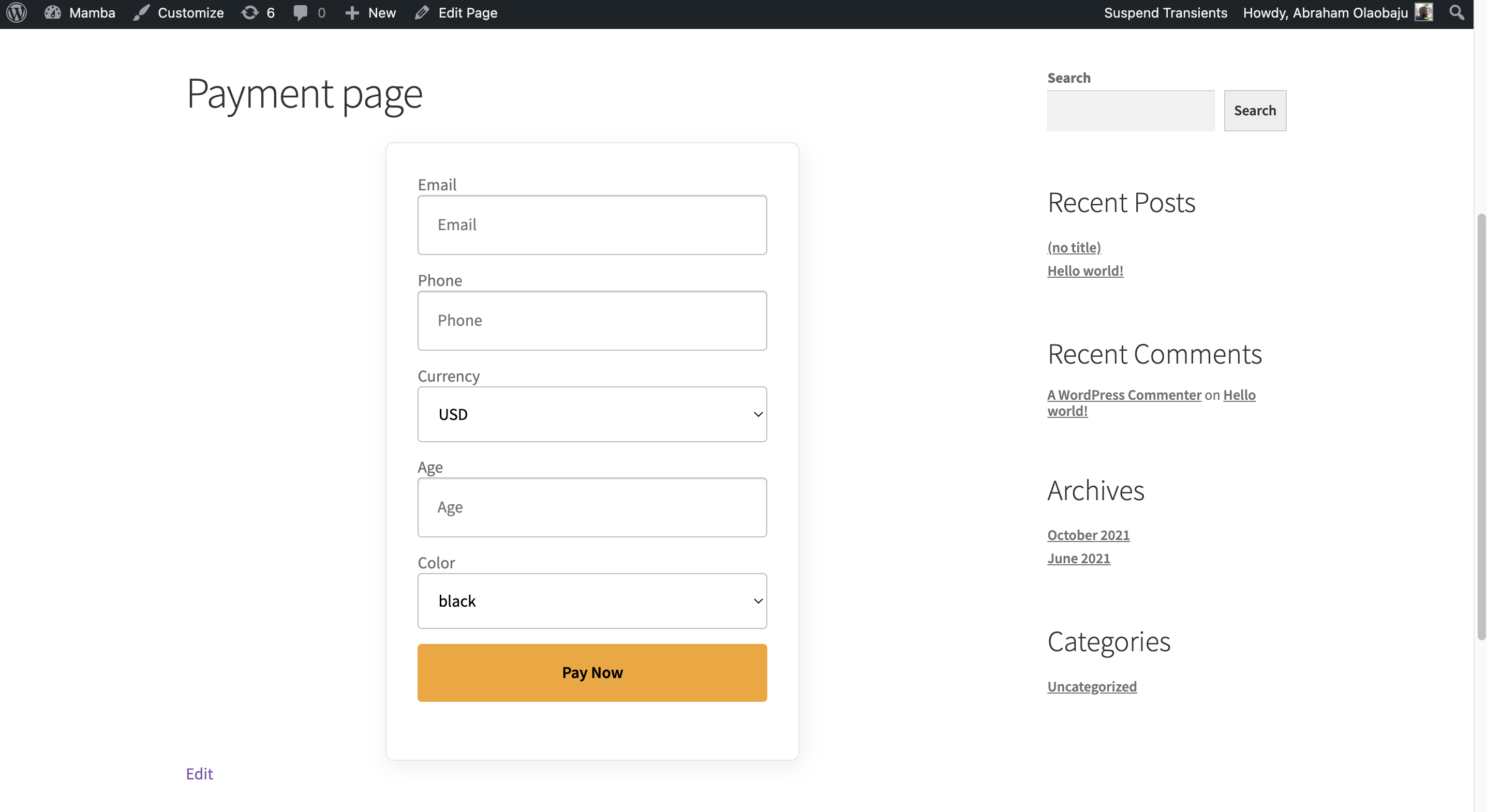

安裝方式
Automatic Installation
- Login to your WordPress Dashboard.
- Click on “Plugins > Add New” from the left menu.
- In the search box type Flutterwave Payments.
- Click on Install Now on Flutterwave Payments to install the plugin on your site.
- Confirm the installation.
- Activate the plugin.
- Go to “Rave > Settings” from the left menu to configure the plugin.
Manual Installation
- Download the plugin zip file.
- Login to your WordPress Admin. Click on \”Plugins > Add New\” from the left menu.
- Click on the \”Upload\” option, then click \”Choose File\” to select the zip file you downloaded. Click \”OK\” and \”Install Now\” to complete the installation.
- Activate the plugin.
- Go to \”Rave > Settings\” from the left menu to configure the plugin.
- For FTP manual installation, check here.
For FTP manual installation, check here.
Configuration options
- Pay Button Public Key (live/Test) – Enter your public key which can be retrieved from Settings > API on your Rave account dashboard.
- Pay Button Secret Key (live/Test) – Enter your secret key which can be retrieved from Settings > API on your Rave account dashboard.
- Go Live – Tick that section to turn your rave plugin live.
- Modal Title – (Optional) customize the title of the Pay Modal. Default is FLW PAY.
- Modal Description – (Optional) customize the description on the Pay Modal. Default is FLW PAY MODAL.
- Modal Logo – (Optional) customize the logo on the Pay Modal. Enter a full url (with \’http\’). Default is Rave logo.
- Success Redirect URL – (Optional) The URL the user should be redirected to after a successful payment. Enter a full url (with ‘http:\’). Default: ‘\’.
- Failed Redirect URL – (Optional) The URL the user should be redirected to after a failed payment. Enter a full url (with ‘http:\’). Default: ‘\’.
- Pay Button Text – (Optional) The text to display on the button. Default: “PAY NOW”.
- Charge Currency – (Optional) The currency the user is charged. Default: “NGN”.
- Charge Country – (Optional) The country the merchant is serving. Default: “NG: Nigeria”.
- Form Style – (Optional) Disable form default style and use the activated theme style instead.
- Click Save Changes to save your changes.
Styling
You can enable default theme’s style to override default form style from the Settings page. Or you can override the formclass .flw-simple-pay-now-form from your stylesheet.
Usage
- a. Shortcode
Insert the shortcode anywhere on your page or post that you want the form to be displayed to the user.
Basic: requires the user to enter amount and email to complete payment
[flw-pay-button]
With button text:
[flw-pay-button]Button Text[/flw-pay-button]
With attributes: email or use_current_user_email with value “yes”, amount
[flw-pay-button amount=”1290″ email=”[email protected]” ]
or
[flw-pay-button amount=”1290″ use_current_user_email=”yes” ]
With attributes and button text: email, amount
[flw-pay-button amount=”1290″ email=”[email protected]” ]Button Text[/flw-pay-button]
With currency
[flw-pay-button custom_currency=”NGN,GBP,USD”]
With attributes: email or use_current_user_email with value “yes”, amount and currency
[flw-pay-button amount=”1290″ email=”[email protected]” custom_currency= “NGN, GBP, USD” ]
or
[flw-pay-button amount=”1290″ use_current_user_email=”yes” custom_currency= “NGN, GBP, USD” ]
With currency:
[flw-pay-button custom_currency=”NGN,GBP,USD”]
With attributes: email or use_current_user_email with value “yes”, amount and currency
[flw-pay-button amount=”1290″ email=”[email protected]” custom_currency= “NGN, GBP, USD” ]
or
[flw-pay-button amount=”1290″ use_current_user_email=”yes” custom_currency= “NGN, GBP, USD” ]
- b. Visual Composer
The shortcode can be added via Visual Composer elements.
On Visual Composer Add Element dialog, click on “Rave Forms” and select the type of form you want to include on your page.
On the “Form Settings” dialog, fill in the form attributes and click “Save Changes”.
Payment Form successfully added to the page.
Best Practices
- When in doubt about a transaction, always check the Flutterwave Dashboard to confirm the status of a transaction.
- Always ensure you keep your API keys securely and privately. Do not share with anyone
- Ensure you change from the default secret hash on the WordPress admin and apply same on the Flutterwave Dashboard
- Always ensure you install the most recent version of the Flutterwave WordPress plugin
Debugging Errors
We understand that you may run into some errors while integrating our plugin. You can read more about our error messages here.
For authorization and validation error responses, double-check your API keys and request. If you get a server error, kindly engage the team for support.
Support
For additional assistance using this library, contact the developer experience (DX) team via email or on slack.
You can also follow us @FlutterwaveEng and let us know what you think 😊.
Contribution guidelines
We love to get your input. Read more about our community contribution guidelines here
License
By contributing to the Flutterwave WooCommerce, you agree that your contributions will be licensed under its MIT license.
使用者評論


參與者及開發者

變更記錄
v1.0.3
* This version allows you to add additional fields to the form.
* This version allow you to set default values to fields.
* This version allows you to hid fields “By appending ‘-h’ to the name of the field”.
* This version now allow for mobile money option in UGx,TZS,GHS respectively
v1.0.2
*Recuring payment section add under “Payment Plan”
v 1.0.1
* Recurring payments now enabled.
v 1.0.0