
外掛說明
Google Analytics is a great tool, but requires some technical capabilities to understand it. This plugin takes some very basic,
although important, data from Google Analytics (using the Google Analytics export API) and displays the information
on your blog/site to WP administrators or users if you assign them privileges to see it. The data provided by this plugin is:
- Pageviews
- Average Time On Page
- Bounce Rate
- Exit Rate
- Referring Sites
- Keywords
Advanced form tracking capabilities include:
- Monitor your forms more closely
- See how long visitors are taking each step of your form
- See what visitors input into each form regardless of hitting submit
- Better understand form abandonment
This feature uses Google Analytics Event Tracking to store and retrieve data.
Please consider donating a link to SEO Strategy or Atlanta SEO if you
like this plugin.
NOTE: This plugin does not install the default Google Analytics code on your site, you should already have that installed for this to work.
螢幕擷圖

This screenshot shows the On Site Google Analytics toolbar with the referring sites active 
This screenshot shows the On Site Google Analytics toolbar with the keywords active 
This screenshot shows how to configure the plugin 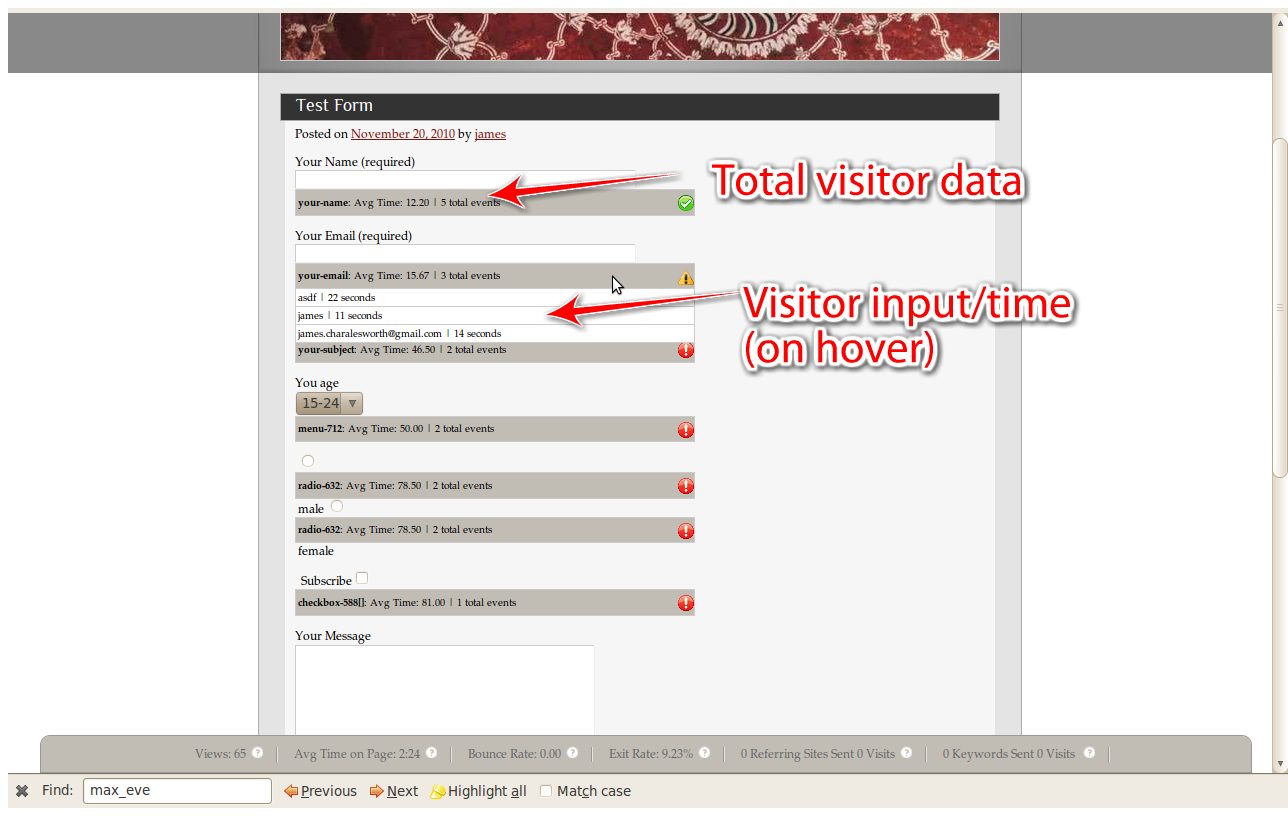
This screenshot shows advanced form tracking capabilities
安裝方式
This section describes how to install the plugin and get it working.
e.g.
- Download and unzip the plugin to the
/wp-content/plugins/directory - Activate the plugin through the ‘Plugins’ menu in WordPress
常見問題集
- After activation im getting an error stating that my settings are not set properly
-
Click “Settings” on the WordPress left navbar and select Onsite Google Analytics. From there enter your Google username, password, and profile ID
- On the Settings page, I can’t select my Google Analytics Profile ID
-
First enter your username and password and then click out of the password box and your Google Analytics profiles for the your username will populate.
使用者評論
這個外掛目前沒有任何使用者評論。
參與者及開發者

變更記錄
0.4.0
*Added advanced form tracking for all forms
0.3.0
*Now using Authsub tokens for secure authentication (no longer have to give the app your password)
0.2.0
*fixed object bug causing it break
0.1.0
- This is the first release.