
外掛說明
Local Easy Tip is the simplest way to accept gratuity on your WooCommerce store.
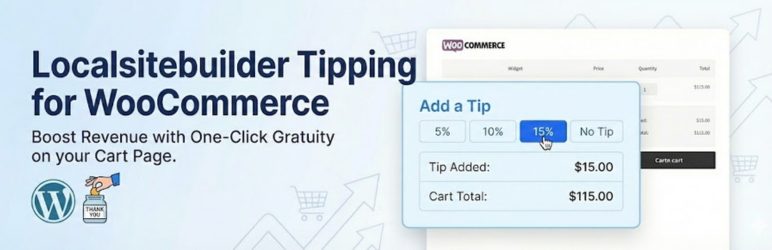
It adds a lightweight, conversion-optimized widget to your Cart page that allows customers to add a tip based on a percentage of their subtotal.
Stop leaving money on the table! Whether you run a local delivery service, a restaurant, or a custom print shop, customers often want to support your business. Give them the easiest way to say “Thank You.”
🚀 FREE VERSION FEATURES
- One-Click Tipping: Pre-set buttons for 5%, 10%, and 15%.
- Seamless Integration: Automatically injects into the WooCommerce Cart page.
- Native Fee System: Uses the standard WooCommerce Fee API, so tips appear correctly on invoices and order emails.
- HPOS Compatible: Fully compatible with High Performance Order Storage.
- Basic Reporting: See the total amount of tips collected in your dashboard.
🔥 UNLOCK MORE WITH PRO
Upgrade to Local Easy Tip Pro to take control of your revenue:
- Checkout Page Widget: Capture tips at the very last step (highest conversion rate).
- Custom Amounts: Allow customers to enter a specific dollar amount (e.g., $5.00).
- Custom Percentages: Change the default 5/10/15% to whatever you want (e.g., 10/15/20%).
- Advanced Reporting: Filter tip reports by Date Range and Payment Method.
安裝方式
- Upload the plugin files to the
/wp-content/plugins/local-easy-tipdirectory, or install the plugin through the WordPress plugins screen directly. - Activate the plugin through the ‘Plugins’ screen in WordPress.
- Go to Dashboard > Tip Reports > Settings to view your configuration.
- The widget will automatically appear on your WooCommerce Cart page.
常見問題集
-
Where does the tip widget appear?
-
In the Free version, the widget appears automatically on the WooCommerce Cart page, usually near the “Proceed to Checkout” button or after the cart totals.
-
The Free version comes with industry-standard defaults (5%, 10%, 15%). To customize these percentages, you will need the Pro version.
-
Does this work on the Checkout page?
-
The Free version is limited to the Cart page. The Pro version allows you to place the widget directly on the Checkout page for better visibility.
-
Is this compatible with my theme?
-
Yes! The plugin uses standard WooCommerce hooks and jQuery logic to find the best spot for the widget. It works with 99% of themes, including Divi, Astra, Elementor, and Flatsome.
使用者評論

參與者及開發者

變更記錄
1.0.12
- Fix: Optimized reporting logic to use batch processing (prevents memory issues on large stores).
- Update: Tested up to WordPress 6.9.
1.0.11
- Initial release on WordPress.org.
- Added HPOS compatibility.
- Implemented split-screen admin settings.