

外掛說明
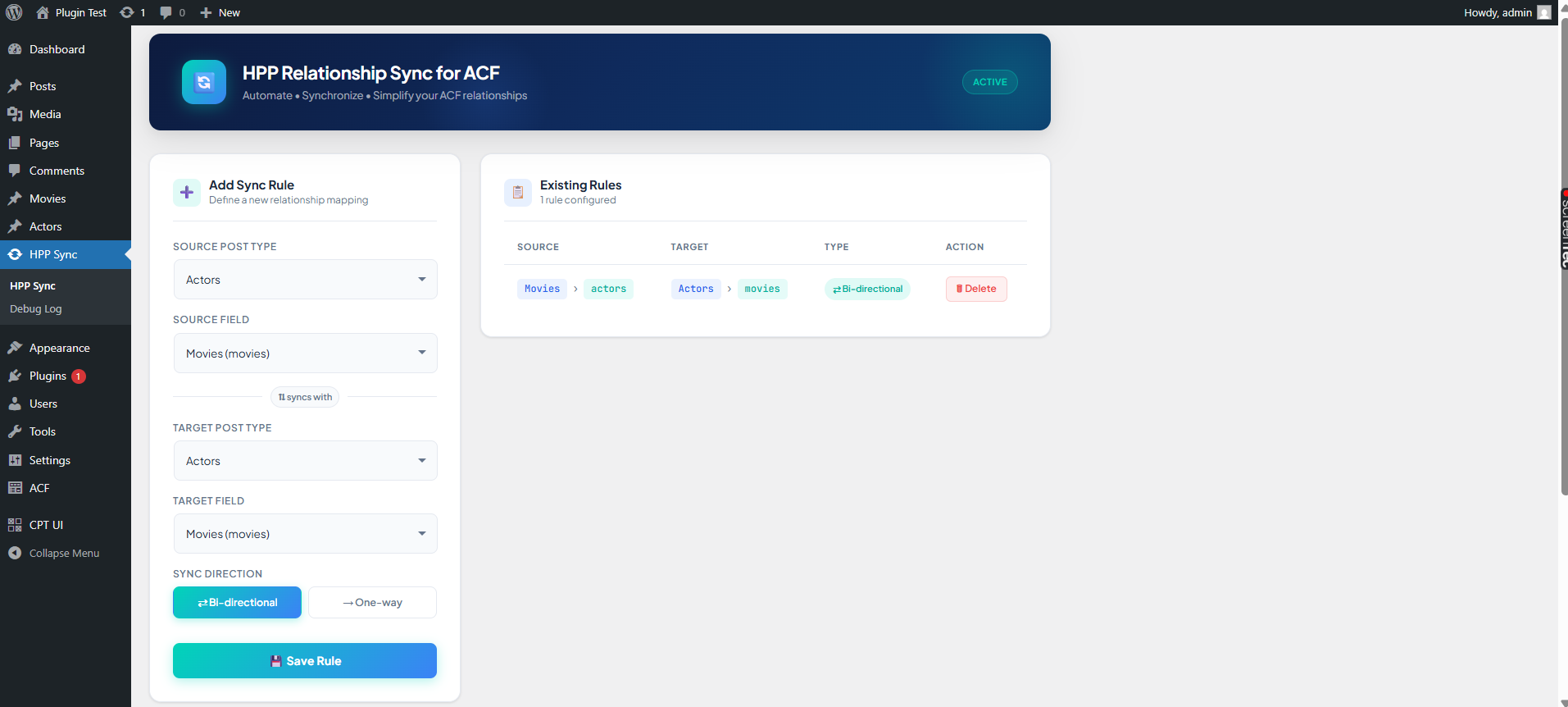
HPP Relationship Sync for ACF automatically syncs ACF relationship fields between posts.
Supports bi-directional and one-way sync, cross-post type, same post type, and bulk resync.
Includes debug logging and a one-click resync tool. The Clear Log button appears only if there are logs.
螢幕擷圖


安裝方式
- Upload the plugin folder to
/wp-content/plugins/. - Activate the plugin via the Plugins menu.
- Go to ‘HPP Sync’ in the admin menu to add sync rules.
- Optionally, check logs under ‘Debug Log’. The Clear Log button will appear only if logs exist.
- Use ‘Resync All Data’ to sync existing content if needed.
常見問題集
-
Can I sync fields across different post types?
-
Yes, you can set different source and target post types in the rule.
-
Does it support bi-directional sync?
-
Yes, choose ‘Bi-directional’ in the sync type when adding a rule.
-
How do I clear old logs?
-
Go to Debug Log and click the ‘Clear Log’ button. The button only appears if there are logs.
使用者評論
這個外掛目前沒有任何使用者評論。
參與者及開發者

變更記錄
2.1.0
- Added Clear Log button in Debug Log (appears only when logs exist)
- Updated plugin header and readme.txt for WordPress.org
- Minor improvements for admin UI
- Fixed version mismatch in readme.txt
2.0
- Added bulk resync feature
- Fixed remove in bi-directional sync for same post type
- Improved UI and debug logging