

外掛說明
Easy Auto Reload is your site’s invisible caretaker — quietly watching, waiting, and reloading when your visitors fall into stillness. Just as Newton observed celestial bodies in motion, this plugin ensures your digital universe remains dynamic and alert.
This plugin automatically refreshes your page after a configurable period of user inactivity. Perfect for WooCommerce sessions, dashboards, or any page with data or tokens that expire over time.
Your website shall not slumber. Not today.
Features
- 💡 Smart Refresh: Reloads page only if the user is idle.
- 🕵️ No Intrusion: No reloads during activity (mouse, keyboard, scrolling).
- 🧠 Multi-Tab Aware: Works well across tabs — no unnecessary reloads.
- ⚙️ Ultra-Lightweight: Pure JavaScript, no jQuery dependency.
- 🔐 Security Friendly: Helps avoid expired nonce issues and keeps sessions fresh.
- ☕ Hands-Off Setup: Set the interval once. It just works.
Why Use It?
Much like Newton’s gravity keeps planets in orbit, this plugin keeps your visitors’ sessions from drifting into error pages and timeouts. Whether you’re running:
- 🔄 WooCommerce shops where sessions must persist
- 📊 Dashboards or single-page apps that time out
- 🔐 Secure areas where nonces expire silently
- 💼 Membership portals that require constant presence
Easy Auto Reload solves the timeless problem of the idle browser tab — gracefully.
螢幕擷圖
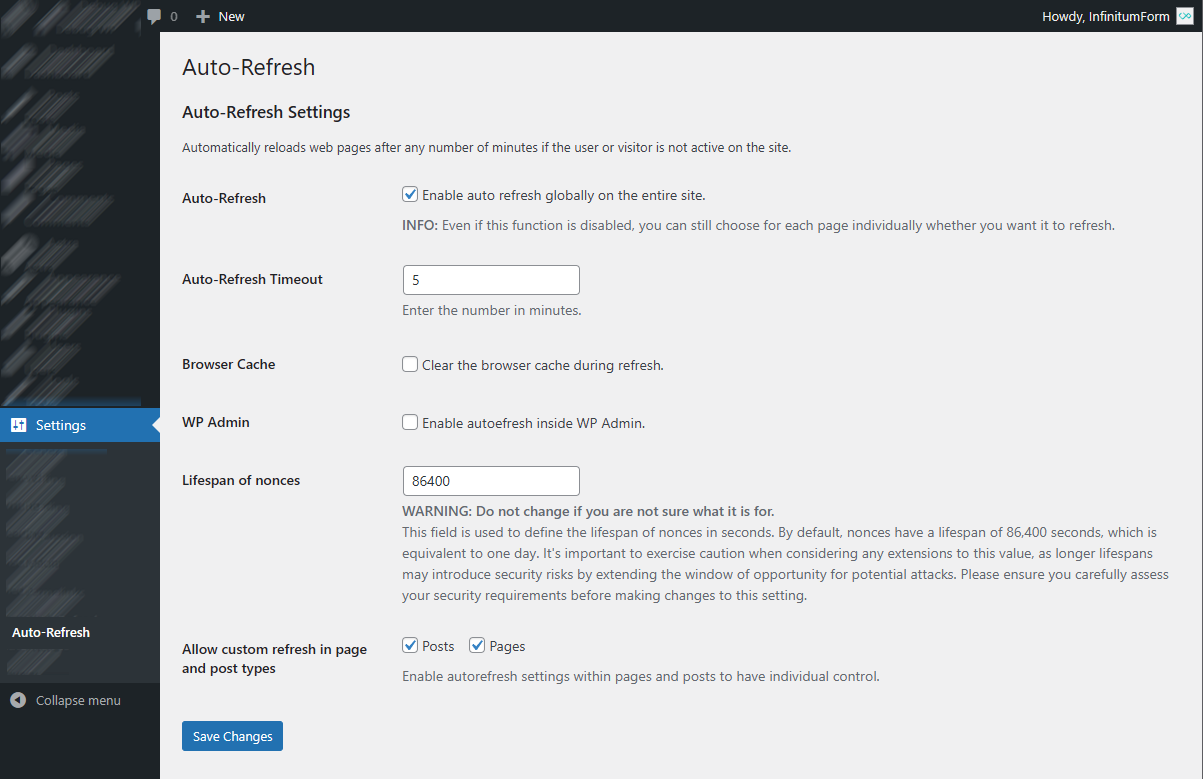
Admin Settings 
Page and post settings 
安裝方式
- Upload the plugin files to
/wp-content/plugins/easy-auto-reload, or install via Plugins > Add New. - Activate the plugin.
- Go to Settings Easy Auto Reload.
- Choose a refresh interval in minutes.
- Save. You’re done.
常見問題集
-
Does the plugin reload while the user is interacting with the page?
-
No. It detects activity (mouse movement, key presses, scrolling) and only reloads when the user is completely idle.
-
Is this plugin good for WooCommerce session expiration?
-
Yes! Especially useful for keeping carts alive and nonce values refreshed during checkout.
-
Will this conflict with caching plugins?
-
Not at all. This plugin uses client-side JavaScript and works seamlessly with WP Super Cache, W3 Total Cache, and others.
-
Can I disable reload on specific pages?
-
Yes! You can inside “Auto Reload” metabox.

參與者及開發者


變更記錄
2.0.3
- Code improvement
- Fixed bugs with nonce
- Fixed permissions
2.0.2
- Fixed JavaScript errors when clearing cache
- Optimize JavaScript and code minification
- Fixed GUI and optimized PHP code
2.0.1
- Added possibility to turn off redirection on the whole site
- Added option to turn off redirection on individual pages
- Added the ability to decide that only certain pages will be redirected
- Optimized PHP code
2.0.0
- Added possibility to set refresh interval for individual pages
- Improved PHP code
1.0.10
- Support for the WordPress version 6.7
=1.0.9=
* Added support for the WordPress version 6.6
* Added new browsers support
=1.0.8=
* Added support for the WordPress version 6.5
* Fixed plugin security
=1.0.7=
* Added support for the WordPress version 6.4
* Added settings for the lifespan of nonces
=1.0.6=
* Added support for the WordPress version 6.3
=1.0.5=
* Added support for the browsers with no JavaScript
* Improved
=1.0.4=
* Added support for the WordPress version 6.0
=1.0.3=
* Adding WP admin cache
=1.0.2=
* Fixed plugin initialization
* Added translations
* Fixed PHP bugs
=1.0.1=
* Added browser cache cleaning
* Fixed seconds instead of minutes
=1.0.0=
* First stable version