

外掛說明
Use the shortcode [dl_smart_text_counter] anywhere in posts or pages.
It displays a textarea with a submit button.
After submission, it shows:
– Character count
– Word count
– Sentence count
Usage
Use the shortcode [dl_smart_text_counter] anywhere in WordPress (pages, posts, or custom post types) to count characters, words, and sentences.
Features
- Shortcode-based text counter
- Counts characters, words, and sentences
- No configuration or settings required
Configuration
No configuration required.
Contributing
If you’d like to contribute to this plugin, please fork the repository and submit a pull request.
– https://github.com/dextorlobo1/dl-smart-text-counter
Credits
- Arun Sharma
- https://github.com/dextorlobo1/
螢幕擷圖
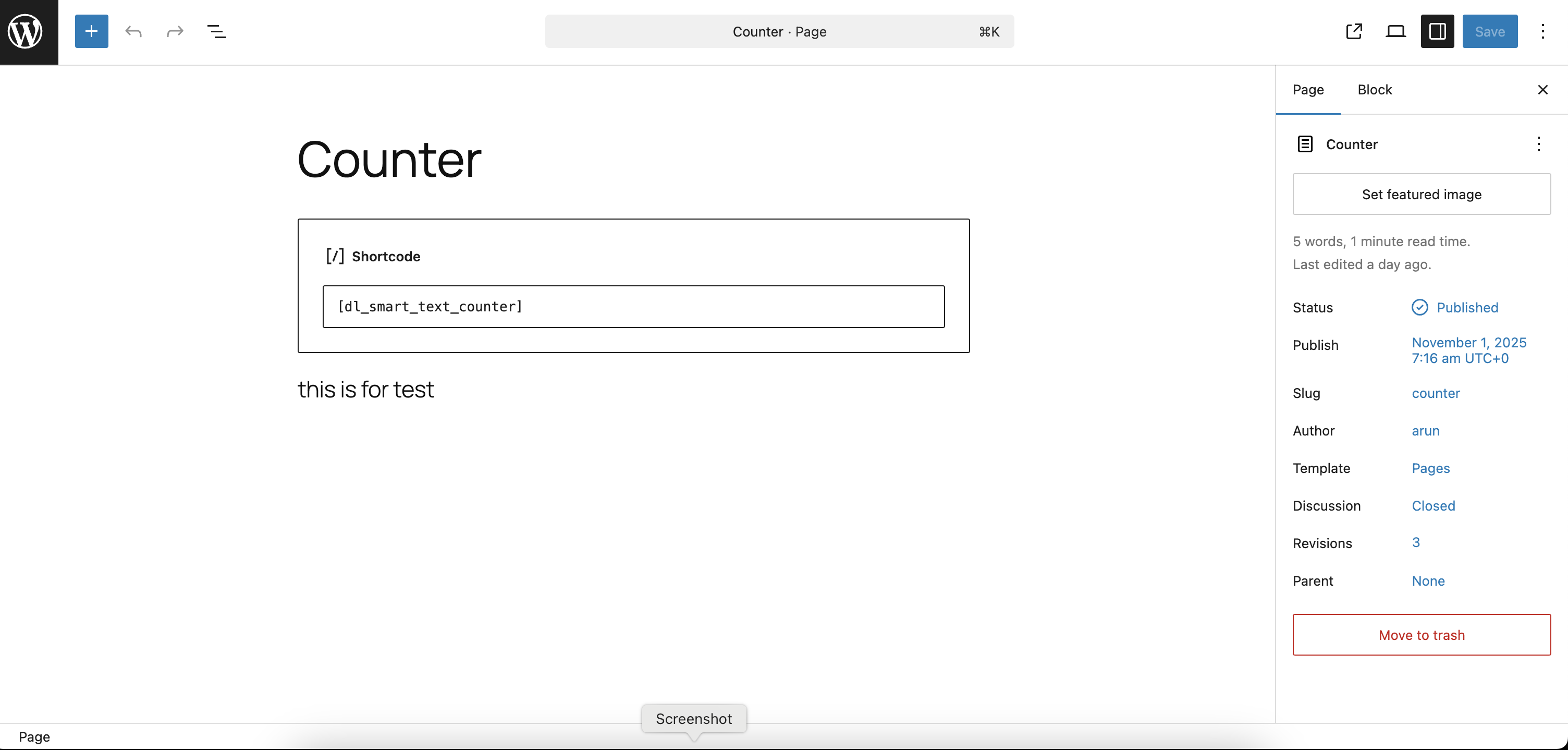
Add shortcode into your posts or pages. 
It will show textarea and result once click on count button.
安裝方式
- Visit Plugins > Add New.
- Search for DL Smart Text Counter.
- Install and activate the DL Smart Text Counter plugin.
常見問題集
-
How do I use the plugin?
-
After activating the plugin, place the shortcode
[dl_smart_text_counter]
in any post, page, or widget area. The text counter form will appear at that location. -
Does the plugin store or save user text?
-
No. The plugin does not store, log, or transmit any user-entered text. All processing happens during the request and is not saved in the database.
-
Can I use the shortcode multiple times on a page?
-
Yes. You can use the shortcode multiple times on the same page or across different pages without any conflict.
使用者評論
這個外掛目前沒有任何使用者評論。
