
Description
No Need For Password – WordPress OTP Login Plugin
No Need For Password is a WordPress authentication plugin that enables users to log in and register using a one-time password (OTP) sent to their email address. Traditional passwords are not required.
The plugin is developed by Ramesh Kumar , a web developer and technical lead with over a decade of experience building WordPress plugins, custom systems, and scalable web solutions. His background includes hands-on development and leading engineering teams on complex projects.
This plugin is designed for WordPress websites that prioritize usability, simplified authentication flows, and reduced dependency on password-based systems—often required in modern custom website development projects.
Perfect for:
– Blogs
– Membership sites
– WooCommerce stores
– SaaS-style WordPress websites
No external services. No third-party APIs. Everything runs inside WordPress.
🔐 Key Features
Here are list of features that you enjoy by getting hands on password-free authentication plugin:
- Passwordless login via email OTP
- Automatic user registration for new emails
- Secure OTP with expiry time
- Login popup with clean UI
- Logout link for logged-in users
- Gutenberg & Full Site Editing (FSE) compatible
- Works with block themes like Twenty Twenty-Three
- ACF support for user registration fields
- AJAX-based (no page reloads)
- Lightweight & fast
- Developer-friendly and extensible
- Compatible with modern block themes
These OTP-based WordPress login plugin features are great choice for modern websites.
🚀 How It Works
Below are 5 easy step to working process of secure email OTP login for WordPress plugin
- User clicks Login
- Enters email address
- Receives a 6-digit OTP by email
- Enters OTP
- Logged in instantly
No passwords. No reset links. No friction.
👨💻 Who Is It For?
Here are top cases where this No Need For Password by Ramesh is ideal choice:
- Membership websites
- WooCommerce stores
- Blogs and communities
- SaaS-style WordPress apps
- Anyone who wants password-free authentication
🧱 Shortcodes
Use these shortcodes anywhere on your site:
Login button
[nnfp_login_button]
Login page container
[nnfp_login_form]
Registration popup button
[nnfp_register_popup_button]
Registration form
[nnfp_registration_form]
🎨 Theme Compatibility
This plugin works with:
– Classic themes
– Block themes (Full Site Editing)
– Twenty Twenty-Three
– Twenty Twenty-Four
– Most modern WordPress themes
No theme files need to be edited.
🔌 ACF Integration (Optional)
If Advanced Custom Fields (ACF) is installed:
– User registration fields are automatically detected
– ACF values are saved to the user profile after OTP verification
ACF is optional — the plugin works perfectly without it.
🔒 Security
- OTP is time-limited
- Nonce protection on all AJAX requests
- Sanitized and validated user input
- Uses WordPress authentication APIs
- No passwords stored or transmitted
👨💻 Developer Friendly
Hooks and filters can be added easily.
Clean class-based architecture.
No hard dependencies.
Support
For support, feature requests, or bug reports:
https://github.com/developer-ramesh
Screenshots

Login popup with email OTP 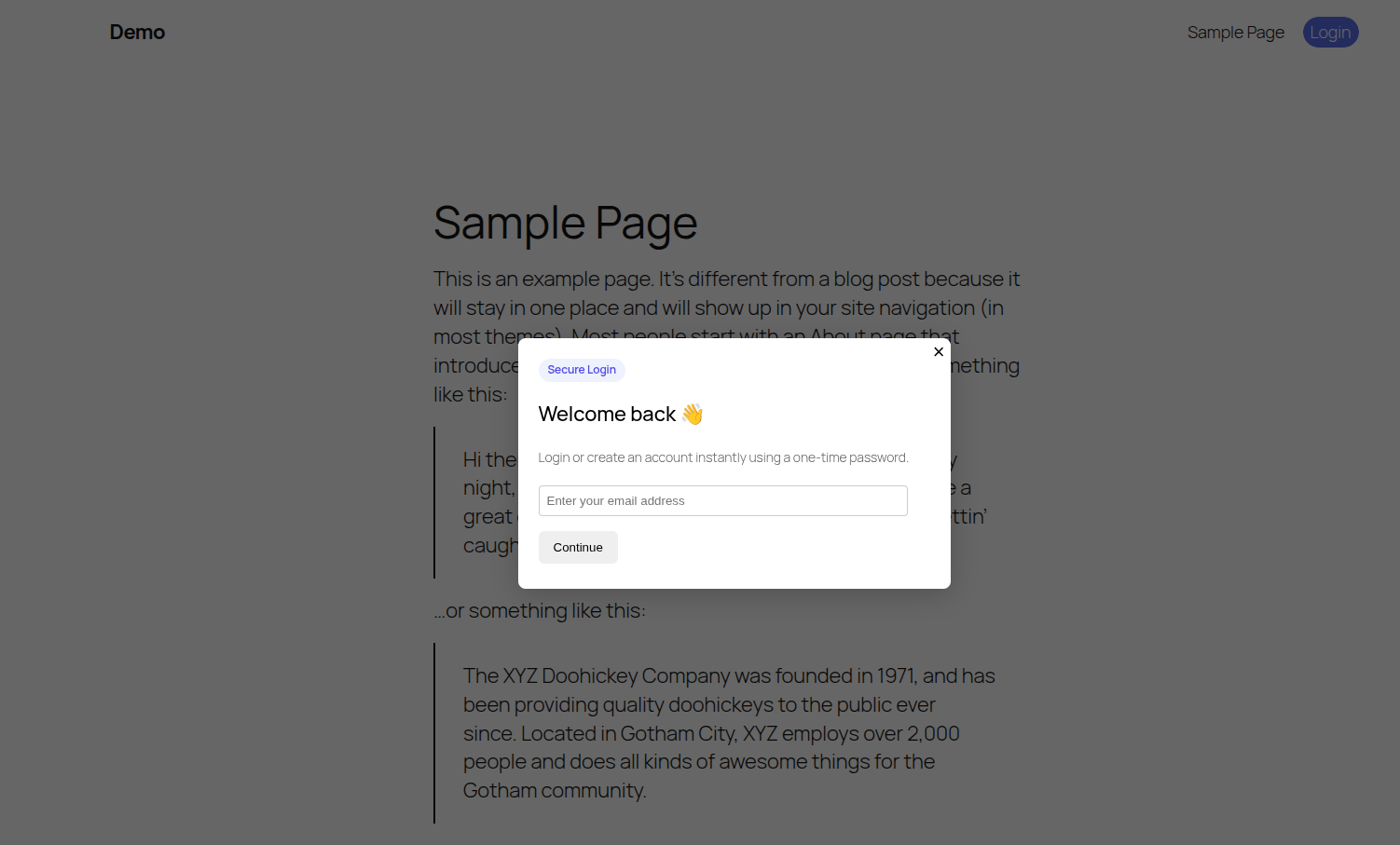
OTP verification screen 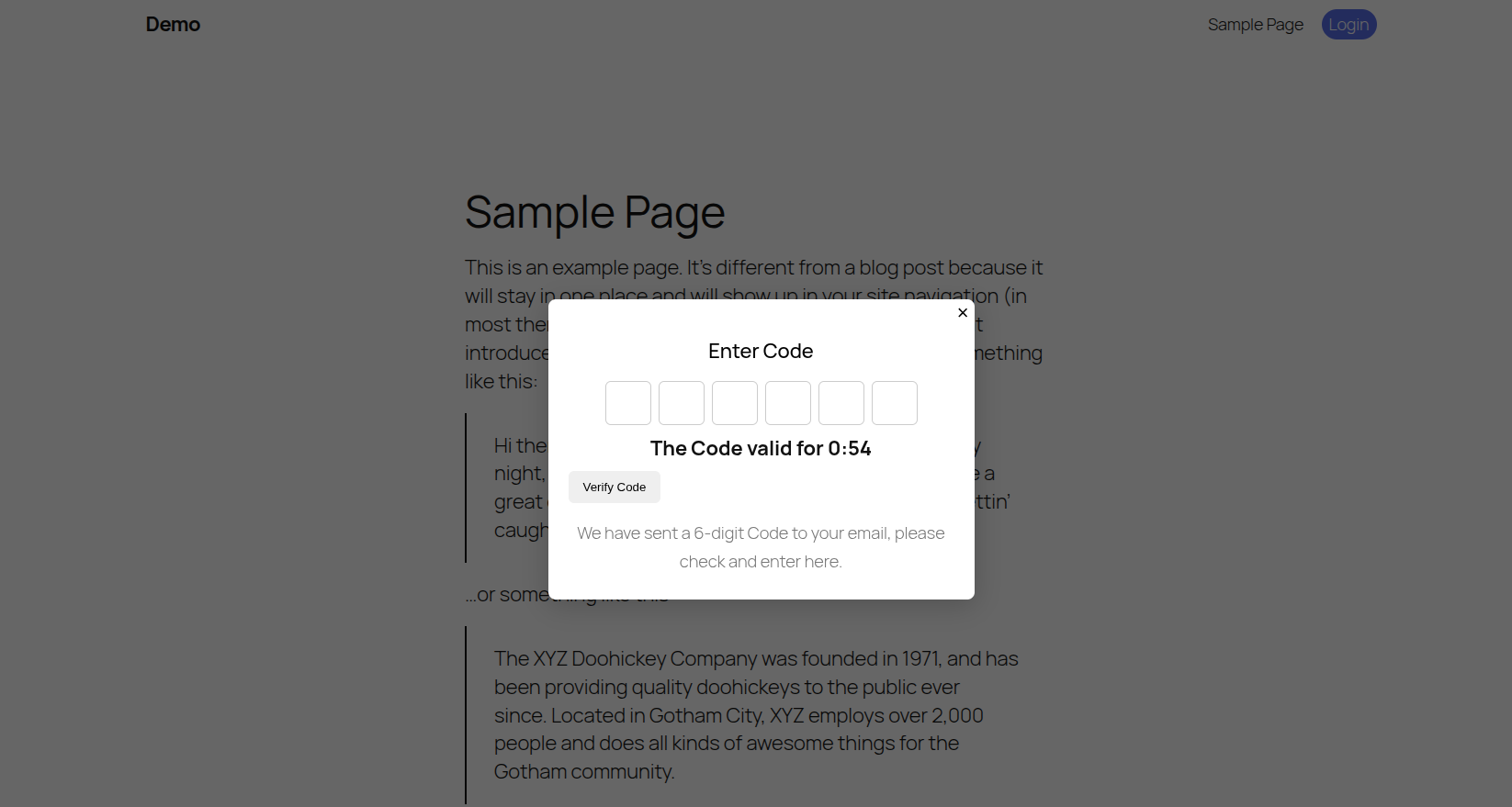
Logged-in user state
Installation
- Upload the plugin folder to
/wp-content/plugins/ - Activate No Need For Password from the Plugins page
- Add
[nnfp_login_button]where you want the login button (This will also render in the top header automatically) - Done 🎉
FAQ
-
Does this replace the default WordPress login?
-
No. The default
/wp-login.phpstill works unless you disable it separately. -
Will this work with WooCommerce?
-
Yes. Logged-in users behave exactly like normal WordPress users.
-
Is email required?
-
Yes. Email is used as the login identifier.
-
Does this plugin store passwords?
-
No. This plugin is completely passwordless.
-
Can I customize the popup design?
-
Yes. You can override styles via CSS.
-
Is it GDPR-friendly?
-
Yes. No third-party services or tracking is used.
Reviews
There are no reviews for this plugin.
Contributors & Developers
“NNFP – Passwordless Email OTP Login” is open source software. The following people have contributed to this plugin.
Contributors
Translate “NNFP – Passwordless Email OTP Login” into your language.
Interested in development?
Browse the code, check out the SVN repository, or subscribe to the development log by RSS.
Changelog
1.0.0
- Initial release
- Passwordless login via email OTP
- Registration support
- ACF integration
- Gutenberg & FSE compatibility