
Foreman
See every app and what it's using in plain English, and end or slow down the one that's hogging your Mac.
Visit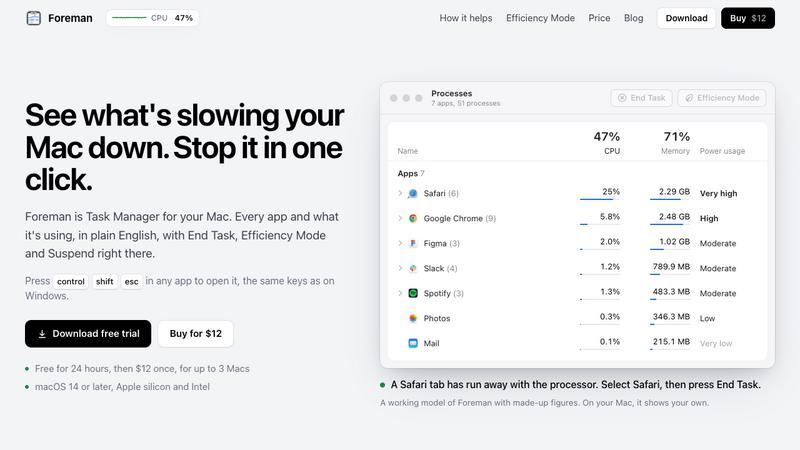
About Foreman
Foreman is a Windows-style Task Manager for the Mac. Press Control Shift Escape in any app to open it and see every app and what it's using, in plain English, with End Task, Efficiency Mode and Suspend right there.
Six pages in the sidebar: Processes, Performance with live graphs for CPU, memory, disk, Wi-Fi and GPU, App History, Startup Apps (including leftovers of deleted apps), Details and Services. System processes get a plain description beside their real name.
Efficiency Mode lets an app you need open run slowly in the background, on the efficiency cores of Apple silicon, and at full speed again when you switch to it. A live readout sits in the menu bar.
Free for 24 hours, then $12 once for up to 3 Macs. macOS 14 or later, Apple silicon and Intel.
Explore more in this category:
Similar to Foreman

ToolExo
Free online calculators and practical browser tools for math, business, SEO, text, PDF, images, and developer workflows. No signup required.

Meet In The Middle
Meet in the Middle — The Group Meetup Planner Find a fair central meeting spot based on real travel time, not just distance


GigUp
GigUp helps freelancers discover relevant Upwork jobs through AI matching, automated monitoring, and instant alerts.

Safe Outreach
AI-powered platform that evaluates the safety of LinkedIn automation tools and helps reduce the risk of account restrictions.

ResourcesHunt
Discover, Submit, Save, Compare and Share Useful Resources.

CADCraft
Free, open-source 2D CAD in Rust for precise drafting, DWG/DXF workflows, and AI-assisted design on desktop and web.

Vikas Editor AI
AI photo and video creative studio for Indian creators and global users, with cinematic edits, templates, and customizable prompts.