
Deskripsyon
The WP White Label plugin is for developers who want to give their clients a more personalised and less confusing content management system.
White Label allows administrators to change WordPress branding.
Impress your customers. Always professional and superior to regular wordpress websites.
Put your brand or your customers on the website.
WP White Label Features
- Hidden the Plugins on the Plugin page “wp-admin/plugins.php”. Prevent users from activating or deactivating.
- Remove WordPress Admin Bar on the front of the site.Except administrator
- Easy replace the default logo with your own on the WordPress login screen
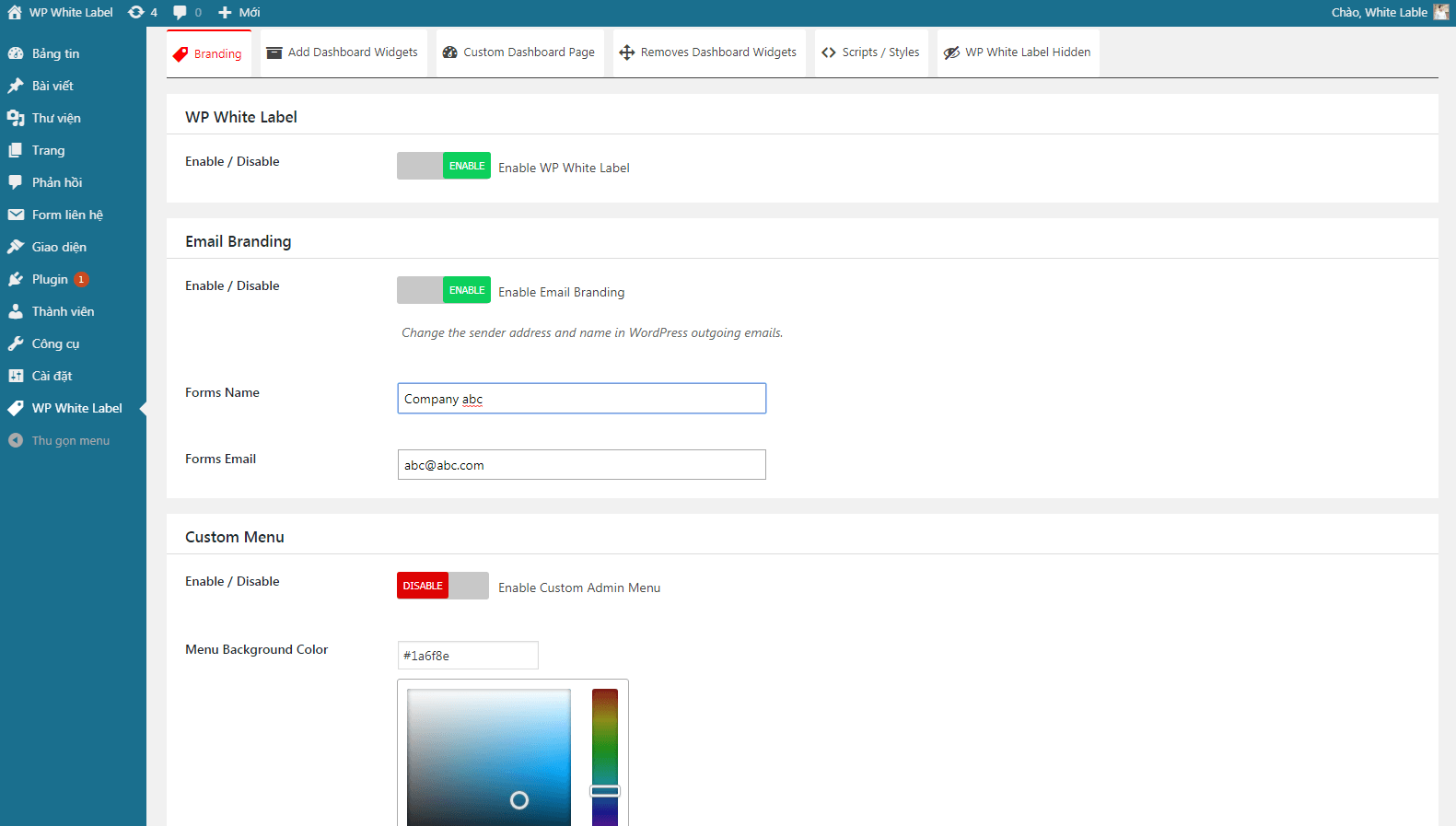
- Change WordPress Email address and sender name
- Custom background color for the login screen
- Custom background image for the WordPress login screen
- Set up a custom dashboard Widget with the visual editor
- Custom a WordPress dashboard page with the visual editor
- Add Style and Javascript script to the admin area
- Removes Dashboard Widgets
- Change the welcome message ‘Howdy’
- Hide the WordPress admin bar logo
- Replace the WordPress admin bar logo with your own
- Change the admin footer credit
- Remove All Dashboard Widgets
- Hide White Label from those with an editor role
Mga Screenshot
screenshot-1.png 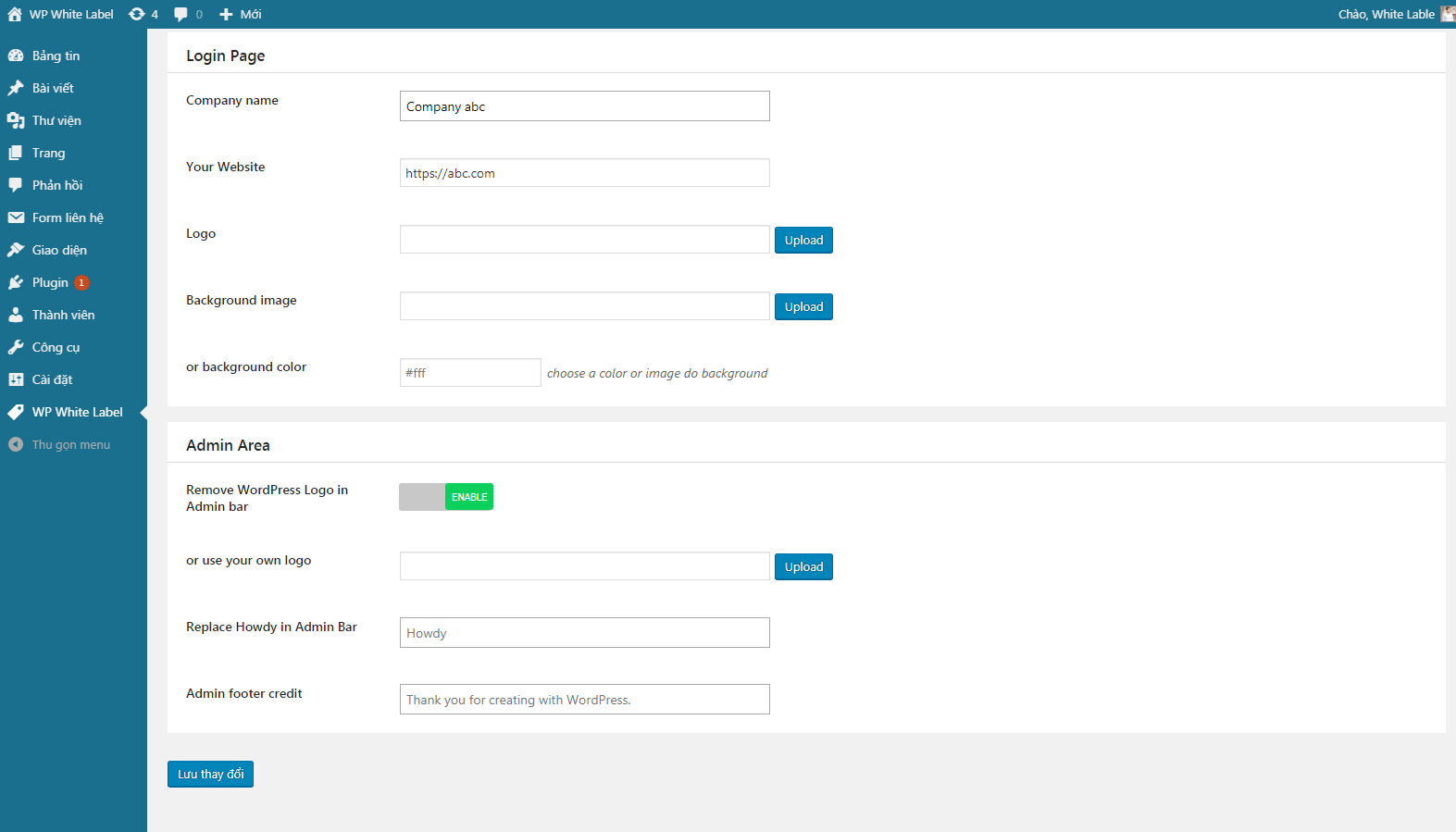
screenshot-2.png 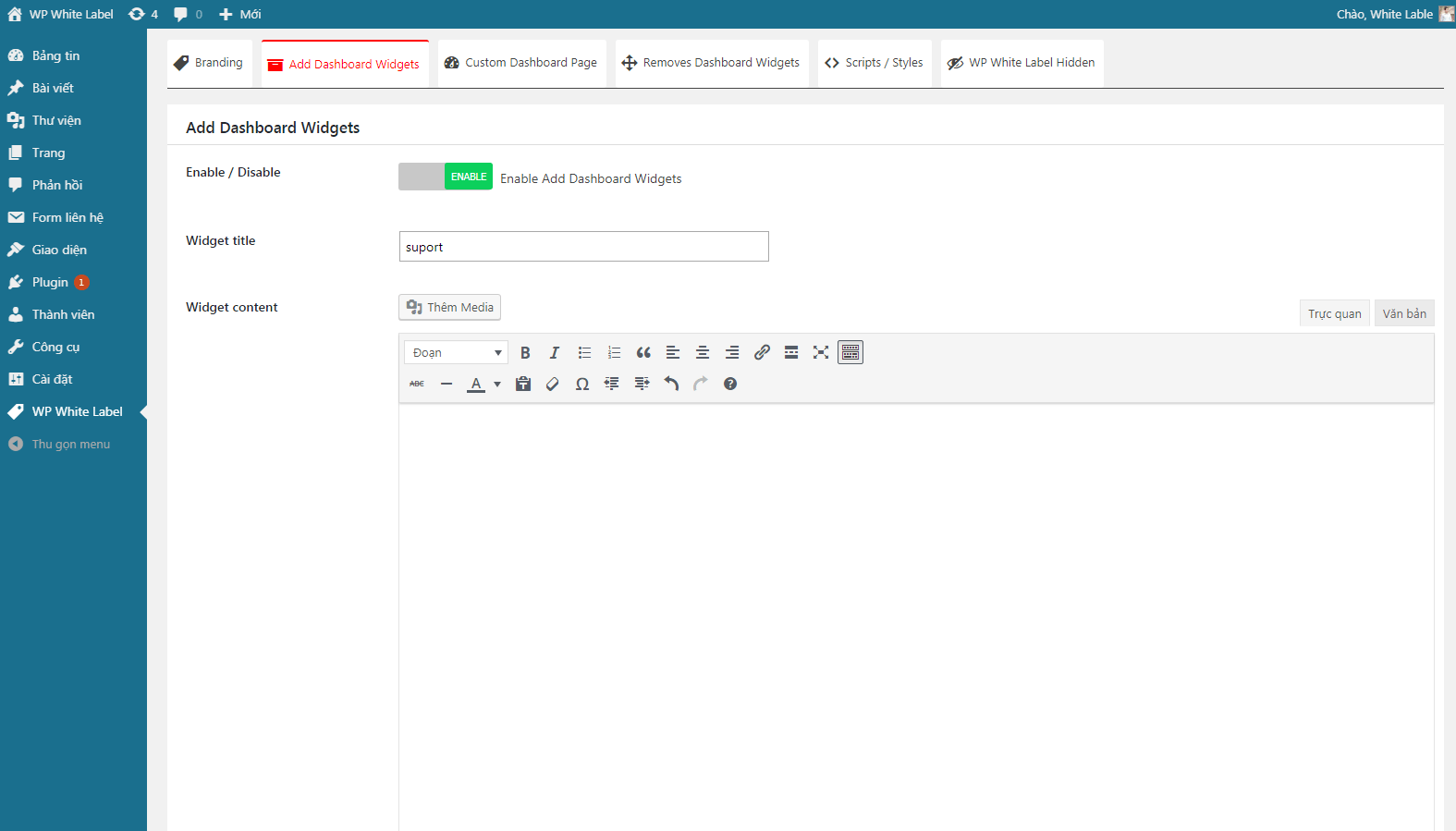
screenshot-3.png 
screenshot-4.png 
screenshot-5.png
Pag-install
- Upload the entire ‘wp-white-label’ folder to the
/wp-content/plugins/directory. - Activate the plugin through the ‘Plugins’ menu in WordPress.
- Use the WP White Label -> Settings screen to configure the plugin.
Mga Review

Mayo 26, 2019
Wow I was used this plugin. That is amazing plugin and support very good. Thanks you so much It was help for my website too much. All best with you. Hope have a lot of people will know about that plugin and used for your site!

Mayo 25, 2019
Good plugin for custom wp-admin page

Mayo 25, 2019
Tôi dùng plugin này để cho web của tôi thấy rất tiện lợi

Mayo 17, 2019
Great Plugin!

Mayo 16, 2019
Great Plugin!
Mga Contributor at Developer
Ang “WP White Label” ay open source software. Ang mga sumusunod na tao ay nag-ambag sa plugin na ito.
Mga Contributor
Isalin ang “WP White Label” sa iyong wika.
Interesado sa development?
Tingnan ang code, i-check ang SVN repository, o mag-subscribe sa development log sa pamamagitan ng RSS.
Changelog
1.0.0
- May 15, 2019
- Start creating a WP White Label plugins
1.0.1
- update function
1.0.2
- add remove admin bar
- add remove the plugin