

Deskripsyon
WP Lorem allows you to add New posts ( also custom ) with lorem text and images – By one click Only !
Additionally this plugin create new button to your content editor that allows you to insert easily lorem content.
The plugin was created in order to ease the work of the developers and the content checkers on the website.
Using the plugin allows you to add dummy content with pictures to all the posttypes on your website.
Donate & Docs
TODO List ( Up Coming ):
-
More Lorem Options ( new types of lorem )
-
Admin UI & UX improvement
Plugin Information
The plugin was created in order to ease the work of the developers and the content checkers on the website.
Using the plugin allows you to add dummy content with pictures to all the posttypes on your website.
The system scans the various posttypes and with one button and minimal settings options, (how many posts you wish to create/ with or without photos etc.) allows you to create all the posts you want.
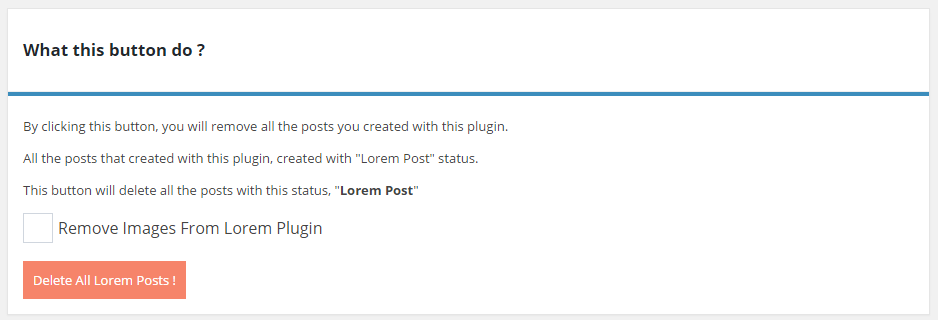
In addition, there’s an option to delete all posts with that the plugin has created, which makes the delete process much faster.
In the near future, I plan on making the system even more intelligent and with additional features;
such as differentiating between the type of content/ photos and it’s source.
For example, if a user chooses a particular type of content – like food, all the content and the pictures he would be subjected to would consist of the type he chose.
Developer Notes
Dear friends, I will be very happy to hear your suggestions (or complaints) regarding the functionality of the plugin.
Mga Screenshot
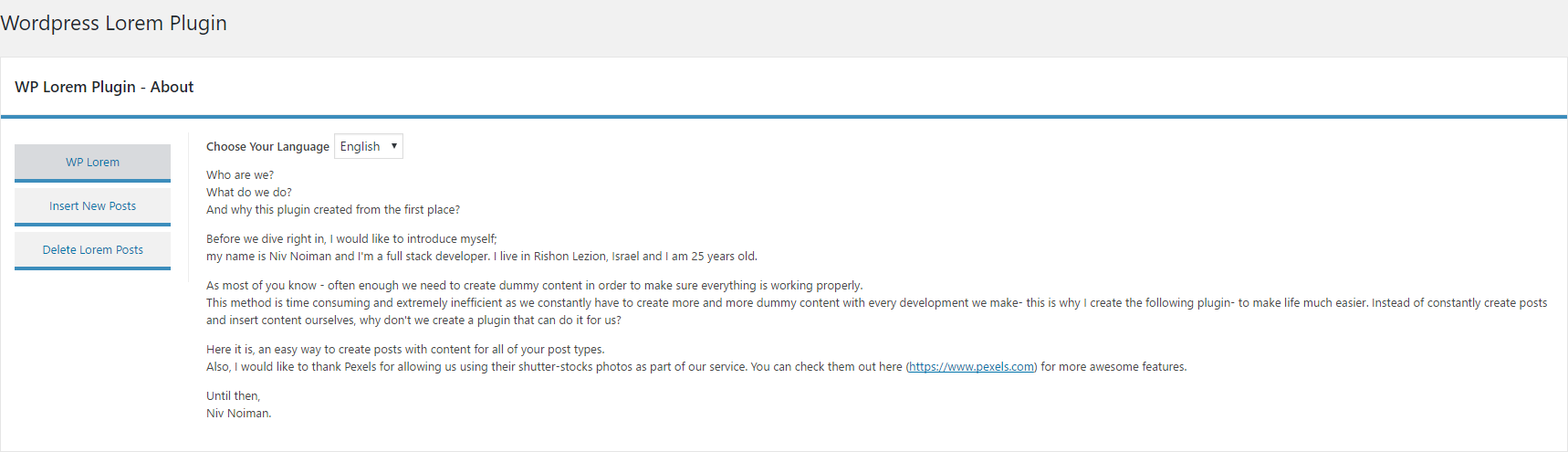
Welcome Page And Language Settings 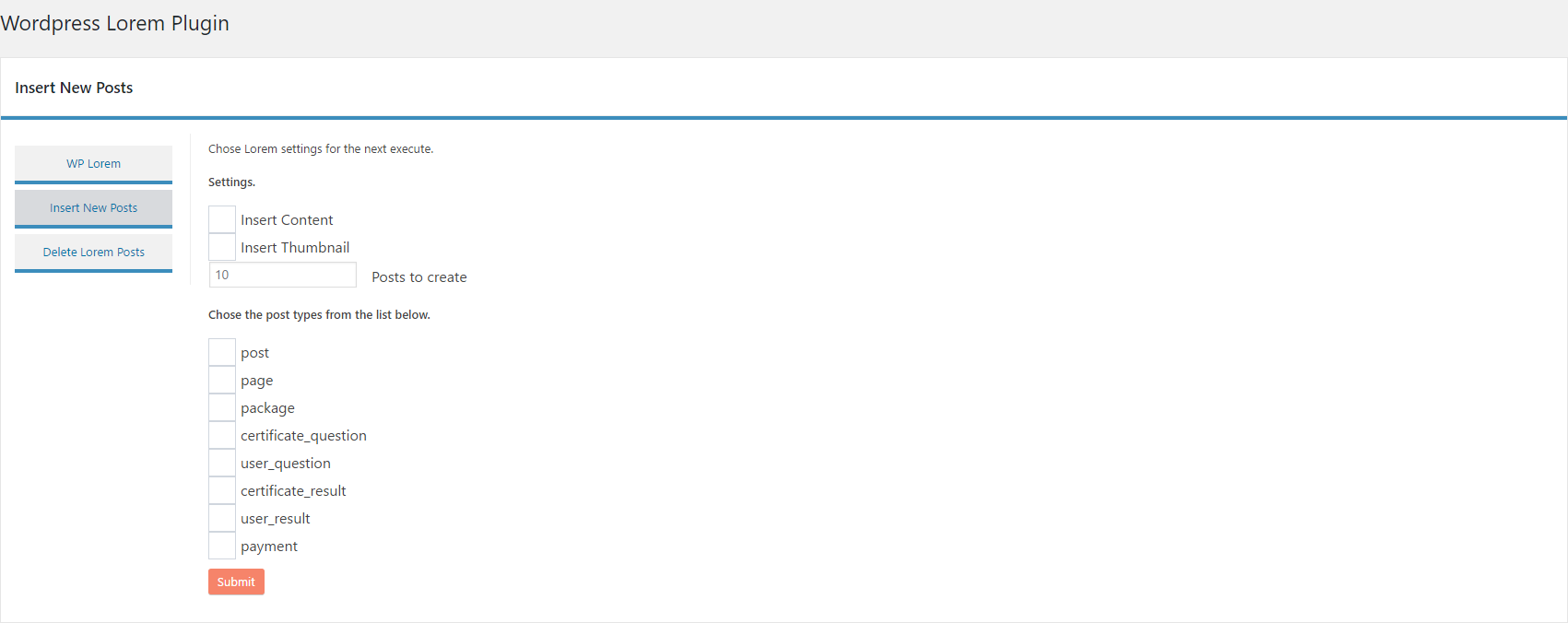
Insert new lorem post

Delete lorem post

Content editor(MCE) button

Pag-install
-
Upload the plugin files to the ‘/wp-content/plugins/wp-lorem’ directory, or install the plugin through the WordPress plugins screen directly.
-
Activate the plugin through the ‘Plugins’ screen in WordPress
-
Use the WP-Lorem screen to configure the plugin
-
‘WP-Lorem’ admin menu – the main plugin options
-
‘WP-Lorem -> Insert New’ – create the dummy content for your site
-
‘WP-Lorem -> Delete Posts’ – allow you to delete all the posts and images in your site ( with the lorem type )
Mga Review


Mga Contributor at Developer
Ang “WP Lorem (WL)” ay open source software. Ang mga sumusunod na tao ay nag-ambag sa plugin na ito.
Mga Contributor
Isalin ang “WP Lorem (WL)” sa iyong wika.
Interesado sa development?
Tingnan ang code, i-check ang SVN repository, o mag-subscribe sa development log sa pamamagitan ng RSS.
Changelog
0.1
- First plugin release
0.1.1
-
Bug fixes and improvements
-
New Content ( MCE ) Button to add lorem ( en | ru | he )
0.1.2
- Style UI Changed
0.1.3
- Bug fixes and improvements
-
Style UI Changed
-
New Language Options – Change the lorem language you adding to your site.