

Deskripsyon
This plugin provides thumbnails for categories fetched from the latest page/post of the corresponding category. The post thumbnails are generated from its featured image in the post.
About the Developer
This Plugin is developed by NetTantra Technologies – a team of open-source enthusiasts and WordPress experts. NetTantra designers and developers work relentlessly to bring code to life so that WordPress users don’t have to do the hard work.
For professional support, you can get in touch with the NetTantra Team at [email protected]
Plugin Support
Mga Screenshot
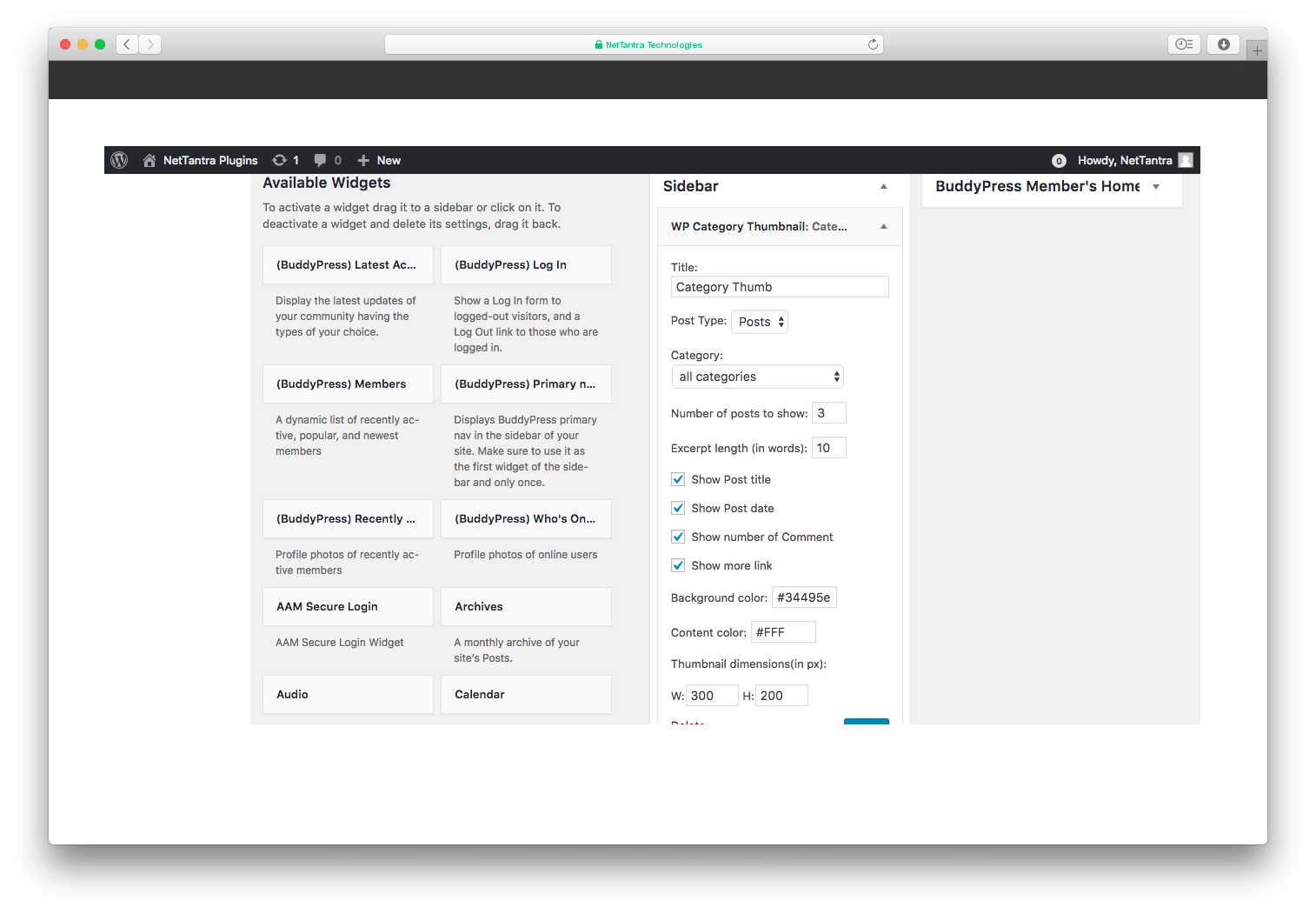
Admin widget settings 
Fronted thumbnail
Pag-install
- Upload the plugin to your ‘wp-content/plugins’ directory
- Activate the plugin
Features
- Show thumbnails for latest page/post of the corresponding category
Mga Review
Wala pang reviews para sa plugin na ito.
Mga Contributor at Developer
Ang “WP Category Thumbnail” ay open source software. Ang mga sumusunod na tao ay nag-ambag sa plugin na ito.
Mga Contributor

Isalin ang “WP Category Thumbnail” sa iyong wika.
Interesado sa development?
Tingnan ang code, i-check ang SVN repository, o mag-subscribe sa development log sa pamamagitan ng RSS.
Changelog
1.0.7
- Added language translation functionality
1.0.6
- Updated code for higer PHP version support
1.0.5
- Restored
assetsdirectory
1.0.4
- Fixed WP_Widget is deprecated issue
1.0.3
- Update version and readme.txt file
1.0.2
- Update version and readme.txt file
1.0.1
- Update version and readme.txt file
9.0.1
- Update version and readme.txt file
1.0
- Removed timthumb.php file
- Added WP add_image_size() method to crop the featured images
- Changed CSS style
- Added
assetsdirectory
0.9
- upgrade timthumb newer version
0.8
- upgrade timthumb newer version
0.7
- Added a new “overlay Background color box” feature to easily customize the overlay background color e.g.:
rgba(200, 54, 54, 0.6)or#222 - Added a new “overlay Content color box” feature to easily customize the overlay content color
0.6
- upgrade timthumb newer version