

Deskripsyon
This plugin help you to add custom validation error message for each tag in form for the Contact form 7.
Use this light weight and very well sorted plug-in, which is as easy to use as to install and implement.
Mga Tampok
- This plugin let you add a custom error message for each tag (like: text, number, tel, email etc) for each and every contact form.
Mga Screenshot
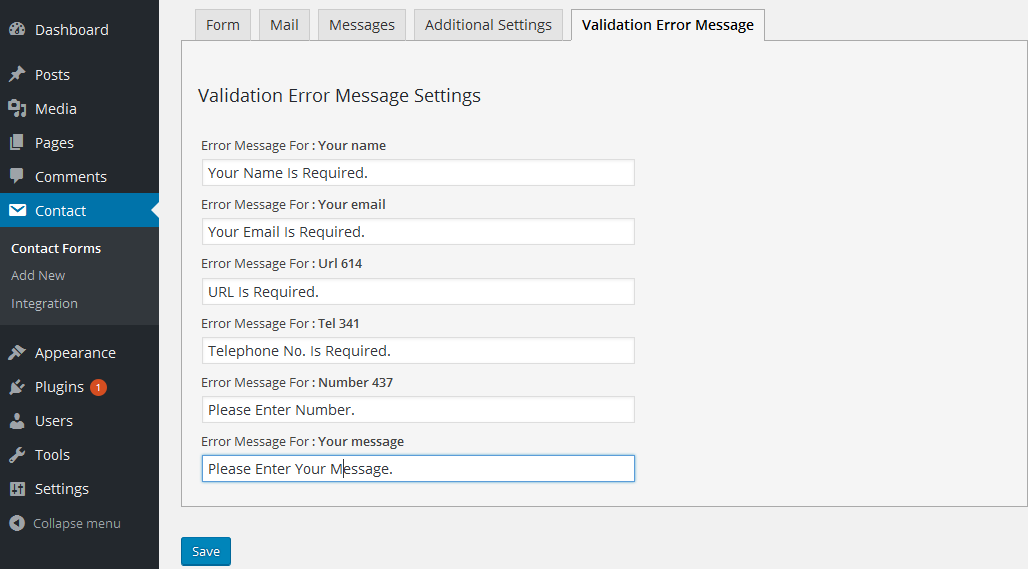
screenshot-1.png 
screenshot-2.png
Pag-install
I-install
- Login into your WordPress admin panel
- Navigate to Plugins => Add New
- Click Upload
- Click Choose File and select the validation-error-msg-cf7.zip.
- Click Install Now.
- Activate the plugin through the ‘Plugins’ menu in WordPress.
Uninstall
- Deactivate Validation Error Message – CF7 in the ‘Plugins’ menu in WordPress.
- After Deactivation a ‘Delete’ link appears below the plugin name, follow the link and confim with ‘Yes, Delete these files’.
- This will delete all the plugin files from the server.
FAQ
Write an email us on : [email protected]
Mga Review
Wala pang reviews para sa plugin na ito.
Mga Contributor at Developer
Ang “Validation Error Message – CF7” ay open source software. Ang mga sumusunod na tao ay nag-ambag sa plugin na ito.
Mga Contributor
Isalin ang “Validation Error Message – CF7” sa iyong wika.
Interesado sa development?
Tingnan ang code, i-check ang SVN repository, o mag-subscribe sa development log sa pamamagitan ng RSS.
Changelog
1.0
- A intial version.