
Deskripsyon
This plugin will show google map in your post or pages with the help of short code then will plugin will place a link and your google
map will be view in a lightbox [map_link suburb=”suburb name” state=”state name” country=”country name” description=”description “]
Mga Screenshot

Screenshot of the admin panel menu.
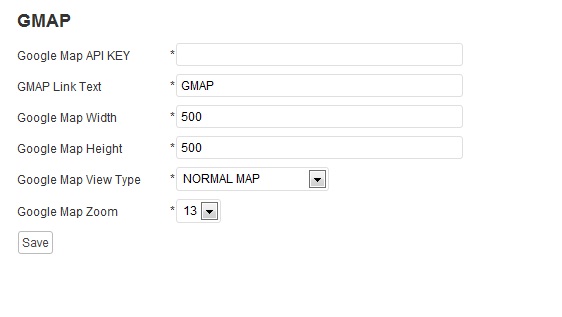
Screenshot of the add google map key and map link .

Screenshot of the map link in the post.

Screenshot of the google map in light box.
Pag-install
1.Upload the sukhjot-google-map.zip plugin to your wordpress plugin directory “wp-content/plugins/”.
2.Then go to your wp-admin panel and under the plugins list activate the Auto Poster plugin.
3.After activation in the admin panel you will see a new menu called “GMAP”.
4.Here you can add the google map key and name for link which will viewes by users .
.
5.Done
FAQ
- How do I use it?
-
Simple install
Mga Review
Wala pang reviews para sa plugin na ito.
Mga Contributor at Developer
Ang “Google Map With Short Code” ay open source software. Ang mga sumusunod na tao ay nag-ambag sa plugin na ito.
Mga Contributor

Isalin ang “Google Map With Short Code” sa iyong wika.
Interesado sa development?
Tingnan ang code, i-check ang SVN repository, o mag-subscribe sa development log sa pamamagitan ng RSS.
Changelog
1.0
- Initial release
1.1
- New Version Available